AT-610
User Manual
ATCOM TECHNOLOGY CO. , LIMITED
Username: FTP user name (TFTP no need) .
Password: FTP password (TFTP no need) .
File name: the firmware or configuration file name that IP phone will search
for in the server , if leave it as blank the IP phone with search the file with
the name of its MAC such as 000102030405 .
Notice
Notice
Notice
Notice : Users can revise the exported config file by themselves and import the
config file with only modules, for example if there is the SIP setting page in the
config file , the IP phone will only change SIP setting after import this file and
leave other setting as not changed .
Type: upgrading type
Application update: update firmware .
Config file export: export the current configuration to a FTP/TFTP server .
Config fie import: import configuration file from a FTP/TFTP server .
Protocol: choose server type FTP or TFTP .
7.3.
7.3.
7.3.
7.3. Auto
Auto
Auto
Auto Provisioning
Provisioning
Provisioning
Provisioning
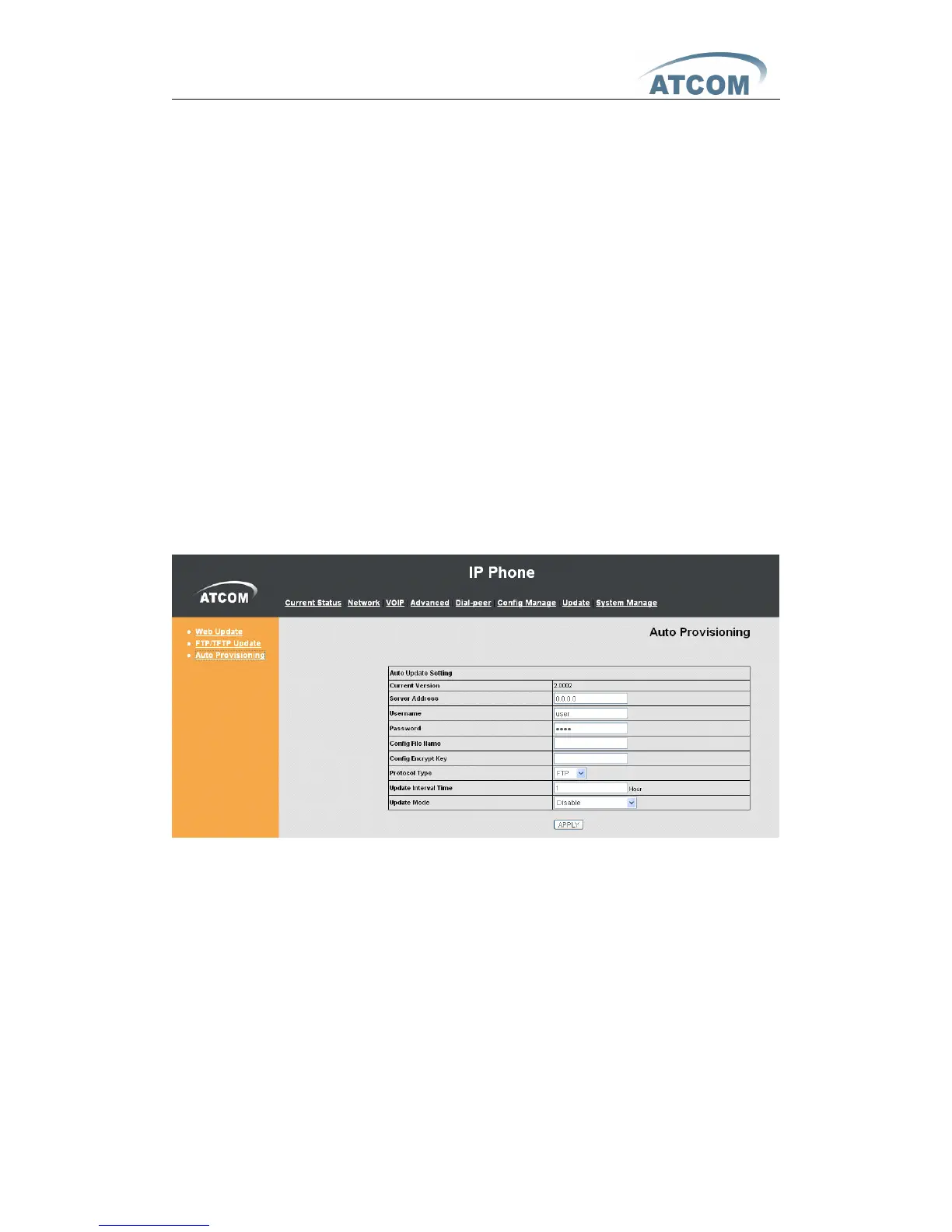
Current Version: the system will display the current version number need to
modify the version id need to more than this number on the config file
before auto provision update.
Server Address: FTP/TFTP server address .
Username: FTP server user name .
Password: FTP server password .
Config File Name: The name of configuration file. Normally users leave it as
blank the IP phone search for the file with the name same as its MAC in the
server .
Config Encrypt Key: The encrypt key of confirmation file .
Protocol Type: The protocol type that used for upgrading : FTP , TFTP or Http .
Update Interval Time: The interval time that the terminals search for new



 To Next Page