Connected Devices
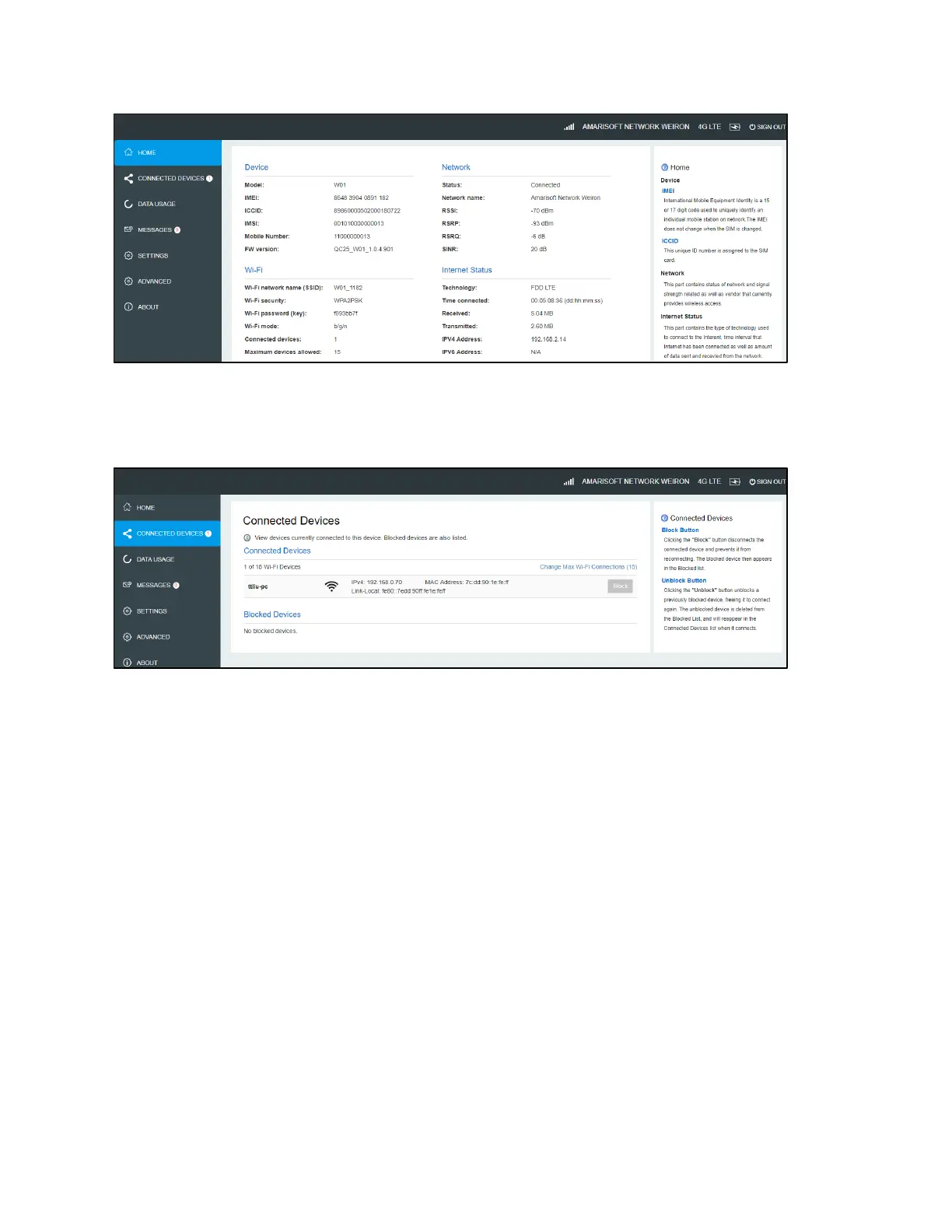
On this page, you can see Connected Devices, Blocked Devices and Change Max Connections.
! Connected Devices: This field lists the device(s) connected to your W01 Arch.
! Change Max Connections: The default max connection is 15. Click this button and it will take
you to the Wi-Fi Settings where you can change the Max Wi-Fi Connections.
! To block a device, choose a desired device and click the Block button. The Wi-Fi connection to
the blocked device will be disconnected and the blocked device will appear in the Blocked
Devices list.
! Blocked Devices shows the devices that are blocked. Choose a blocked device and click
Unblock button, this device will disappear from the “Blocked Devices” list. It will show in the
“Connected Devices” again after it connects to your W01 Arch .
Data Usage
Your estimated data usage is displayed below.
This may not match your bill. Check with your service provider for billable usage.


 To Next Page