! Applications
The default applications have “Email (POP3, IMAP, SMTP)”, “FTP”, “HTTP”, “HTTPS” and “Telnet”. If
port filtering is on, only traffic from selected applications can access the Internet. Note that DNS is
always allowed.
! Custom Applications
Click “Add a Custom Application” to define your own applications, and then turn them on or off as
needed. To define an application, you need to know the outgoing ports used by the application.
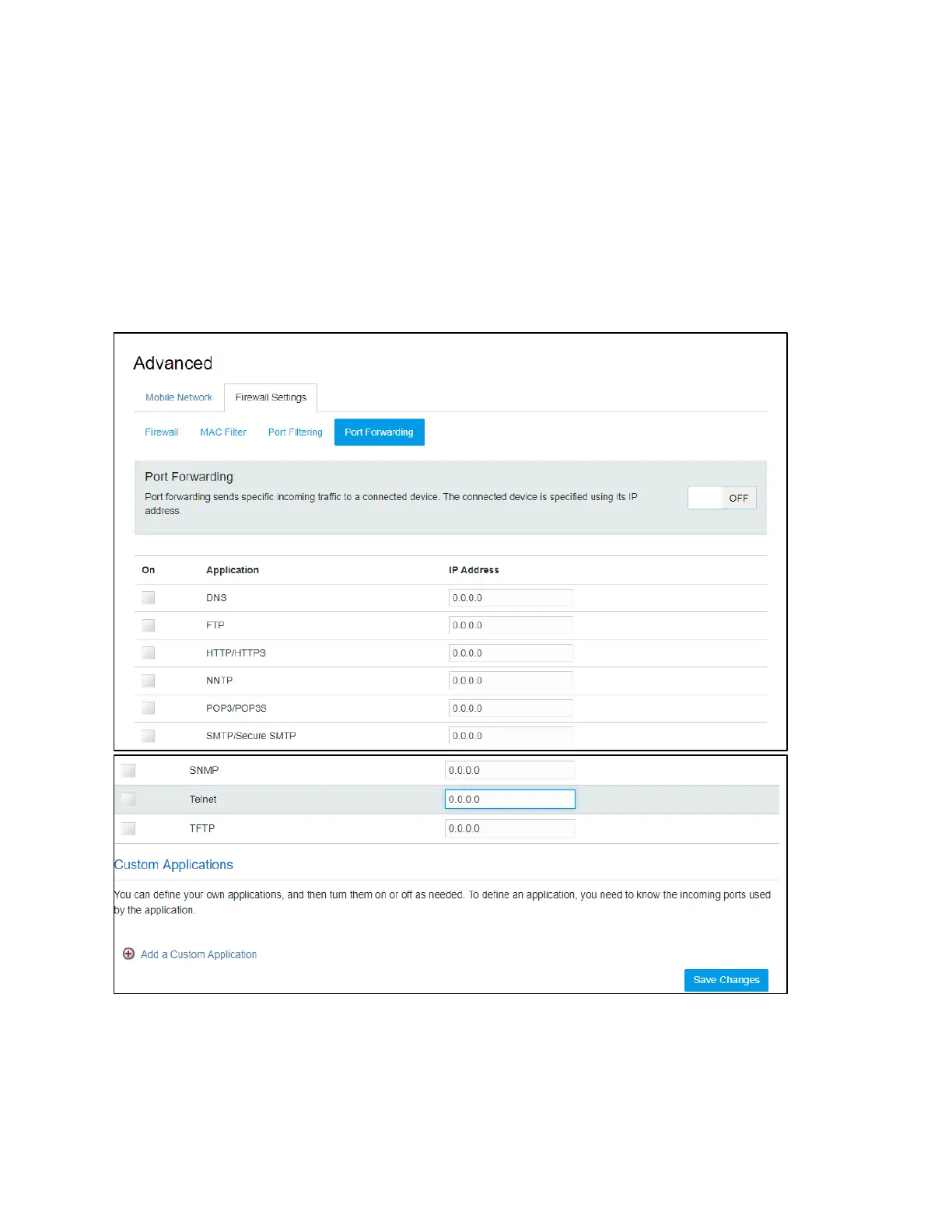
Port Forwarding
! Applications
The default applications have “DNS”, “FTP”, “HTTP”, “POP3”, “SMTP”, “SNMP”, “Telnet” and “TFTP”.
Port forwarding sends specific incoming traffic to a connected device. The connected device is
specified using the IP address.


 To Next Page