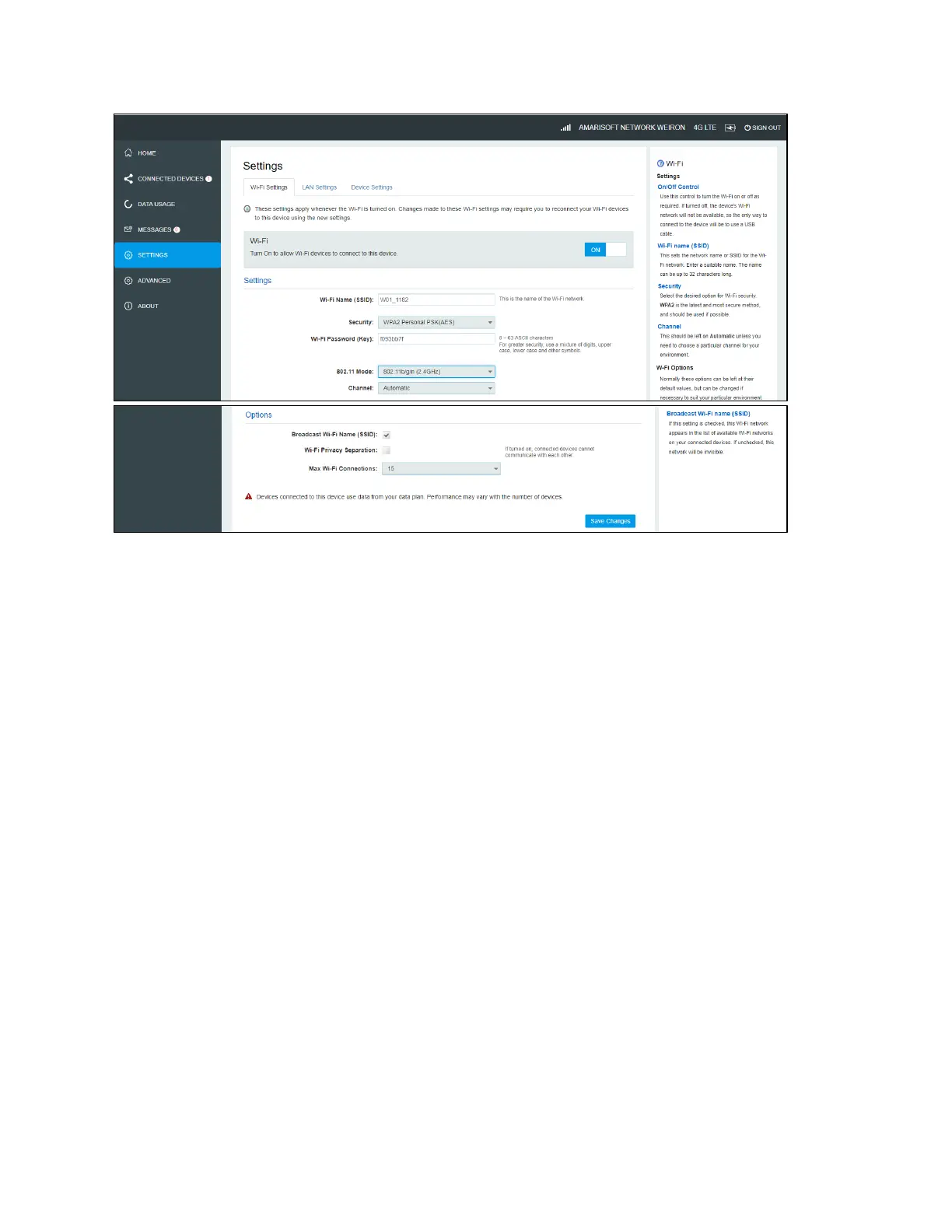
Wi-Fi settings
These settings apply whenever the Wi-Fi is turned on. Changes made to these Wi-Fi settings may
require you to reconnect your Wi-Fi devices for the new settings to come into effect.
• Wi-Fi ON/OFF:
Turn on to allow Wi-Fi devices to connect to this device. Wi-Fi devices will not connect to this device
after it is turned off.
• Wi-Fi name(SSID):
To identify your wireless network, a name called the SSID (Service Set Identifier) is used. You can
set a name with a max of 32 characters. Make sure that your SSID is unique if there are other
wireless networks operating in your area.
• Security:
You can set the wireless security and encryption to prevent the router from unauthorized access
and monitoring. The default security is WPA Personal/PSK. You can also set Security as “None”,
“WPA Personal/PSK”,“WPA2 Personal/PSK(AES)”, “WPA/WPA2 Mixed Mode”.
• 802.11 Mode:
The default is“802.11b/g/n”. You can also set it as 802.11a/ac (5GHz).
• Channel:
The default “Channel” is “Automatic”. You can set it from channel 1 to channel 11.
• Wi-Fi Options:
Wi-Fi Options include Broadcast Wi-Fi name (SSID), Wi-Fi Privacy Separation and Max Wi-Fi
Connections.
• Broadcast Wi-Fi name (SSID):
The wireless device can search and connect to the SSID after turning on “Broadcast Wi-Fi name
(SSID)”. The wireless device must input SSID manually to connect to the SSID after turning off
“Broadcast Wi-Fi name (SSID)”.


 To Next Page