Click the “Upgrade” button to launch the software upgrade manually. Once the upgrade is completed, the
device will reboot and the new software version will display.
Note: “Check for Update” button is only active (blue color) every 6 hours.
Managing Your Mobile Hotspot
You can access the W01 Arch Mobile Hotspot Online Device Management Portal (Online Portal)
using an internet browser.
If there is a firmware upgrade in the future, the Online Portal may be changed without notice.
To access W01 Arch Mobile Hotspot using a browser:
! Connect your Wi-Fi capable device to the W01 Arch.
! Open a web browser on your connected device and enter either https://192.168.0.1 or
http://192.168.0.1 in the URL address bar.
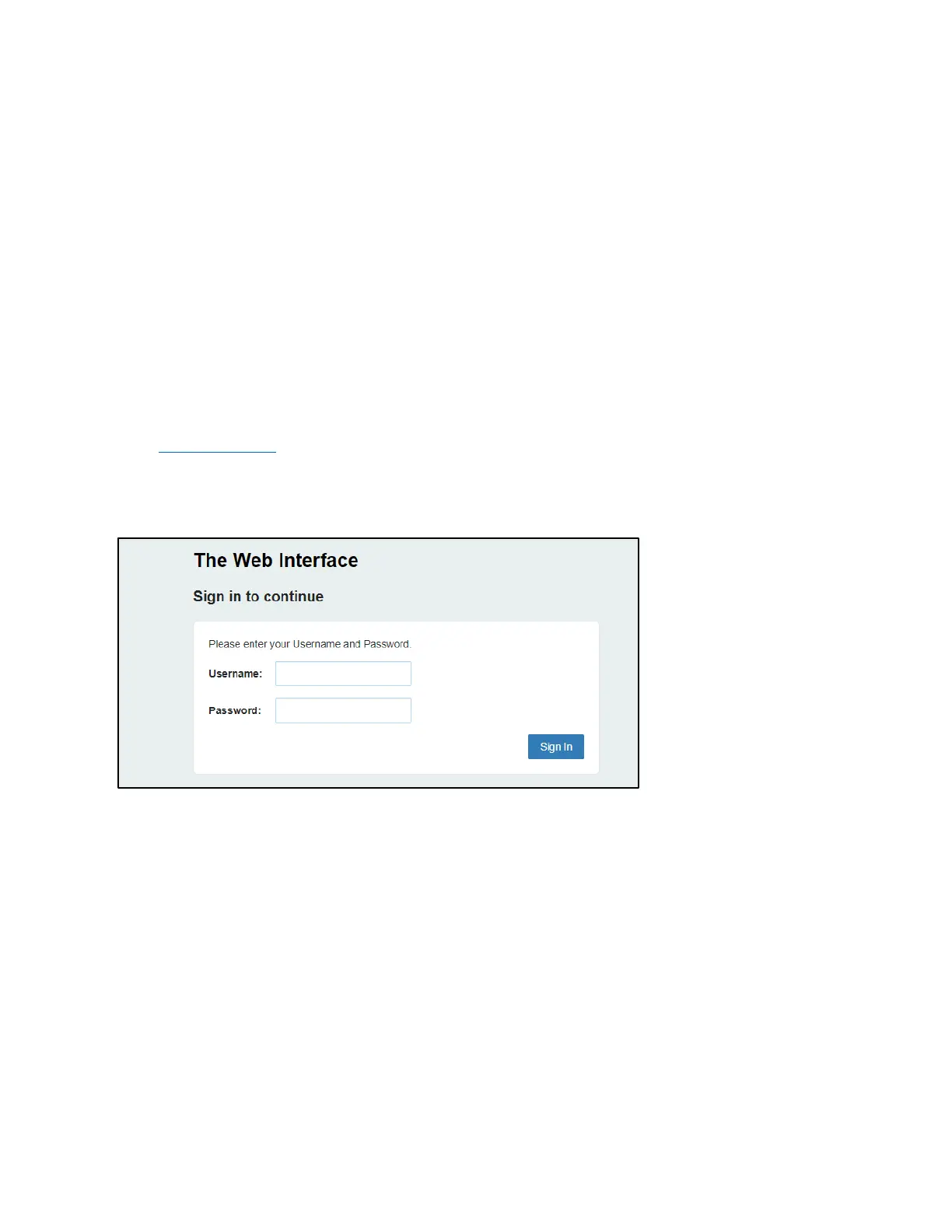
! Enter the Username/Password and Click Login. If you entered the correct password, the Online
Portal screen appears.
NOTE: The default Username/Password is 'admin'.
Home
The W01 Arch Mobile Hotspot Online Device Management Portal (Online Portal) allows you to
quickly access all menu options for your W01 Arch.
! HOME
! CONNECTED DEVICES
! DATA USAGE
! MESSAGES
! SETTINGS
! ADVANCED
! ABOUT


 To Next Page