2.9.5 Electrical connections
on the outdoor unit side
Access to the connection terminals:
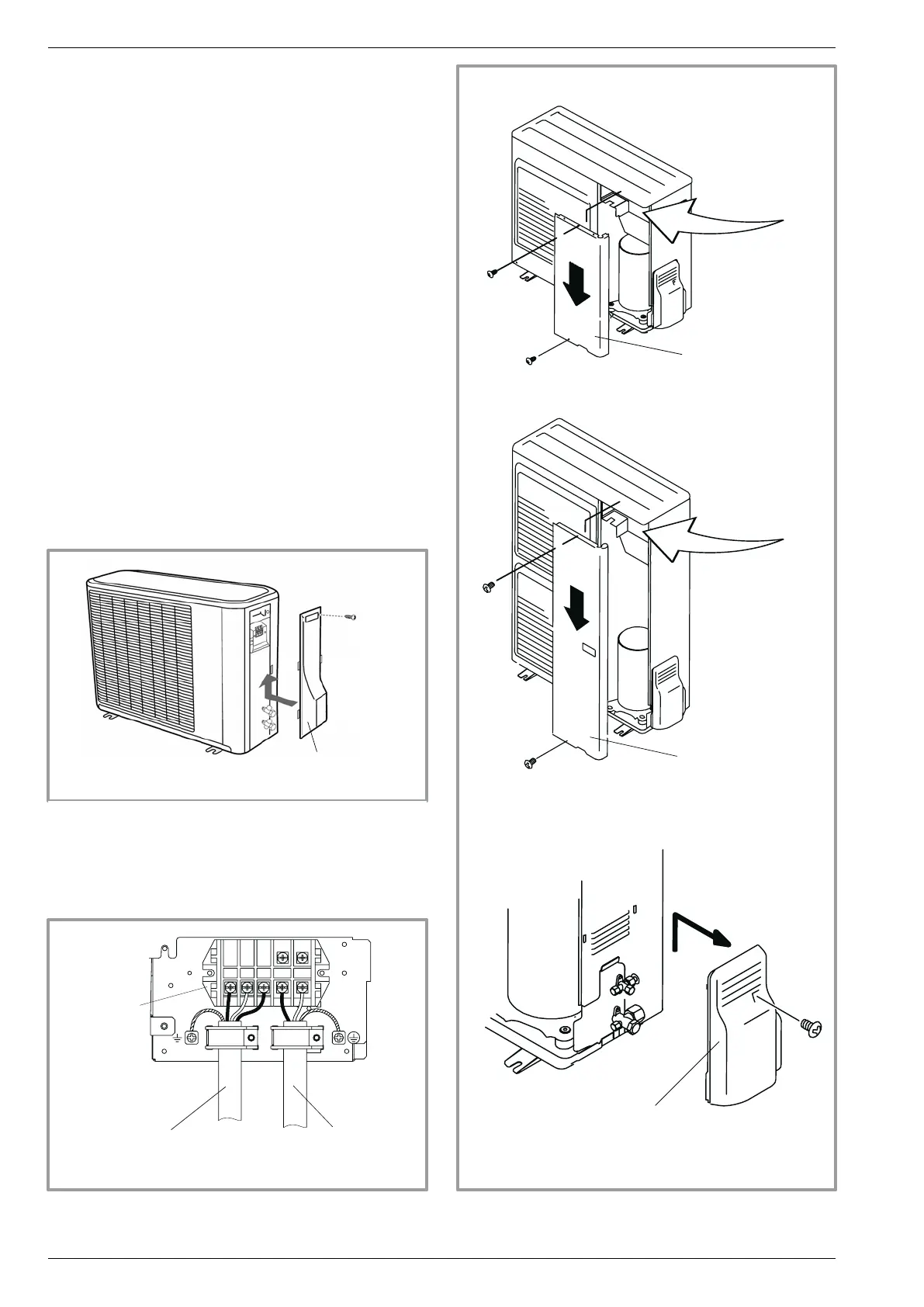
• Model Evolution 5, Evolution 6 & Evolution 8
- Remove the cap (gure 27, page 24).
• Model Evolution 10, Evolution 13 & Evolution 16
- Remove the front panel.
- Remove the cap (gure 29).
- Make the connections in accordance with the
diagram(s) (gure 28).
- Use cable clamps to prevent the conductors from
being disconnected accidentally.
- Fill in the space where the cables enter the outdoor
unit with the insulating plate (gure 30).
Déposer le capot
(1 vis)
gure 25 - Access to outdoor unit’s terminal block
(Model Evolution 5, Evolution 6, Evolution 8)
Interconnexion
entre unité extérieure
et module hydraulique
Câble d’alimentation
générale
Bornier
gure 26 - Connections to outdoor unit’s terminal block
Déposer la façade
(2 vis)
Déposer la façade
(2 vis)
Déposer
le capot (1 vis)
gure 27 - Access to outdoor unit’s terminal block
(Model Evolution 10, Evolution 13, Evolutio16)
Remove the cap.
(1 screw)
Remove the cap.
(1 screw)
Interconnection between
the outdoor unit and the
hydraulic unit
General electrical
supply
Terminal
block
Remove the front
panel
(2 screws)
Remove the front
panel
(2 screws)
Installation and operation manual "1397 - EN"
Heat pump split single service alféa Evolution
- 24 -




 To Next Page