3.20 Saved data menu
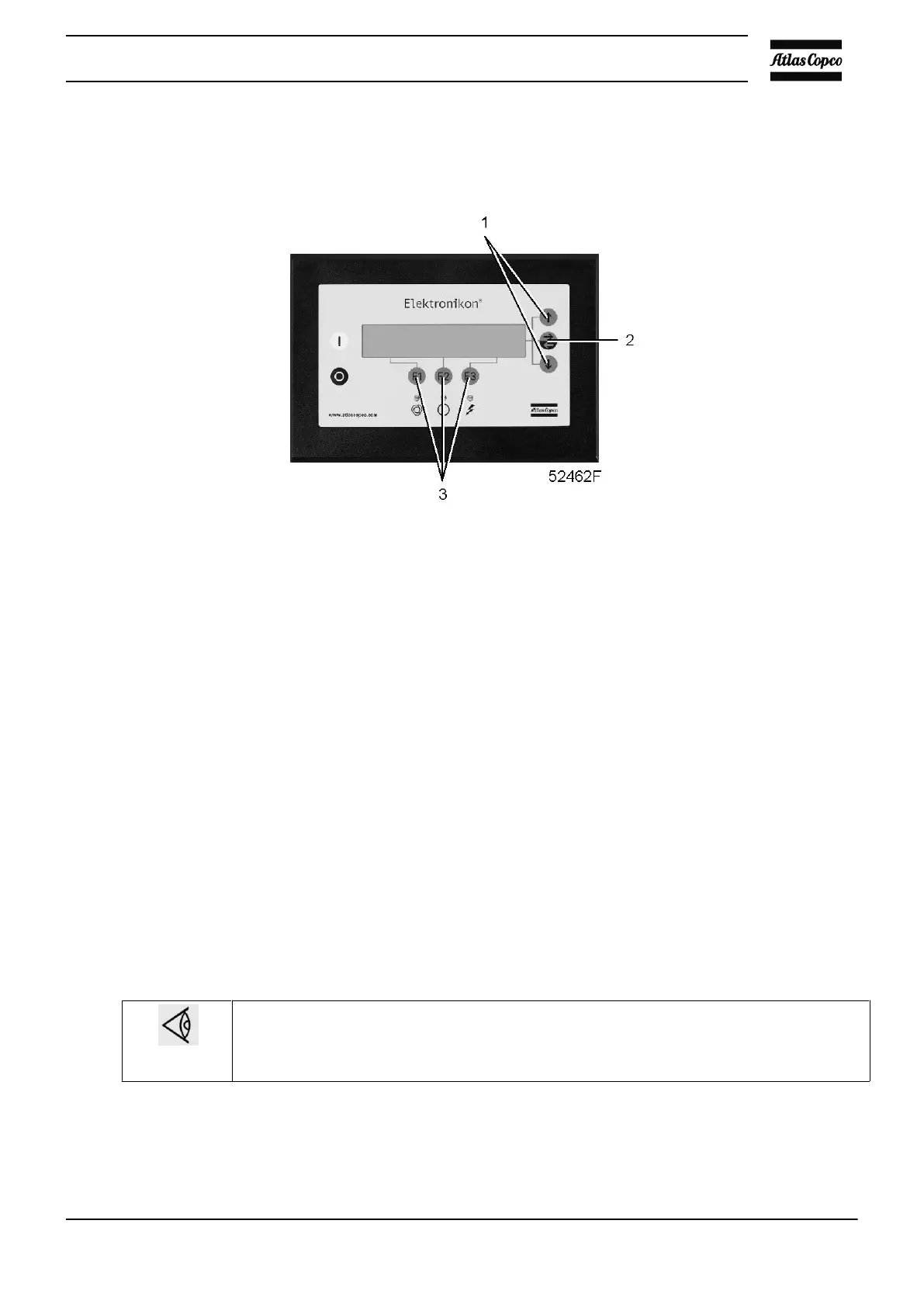
Control panel
Function
To call up some data saved by the regulator. These data are:
• Last shut-down data
• Last emergency stop data
Procedure
Starting from the Main screen (see Main screen menu):
• Press the key “Menu” (F1).
• Press the arrow down key (1) until “Saved Data” is followed by a horizontal arrow.
• Activate the menu by pressing the tabulator key (2).
• The first option is shown “Last shutdown 1”.
• Press the tabulator key (2) to find out the date, time and other data reflecting the status of the compressor
at the last shut-down.
• If desired, scroll through the other items.
3.21 Programmable settings for GA90 up to GA500
Regulation settings
On GA90 up to GA250 and GA315 60 Hz Full-Feature compressors, the maximum working
pressure is 0.25 bar/3.6 psi lower than stated below
On GA90 up to GA250 and GA315 60 Hz Full-Feature compressors with a DD filter installed,
the maximum working pressure is 0.6 bar/8.7 psi lower than stated below
Parameters
Instruction book
2920 1475 06 49

 To Next Page
 Loading...