
 To Next Page
S
SergJun 2, 2026
Good morning! GA5 excessive condensate quantity in oil? What is the reason? We use Oil separator and Oil filter. Region Equatorial Guinea.

Good morning! GA5 excessive condensate quantity in oil? What is the reason? We use Oil separator and Oil filter. Region Equatorial Guinea.
Explains safety symbols used in the manual.
Outlines general safety rules for operation and maintenance.
Details safety measures for compressor installation.
Lists safety measures for operating the compressor.
Outlines safety procedures for maintenance and repair work.
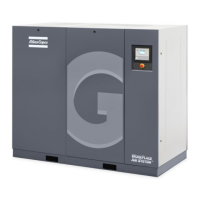
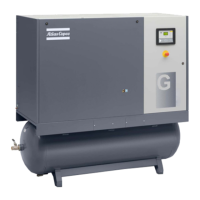
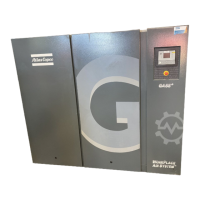
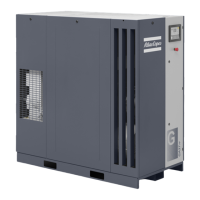
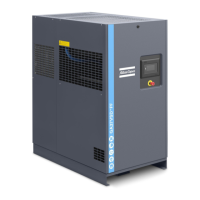
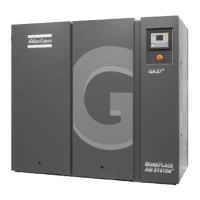
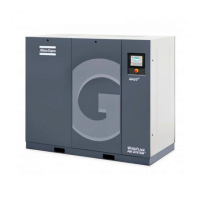
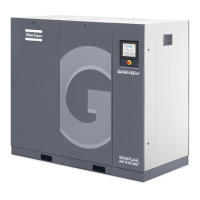
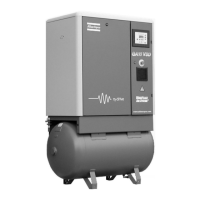
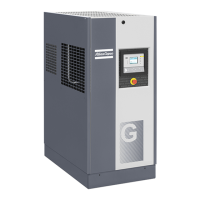
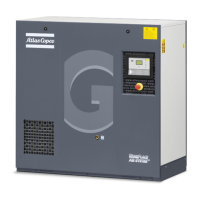
Provides a general overview of the GA 5 to GA 11 compressors.
Explains the air flow diagrams for different compressor versions.
Details the oil system of the compressor with a flow diagram.
Describes the compressor's cooling system and its components.
Explains the condensate drainage systems for different compressor types.
Describes how the compressor's loading and unloading functions work.
Introduces the main components of the compressor's electrical system.
Provides information on the service diagram and component designations.
Details the air dryer's flow diagram and components.
Covers the regulator's functions, automatic control, and protection.
Provides a detailed description of the Elektronikon control panel and its buttons.
Explains the meaning of various icons displayed on the controller.
Describes the compressor's main display screen and its information.
Explains conditions that trigger a shut-down warning and related actions.
Details the conditions and procedures for compressor shut-down.
Explains service warnings and when they appear.
Guides users on navigating through the controller's various screens.
Instructions for displaying outlet and dewpoint temperatures on the controller.
How to view the compressor's running hours via the controller.
Instructions for viewing the number of motor starts.
How to check the regulator module's service hours.
Instructions to display the hours the compressor was loaded.
How to check the load relay status.
Steps to view and reset the service timer.
How to choose the compressor's control mode.
Procedures for managing CAN address settings.
Instructions for configuring network settings.
How to view and adjust pressure band settings.
Steps to change the active pressure band.
How to adjust service timer intervals.
Procedure to change temperature units (C/F).
How to change pressure units (bar/psi).
Information on enabling automatic restart after power interruptions.
How to select motor starting method (star-delta/DOL).
Instructions to view and adjust load delay time.
How to adjust the minimum stop time between cycles.
Steps to set up password protection for settings.
How to configure remote pressure sensing.
How to configure various protection settings.
Instructions for performing display and safety valve tests.
Guide to connecting and using the web server interface.
Overview of the Graphic controller's functions and operation.
Details the control panel layout and functions for the Graphic controller.
Explains the icons displayed on the Graphic controller interface.
Describes the Graphic controller's main screen and operational status.
Instructions on how to access the controller's menu system.
How to view input status and measured data on the controller.
How to check the status of digital outputs on the controller.
How to access and view various operational counters.
Accessing service-related information and functions.
How to program and select pressure bands for compressor operation.
How to view last shut-down and emergency stop events.
Procedures for changing general settings like time and date.
Displays information such as the Atlas Copco internet address.
How to program time-based start/stop commands for the compressor.
Instructions for performing display and safety valve tests.
How to manage user password settings.
Guide to connecting and using the web server interface.
Describes the OSD unit for separating oil from condensate.
Safety precautions and operational guidance for the OSD unit.
Explains the pictographs used on the OSD unit.
Provides dimensional drawings for various compressor configurations.
Guidelines for compressor room installation and environmental considerations.
Instructions for making electrical connections to the compressor.
Explains various pictographs used in the manual.
Step-by-step guide for the initial start-up procedure.
Pre-start checks and procedures before operating the compressor.
Detailed steps for starting the compressor.
Guidelines for operating the compressor and monitoring its status.
Instructions for regularly checking the compressor display and messages.
Procedures for stopping the compressor normally and in emergencies.
Steps for safely taking the compressor out of operation.
Outlines the recommended preventive maintenance tasks and intervals.
Details recommended oils and their properties for the compressors.
Guidance on storing the compressor when not in use.
Information on available service kits for maintenance.
Guidelines for environmentally friendly disposal of used materials.
General advice and bearing maintenance for the drive motor.
Location, recommendations, and procedure for replacing the air filter.
Step-by-step guide for changing the compressor oil and filter.
Procedure for replacing the oil separator element.
Instructions for cleaning and maintaining the compressor coolers.
Guides for checking belt tension and replacing belts.
Location and testing procedures for safety valves.
Safety precautions and maintenance for the refrigeration dryer.
Troubleshooting guide for common compressor issues and remedies.
Information on compressor readings displayed on the controller.
Guidance on selecting appropriate electric cable sizes for different versions.
Tables detailing overload relay and fuse settings for various models.
Information regarding dryer adjustment and safety devices.
Specifies operating conditions for technical data validity.
Detailed technical specifications for GA 5 compressor models.
Technical specifications for the Elektronikon controller.
Usage instructions and safety for the oil separator vessel.
Instructions for using and maintaining the air receiver.
General guidelines for inspections and reference to standards.
Lists components subject to the PED and their class.
Shows an example of the EC Declaration of Conformity.
 General
| Model | GA 5 |
|---|---|
| Category | Air Compressor |
| Power | 5.5 kW |
| Noise Level | 68 dB(A) |
| Cooling System | Air-cooled |
| Drive Type | Direct Drive |
| Maximum Working Pressure | 10 bar |
| Capacity FAD | 0.45 m³/min |
| FAD Capacity | 0.45 m³/min |
| Free Air Delivery | 0.45 m³/min |