38
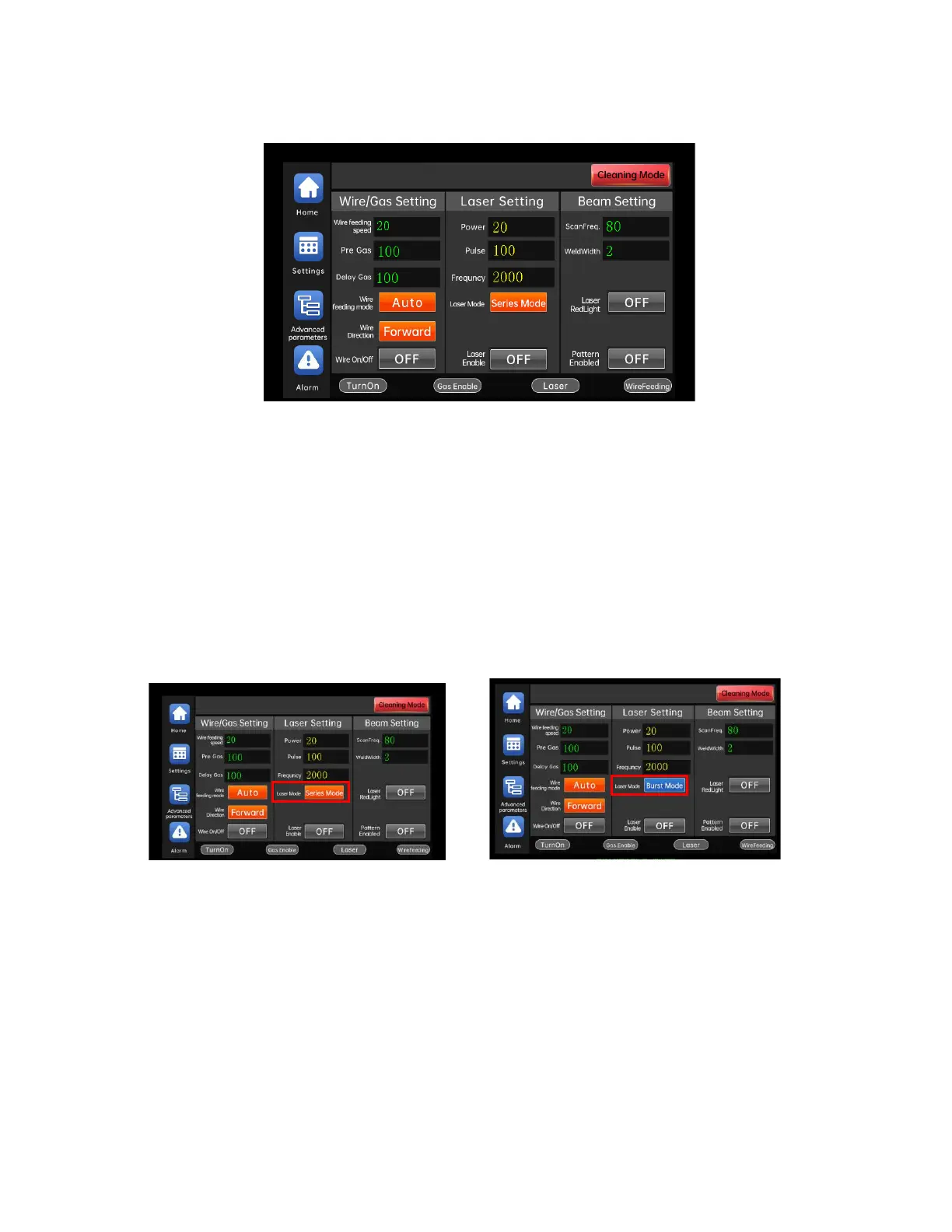
default, as shown in the figure below:
The welding work interface is the most used interface for users. Under
this interface, users can set parameters, turn on/off enable control, switch
working modes, and light emitting methods.
Output power of the welding head = laser power x peak power x PWM duty cycle
Click the "LaserMd" button to switch the light emitting mode.
Continuous: After turning on the laser enable, when the light-emitting
conditions are met, the light can be continuously emitted by pressing the
light-emitting switch of the welding head, and the light can be turned off by
releasing the light-emitting switch.
Spot: When the light is spotted, after the laser enable is turned on, the



 To Next Page