Verifit
®
User's Guide Version 3.12
November 2015
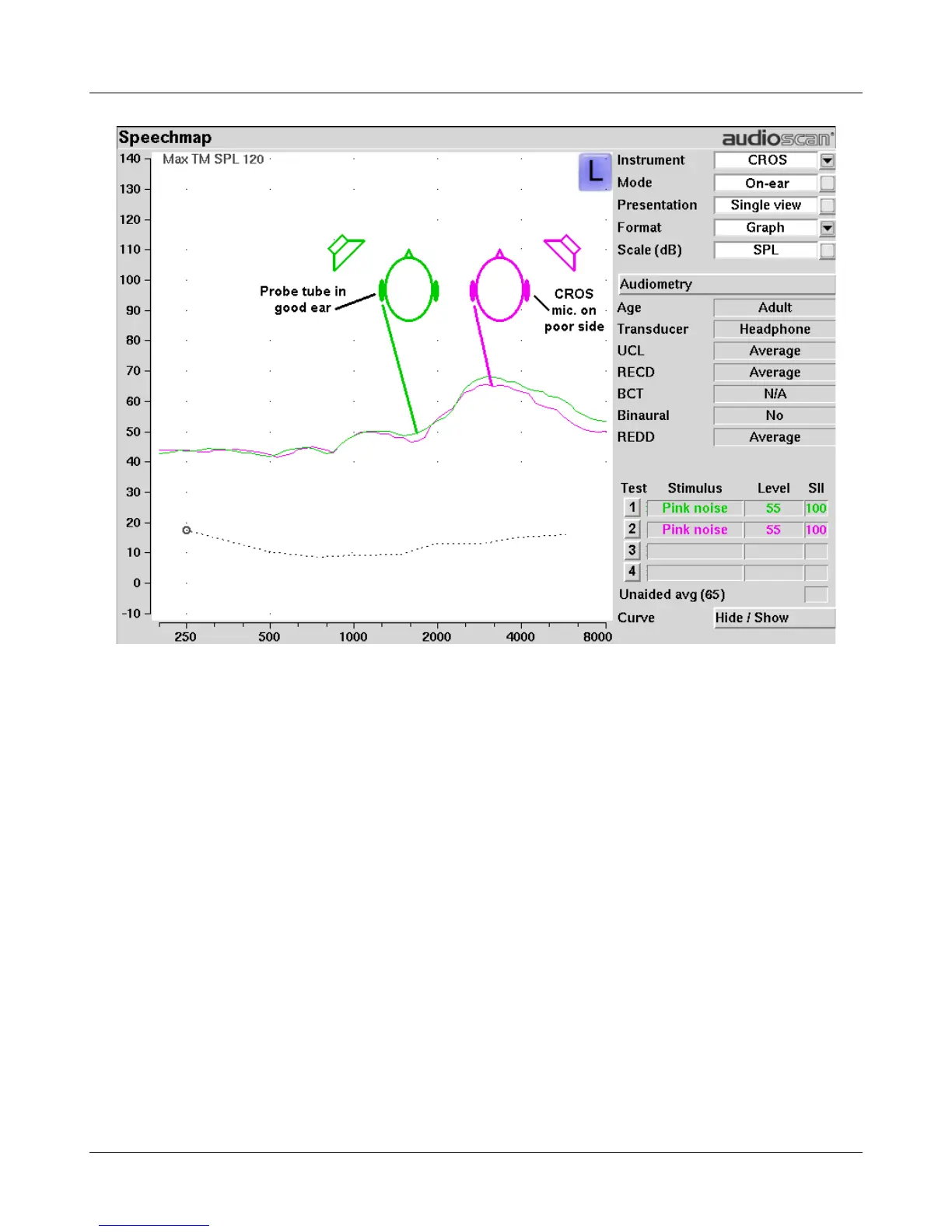
3. Select Test 1 and record a response using [Pink noise] at Soft (55). It should be like a normal REUR. If not,
the ear may not be fully open.
4. Position the speaker at 45 degress to the poor ear.
5. Set Instrument to [CROS].
6. Select Test 2 and obtain a response using [Pink noise] at Soft (55). Adjust the response to match that
obtained in step 3.Position the speaker directly in front of the client. Select Test 3 and use [Pink noise] at
Soft (55) to check for a smooth response. Repeat with Instrument set to [BTE]. An irregular response may be
the result of reflections from nearby objects (including the operator) or it may indicate phasing problems in
the aids.
T-Loop fitting and verification in Speechmap
This test allows the T-Loop response of the hearing instrument to be measured so that it can be compared
against a 65 dB SPL acoustic response.
1. Set the instrument to 'T' (Telecoil input).
2. Position the hearing instrument on the 'T' inscription on the test chamber floor vertically oriented as worn by
a seated individual, as shown below.
3. Press 'Test' and select any stimulus type except MPO, Speech-live, or Pink Noise.
111



 To Next Page