27
T752
Connecting to Wi-Fi
®
The tablet can be connected to the Internet via Wi-Fi
®
.
To connect the tablet to the Internet via Wi-Fi
®
:
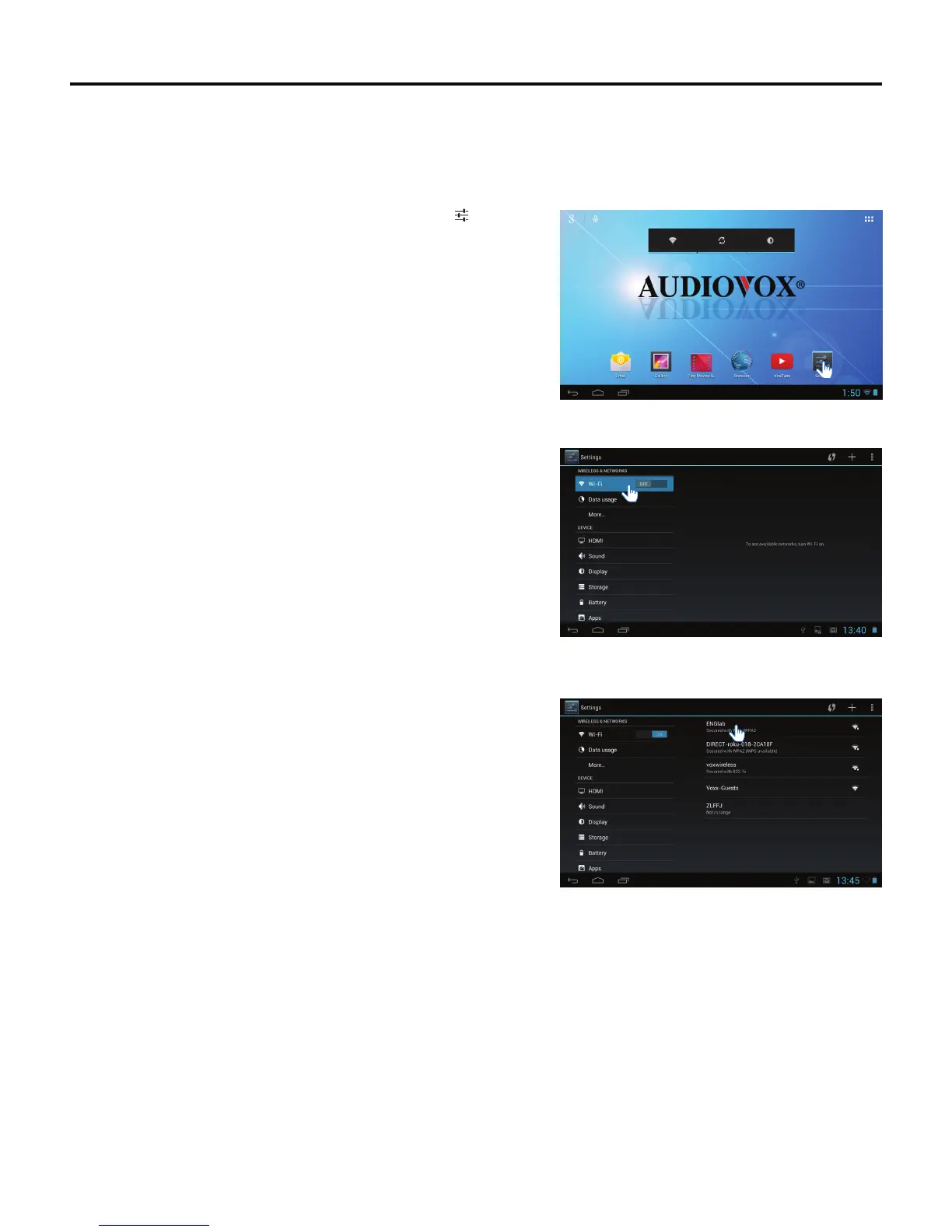
1. To access Wi-Fi
®
in the Settings menu, tap the Settings icon.
2. To see a list of networks in range or previously connected networks,
slide the Wi-Fi switch to ON.
Note: The tablet will connect to a previously connected network. If
two or more previously connected networks are available, the
tablet will connect to the most recently connected network.
3. Select an available Wi-Fi
®
network to connect to the Internet. A
secured network will require a password to be entered. Enter the
password if required. Tap the Connect button.
Note: To connect to the Internet, the tablet comes pre-loaded with a
generic browser and Google Chrome™.



 To Next Page