28
Adding a Google™ Account on the Tablet
A Google™ account allows access to all your personal information from any computer or mobile device.
• Google Play™: Google Play™ allows access to all your favorites such as movies, books, music, magazines, apps, and more.
• Synchronize and back up: Makes your information accessible across all computers and mobile devices.
• Access Anywhere: Check all your personal information from any computer or mobile device such as email, calendar,
contacts, etc.
You must have a Google™ account in order to download apps from the Google Play™ store.
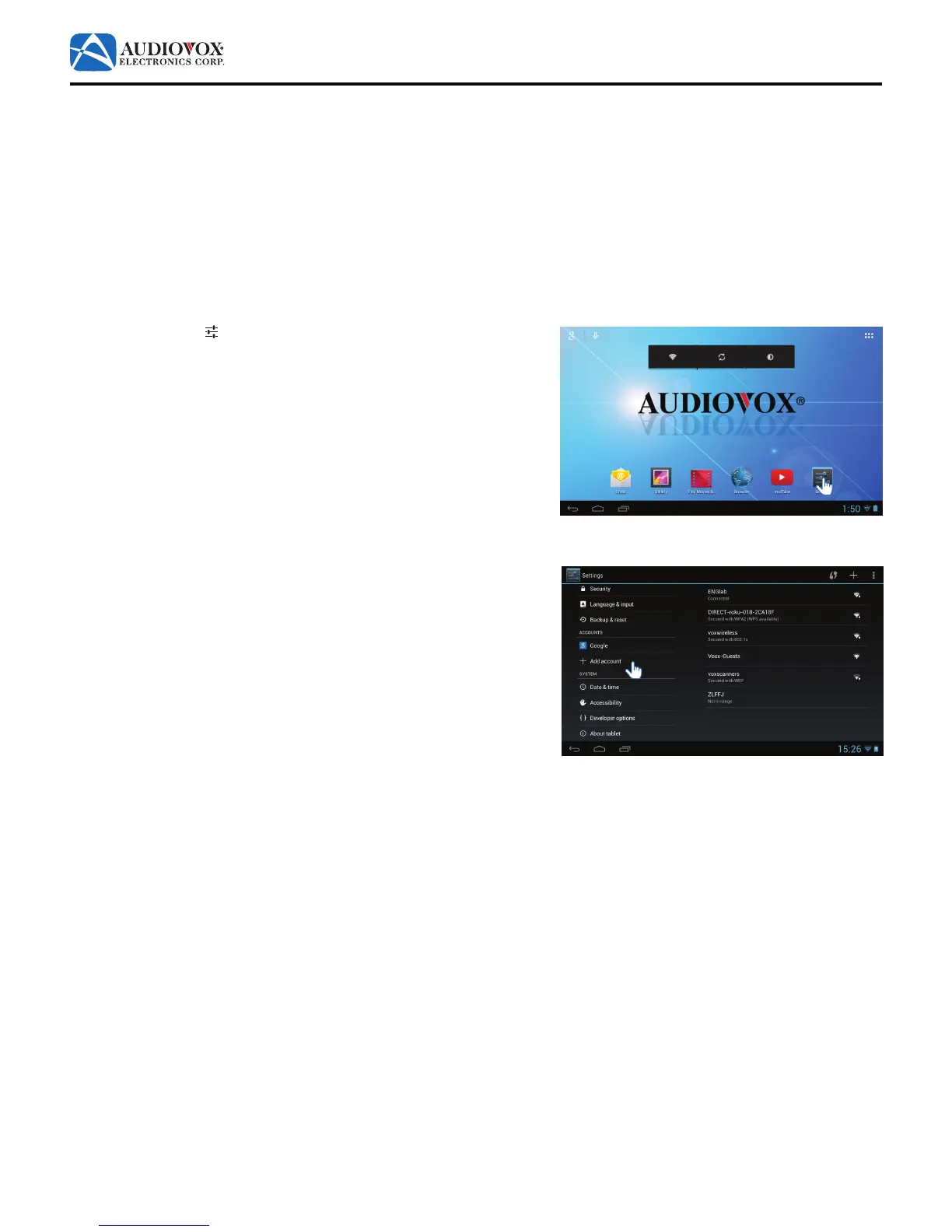
To add a Google™ account:
1. Tap the Settings
icon to access the Settings menu.
2. Scroll down to Add account. Tap Add account.



 To Next Page