30
Downloading Apps From Google Play™
YoumaydownloadappstoyourtabletfromGooglePlay™.TodownloadappsfromGooglePlay™,youmustrstsetupa
Google™ account on your tablet.
An e-mail address from the following services allows access to Google Play™:
•Gmail™
•Google Apps™
•Google Plus™
•YouTube™
•Adwords™
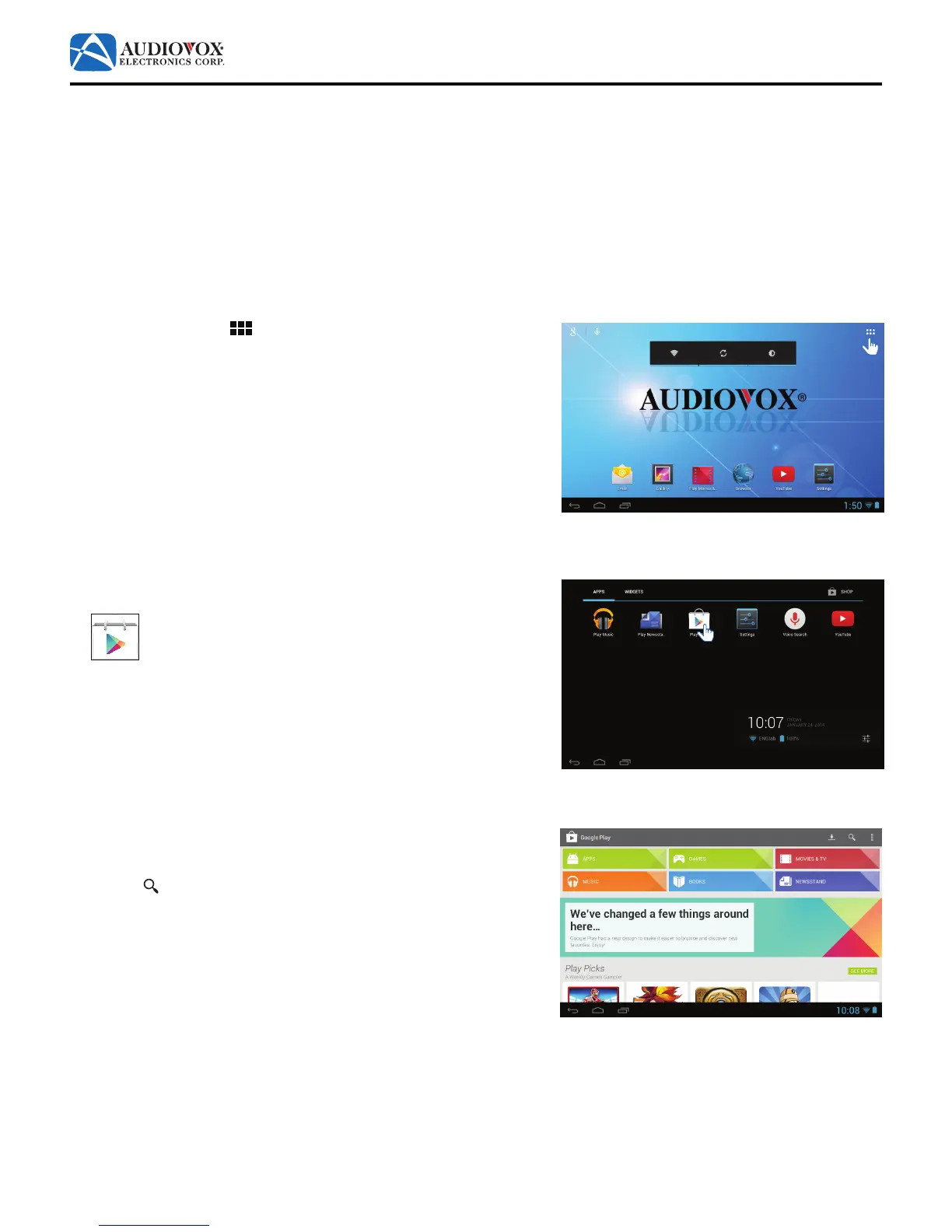
1. Tap the App Drawer
icon.
2. The App Drawer appears. Tap the Play Store icon.
Note: If prompted, sign in using the e-mail address and password you
created for your Google™ account.
3. The Google Play Store app launches. You can shop for Apps, Games,
Movies & TV, Music, Books or Newstand by tapping on the related
tabs on the top of the screen. You can also search by tapping the
Search icon at the top of the screen.



 To Next Page