10
Initial Setup
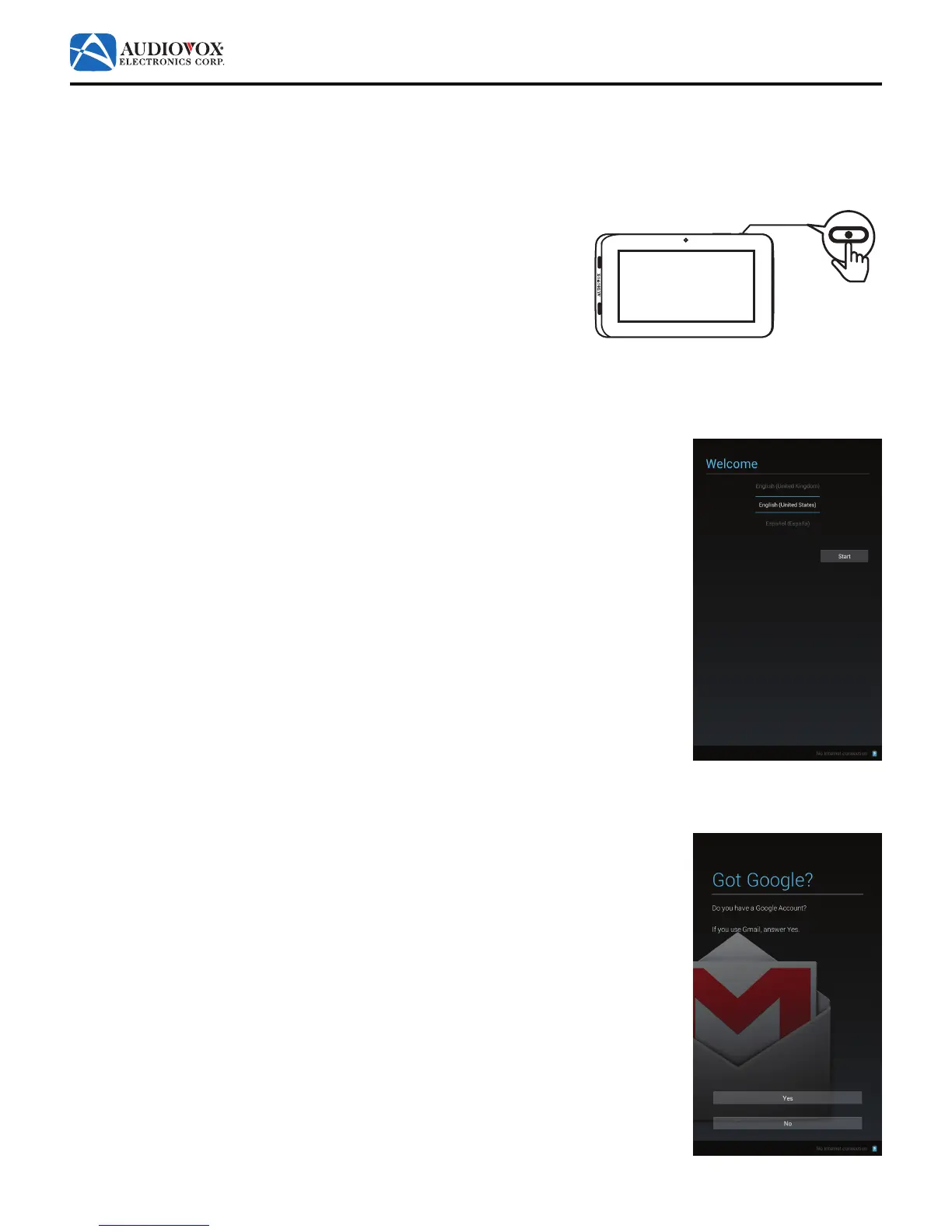
Whenthetabletispoweredonforthersttime,theuserwillbepromptedtosetupthetablet.
Note: The initial setup requires the use of the on-screen keyboard. See “Using the On-Screen Keyboard” on page 34 for a
brief tutorial.
1. Press and hold the Power/Lock button for three seconds.
2. The Welcome screen appears.
Scroll through the language list to select a language. Tap the desired language.
Note: The default language is English (United States).
3. Tap the Start button.
4. The Got Google? screen appears.
Note: In order to use the tablet with Google’s apps and services, you will need a Google™
account.
Tap the Yes button if you have a Google™ account and proceed to “If you have a Google™
account:” on page 11.
Tap the No button if you do not have a Google™ account. The Make it Google screen
appears. Proceed to “If you do not have a Google™ account:” on page 14.
32:(5



 To Next Page