11
T752
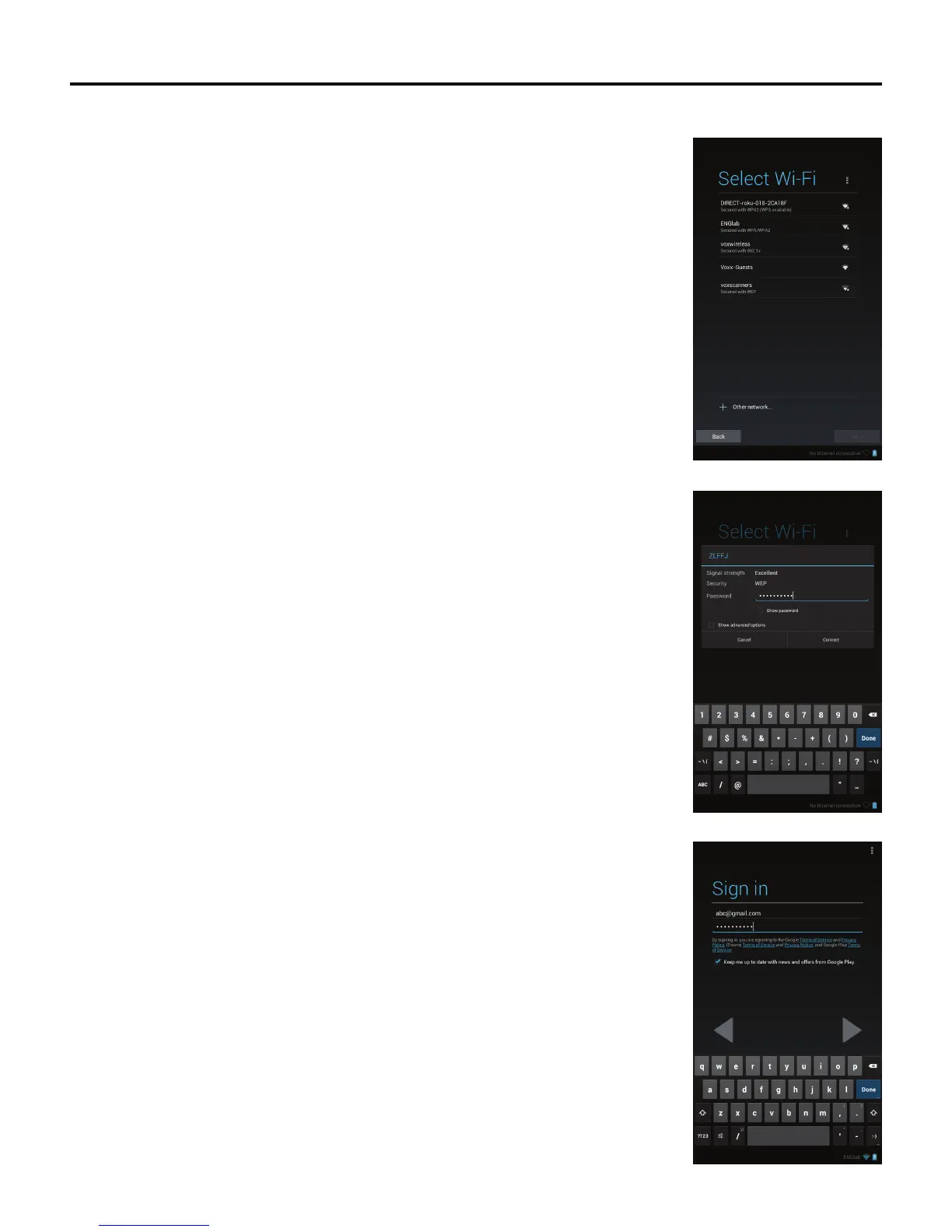
If you have a Google™ account:
1. The Select Wi-Fi screen appears.
The screen lists available Wi-Fi
®
networks. To select an available Wi-Fi
®
network, tap a
network on the list.
2. Enter the Wi-Fi
®
network’s password using the on-screen keyboard, if required. Tap the
Connectbuttonwhennished.TaptheNext button after the tablet establishes a network
connection.
3. The Sign in screen appears.
Enter your Gmail™ address and password using the on-screen keyboard. Tap the Done
buttonwhennished.



 To Next Page