7
T752
Charging the Tablet
The Audiovox T752 tablet has a built-in battery that can be charged using the supplied USB cable and USB Power Adapter.
Thetabletcanberechargedwhenitispoweredonoro.Whenthepoweriso,ittakesapproximately4to6hourstofully
charge the battery. When the power is on, it takes approximately 12 to 14 hours to charge the battery. When fully charged,
the battery can be used for approximately two hours.
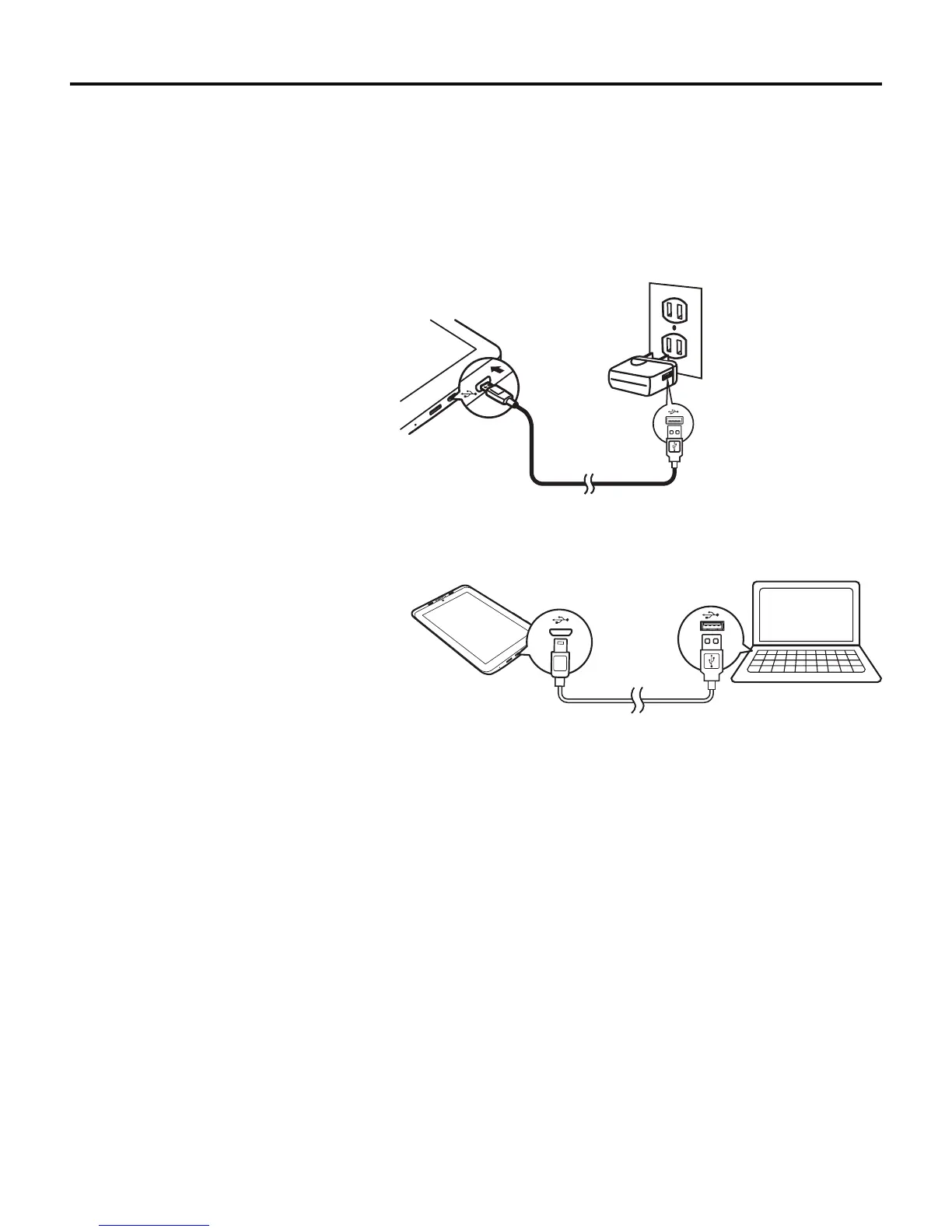
To charge the battery using the USB Power Adapter:
1. Plug the mini-USB end of the USB cable into
the mini-USB port on the tablet, then plug the
other end of the cable into the USB Power
Adapter.
2. Plug the USB Power Adapter into a 120 VAC
outlet.
To charge the battery using a PC:
1. Plug the mini-USB end of the USB cable into
the mini-USB port on the tablet, then plug the
other end of the cable into a USB port on a
PC.
Note: Charging time with a PC can be four
times longer as most USB ports on PCs
are limited to 0.5 mA capacity. The wall
charger capacity is 2.0 amps and is the
best method of charging.
To conserve battery power and increase the play time:
Switchofunctionssuchasapps,widgets,andWi-Fi
®
when they are not being used.
Set the Sleep timer to a low value (go to Settings > Display > Sleep).Theoptionsare:
•15 seconds
•30 seconds
•1 minute
•2 minutes
•5 minutes
•10 minutes
•30 minutes
•Never timeout
Connected as a media devi ce



 To Next Page