5. Windows Vista: select I AGREE to continue with the installation or CANCEL to interrupt it;
Windows 7: select I AGREE to continue with the installation or CANCEL to interrupt it;
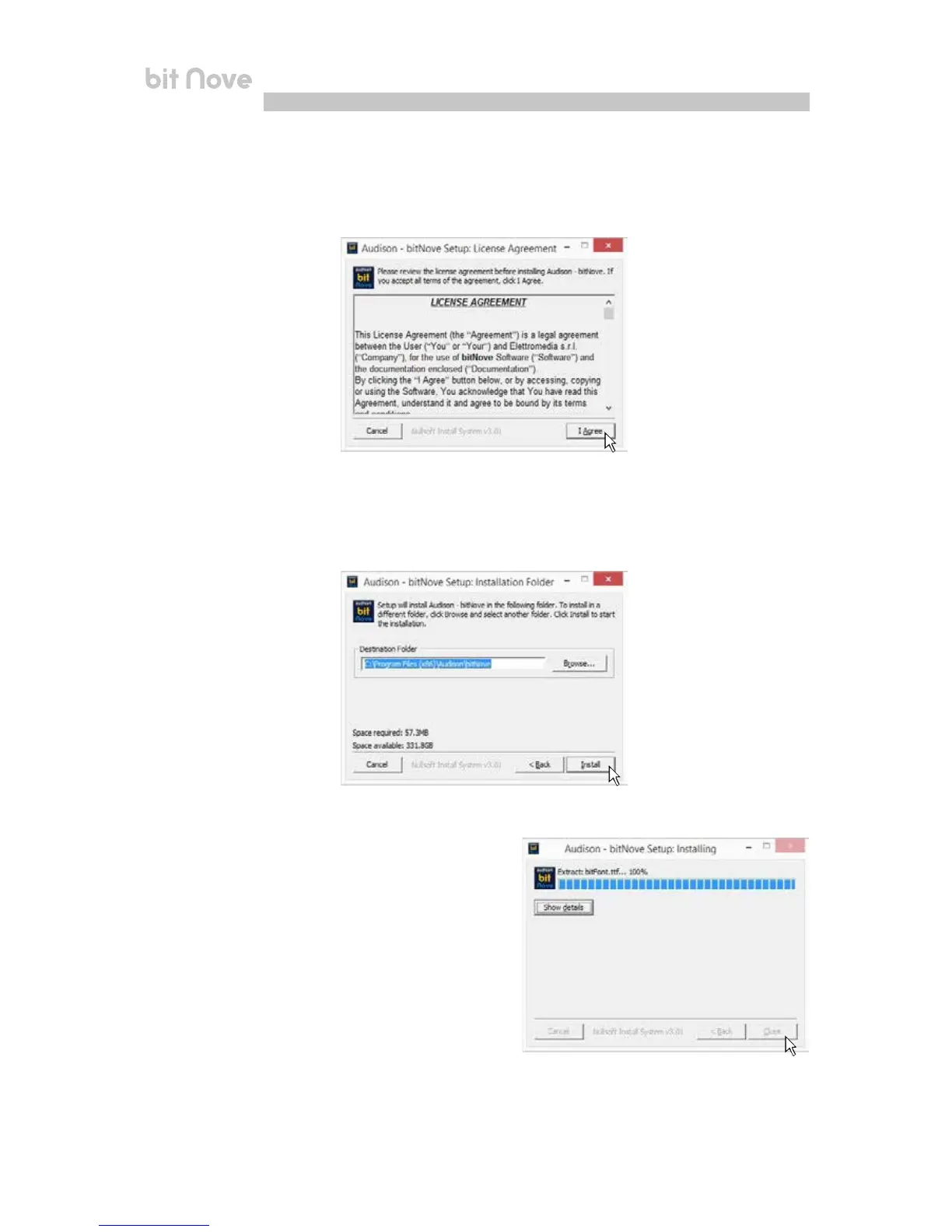
Windows 8 / 10: select I AGREE to continue with the installation or CANCEL to interrupt it;
6. Windows Vista: select INSTALL on the tab and then NEXT;
Windows 7: select INSTALL on the tab and then NEXT;
Windows 8 / 10: select INSTALL on the tab and then NEXT;
8. Windows Vista: follow and complete the installation
procedure and click CLOSE at the end of the installation;
Windows 7: follow and complete the installation
procedure and click CLOSE at the end of the installation;
Windows 8 / 10: follow and complete the installation
procedure and click CLOSE at the end of the installation;
6


 To Next Page