OPTICAL IN 1/2: S/PDIF digital inputs
The bit Nove accepts PCM input signals with a maximum sampling frequency of up to 192 kHz 24 bits, therefore it
is not possible to reproduce DOLBY DIGITAL (AC3) coded multichannel signals from audio/video sources (such as
the audio from a movie on DVD) or DTS
(see section 4.2). The selection of these inputs is possible by using the DRC
external control or by activating it through the terminals.
OPTICAL 1. Connect a fiber optical cable with TOSLINK connector.
OPTICAL 2. Connect a fiber optical cable with TOSLINK connector.
Remark: during the fiber optical cables wiring, the minimum curve radius should be 40 mm.
A bending above this value will cause the cable to break and the consequent interruption of the digital signal.
AUX: low-level auxiliary STEREO input
For RCA cables coming from additional analog signal sources. Adjustable sensitivity from 0.2 to 4.2 V RMS (point 8).
DRC: connection socket for the DRC (DRC MP optional) to set up the most important functions of the processor.
USB: USB (B type) connection socket to connect the processor to a PC and manage the functions through the bit Nove
software.
UPGRADE MODE: the switch to ON position enables the update of the product in RESCUE MODE (see 8.3.1).
ASC-C: socket not enabled, to be used for future applications.
INPUT LEVEL:
PRE OUT: low-level analog signal (4 Volts RMS)
Ch1 - Ch2 - Ch3 - Ch4 - Ch5 - Ch6 - Ch7 - Ch8 - Ch9. For RCA cables directed to the system amplifiers (see 5.4).
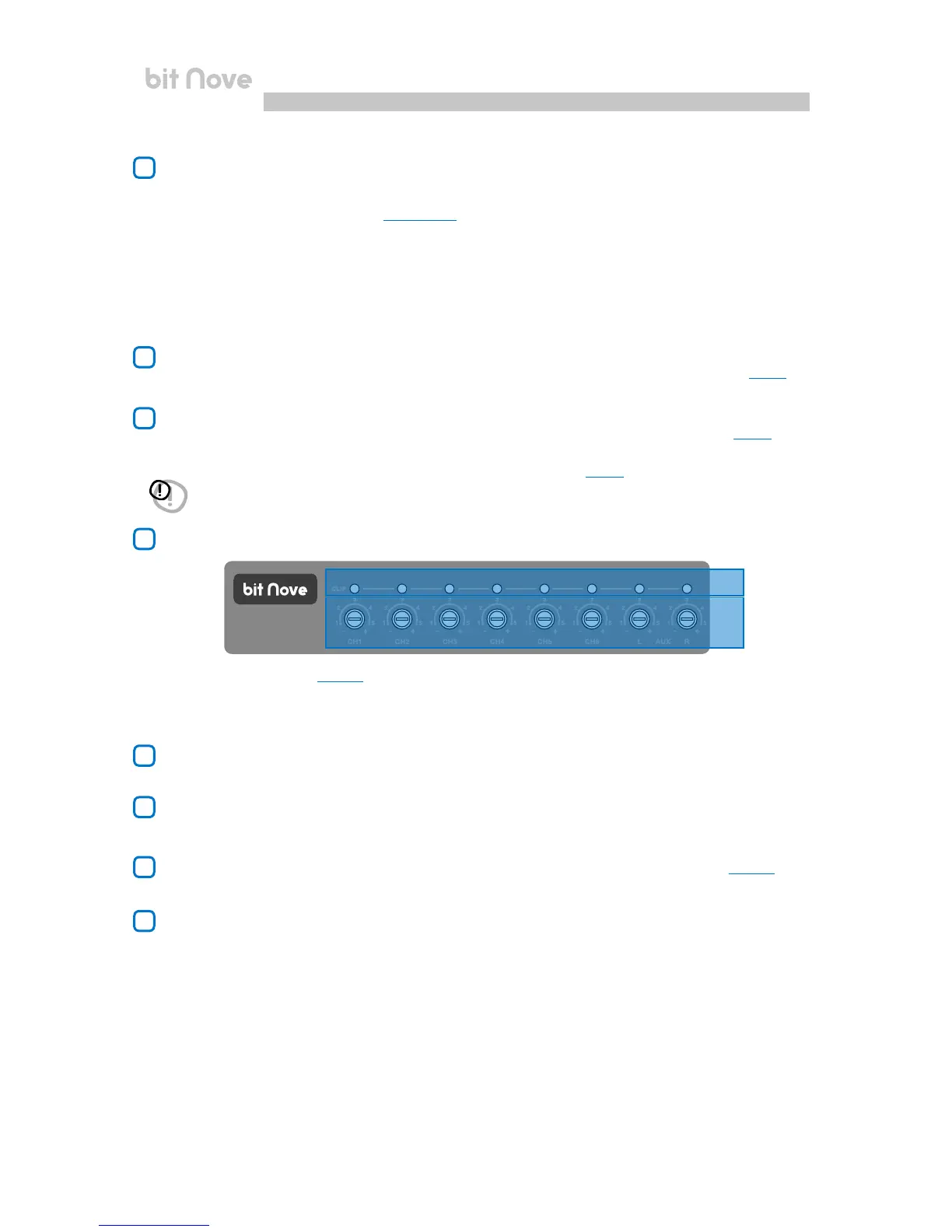
A. CLIP: input clipping indicator (see 7.2.6). The led light on indicates the presence of clipping on the selected input.
B. IN level: input signal level controls. Turning the sliders anti-clockwise the input sensitivity decreases, turning them clockwise
it increases. This adjustment is important for obtaining a good noise/signal ratio and optimizing your audio system.
WARNING: by default, the bit Nove outputs are customized as described in (see 5.4). Therefore, before connecting
theamplierstothebitNove,checktheoutputscongurationorperformanewcongurationdependingon
your audio system.
5
6
9
10
11
12
8
7
A
B
4


 To Next Page