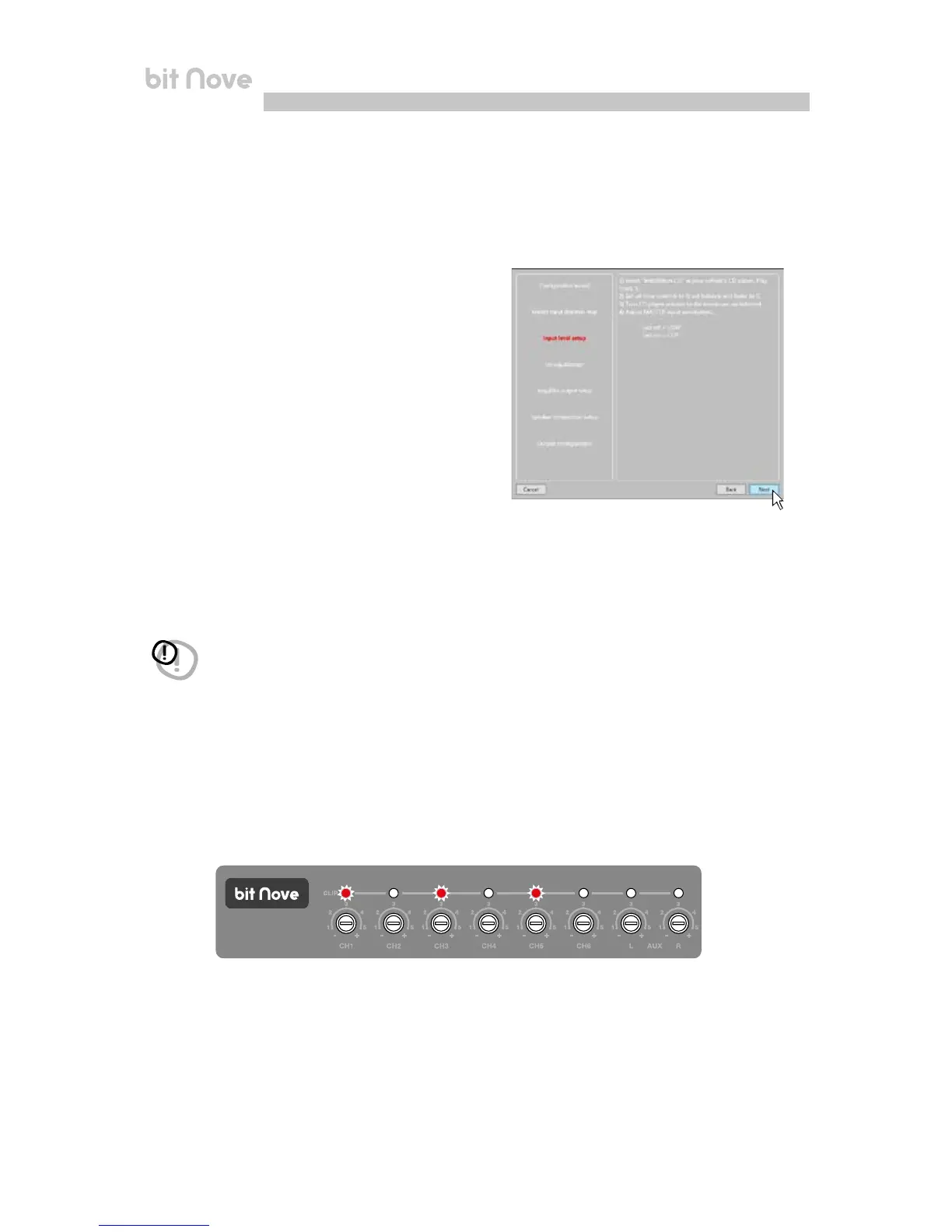
6. Input Level Setup
- Play track 1 from the CD provided with bit Nove.
- Set all tone controls to zero (flat).
- Set balance and fader to center.
- Adjust the head unit volume to the maximum undistorted output level.
- If the head unit provides an adjustable equalizer, make sure that the controls are set to zero (flat).
The input level calibration procedure is a delicate operation and must be performed very carefully. If not performed
correctly, it can nullify the final acoustic results.
Press BACK to return to the previous step.
Press GO to continue with the configuration.
Press CANCEL to exit the procedure.
Press SKIP to skip the level calibration procedure.
WARNING: the head unit level must be adjusted to the maximum undistorted level. If the initial head unit
distortion level can not be determined, adjust the volume to approximately 80% of its maximum. If the
head unit output level is set too low, the device may produce ground noise (hissing sound) when playing
music tracks. This is due to the low signal / noise ratio provided by the head unit to the bit Nove input. If
you experience this problem, after calibrating the amplifiers sensitivity levels, increase the head unit
volume and repeat the bit Nove calibration procedure as detailed in point 9 of this paragraph.
IN LEVEL calibration for MASTER inputs
This operation is delicate and must be performed with utmost accuracy. An incorrect execution can invalidate the
final acoustic results.
• When track 1 of the CD is playing, rotate the first potentiometer to the highest sensitivity (position +).
• As soon as the orange LED lights up or blinks, stop the rotation, turn slightly backwards until the LED turns off.
• Perform the same operation for the other inputs used in the bit Nove.
• Brief activations of the LED lights can be considered normal and indicate the correct calibration of the sensitivity.
• Repeat the operation for the other 3 Front / Rear potentiometers.
• Note down the calibration level indicated by the source volume controller.
7


 To Next Page