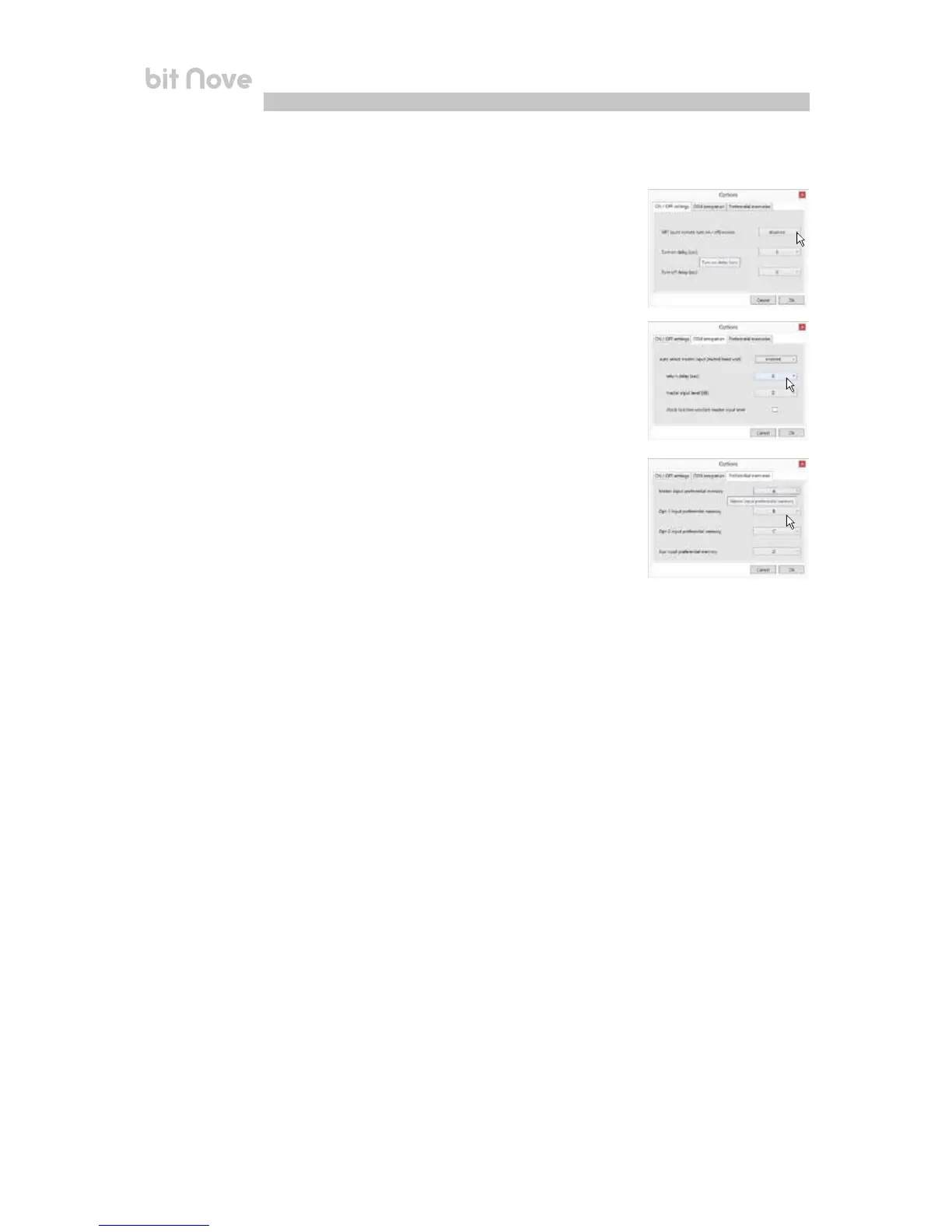
6. ON / OFF settings: function to set up the bit Nove turn on parameters.
• ART (auto remote turn on / off) enable: selecting Enabled the bit Nove is turned
on through the amplified output (BTL) of a source connected to the FL-FR inputs.
This function can be deactivated by selecting Disabled.
• Turn On delay (sec): it is the delay between turning on the device and activating
the output audio. Each amplifier, upon turn on, has its own delay before being
operational. Setting Turn On delay to a value equal or higher than the longest of
these delays, you will have a synchronized activation of the entire audio system.
• Turn Off delay (sec): it is the delay between the REMOTE OUT signal deactivation
and the bit Nove shut down. It is not usually essential to manage this parameter
but it can be useful to decrease it in case there are amplifiers producing a
“bump” noise upon switch off.
• OEM integration: function to set up the automated commutation of the audio
system Master input.
Auto select Master input (muted Head Unit): this function is activated by
selecting Enabled and allows the automated commutation on the Master input
when the signal is available.
Return delay (sec): function to set up the automated deactivation delay for the
Master input.
Master Input level (db): set up of the signal level for the Master input when it is
enabled by the “Auto select master input” function. It is possible to select among
levels of intervention from 0 dB to -18 dB.
Preferential memories: this control panel enables the assignment of a memory
for each input available on the bit Nove.
7


 To Next Page