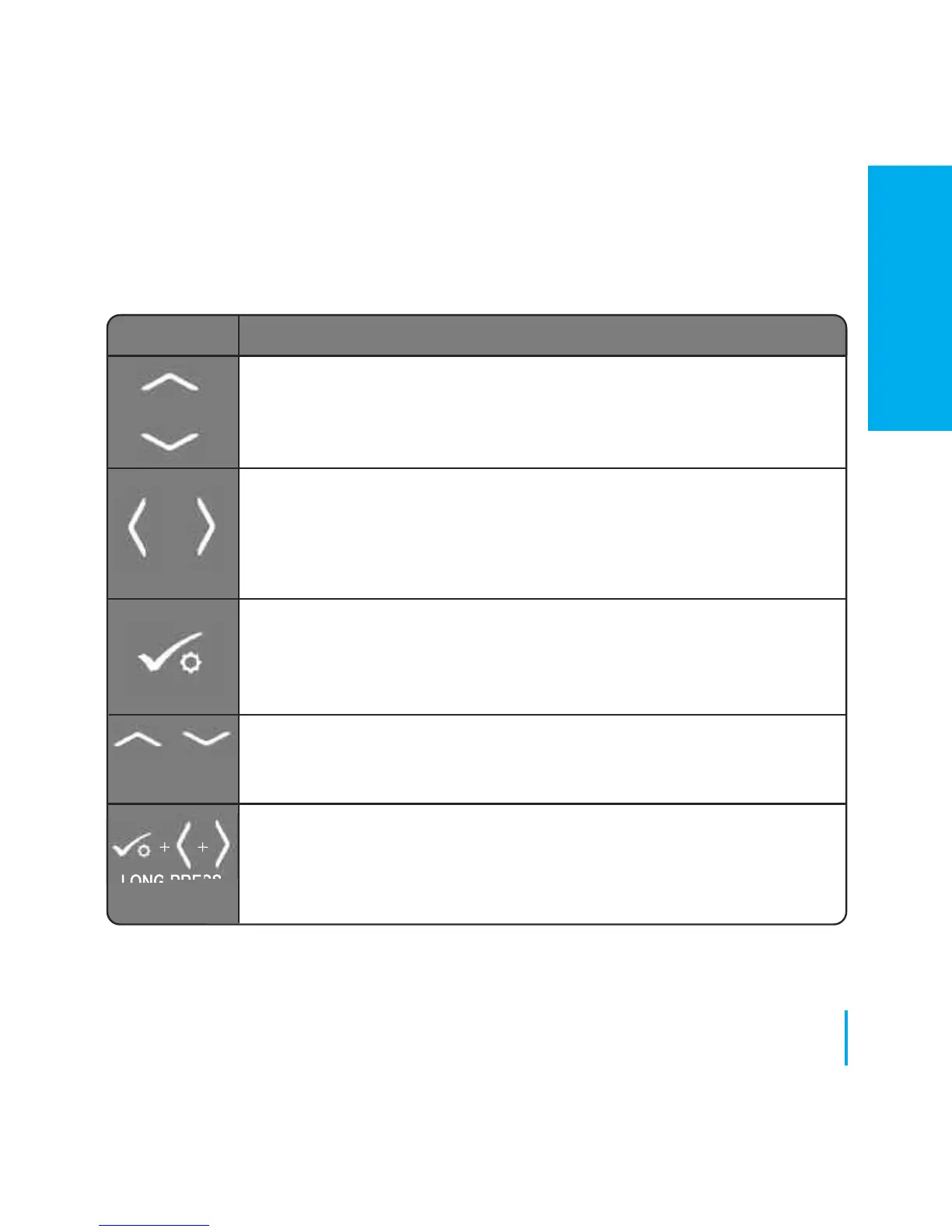
KEY FUNCTION
1. Increase or decrease setpoint temperature.
2. Increase or decrease Day, Clock, Timer, Party, Holiday and Boost.
3. Select installer parameter value.
1. Mode selection.
2. Long press to return to home display without saving.
3. Short press to return to the previous screen when it is in
user/installer setting mode.
1. OK key: Short press to confirm selection.
2. Long press to save and exit.
3. Long press to enter the user settings.
Lock/Unlock
Enter Installer parameter settings
OR
+
++
LONG PRESS
LONG PRESS
OR
27
www.speedfitUFH.co.uk
Installation - User Interface
INSTALLATION


 To Next Page