M. MAC Address Identification
During the process of association of PVI-AEC-EVO in AuroraVision you will be prompted to enter the MAC address of the
PVI-AEC-EVOpresentinthesystem.
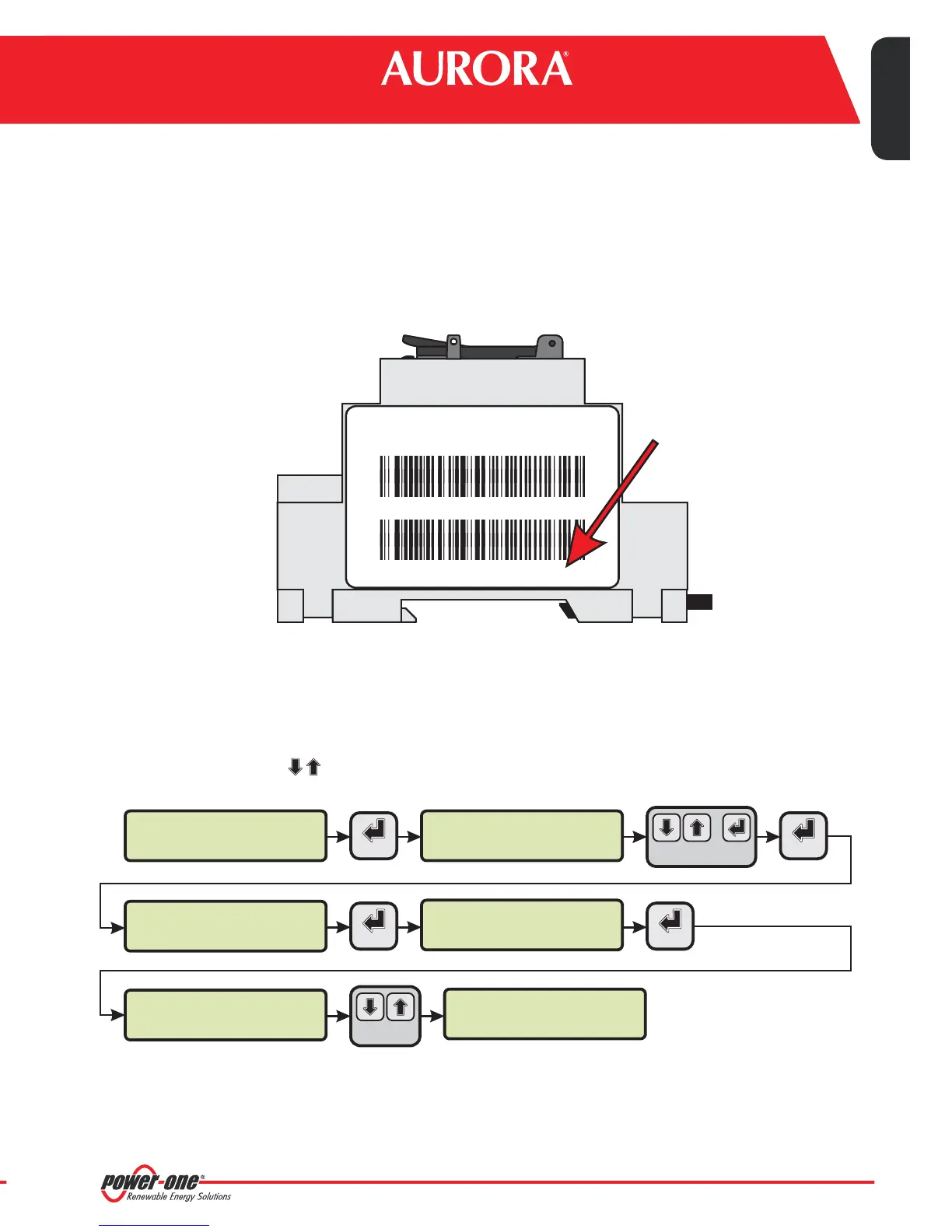
ItispossibletoobtaintheMACAddressofyourPVI-AEC-EVOobservingthelabelontherightsideoftheproduct.
TheMACAddressiscomposedof12characters(separatedbyacolon)showninred forexampleinthefigurebelow.
PVI-AEC-EVO
P-1 P/N: 3I72001F100G Prod. Week 16/11
S/N: 3I72001F100G 000464VI1611
MAC ADDRESS: 00:50:C2:42:38:24
PVI-AEC-EVO ......
12.00.00 01/01/11
>PRODUCT
NETWORK
menu pin
0***
pN
3I72
>INFORMATION
CURRENT VALUE
ENTER ENTER
ENTER ENTER
CHANGE VALUE
NEXT
DIGIT
SET PIN TO 0010
MAC ADDRESS
00:50:C2:42:38:24
CHANGE
MENU
Alternativelyit'spossibletoobtaintheMACAddressfromthedisplay:
1. EnterthemainmenuasADMINISTRATOR(refertopar.“C”)
2. Enterthe menu.
3. Usingthearrowbuttons( )moveto view
“INFORMATION” > “PRODUCT”
“MACADDRESS” .
20-EN
Monitoring System
EN - ENGLISH


 To Next Page