C. User
Thesystemfeatures
Usingthedisplayan
ofparameteracquis
For displaying the
configurationsitis
n
Alistoffunctionsac
Accessto them
Toperformtheini
Press the 'ENTER'
change the value
menusofthesyst
e
'Ent
the
'Do
des
'Up
ord
'Esc
3-EN
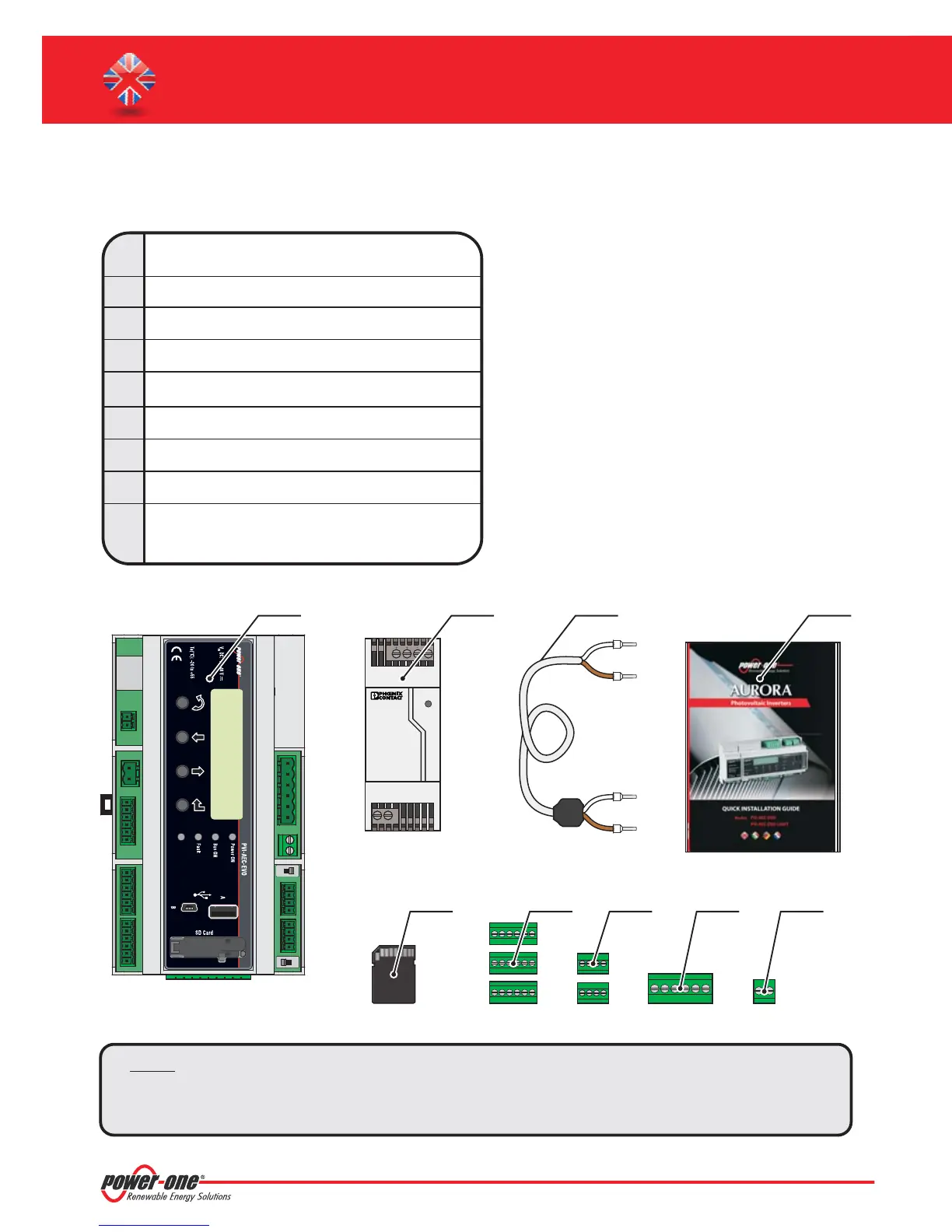
B. Package content
Note: Checkthepackagecontentcorrespondstotheabovelist.
Pleasechecktheboxandeachsingleiteminsidehasnodefect.Incaseclaimstotheshippingcompany
andcommunicates quicklytotheassistanttechnicalserviceortotheCustomerserviceofPower-One.
1
2
3
AURORA PVI-AEC-EVO / PVI-AEC-EVO LIGHT
Power Supply 100-240Vac 50-60Hz / 24Vdc
Quick Installation Guide
Power Supply connection cable
SD Card (assembled)
I/O Terminal Blocks Counterparts (assembled)
RS485 Terminal Blocks Counterparts (assembled)
Relais Terminal Blocks Counterparts (assembled)
Power supply Terminal Blocks Counterparts
(assembled)
4
5
6
7
8
9
DC
OK
STEP POWER
L(+) N(-)
Input AC
100-240V
--++
Output DC
24V 0.75A
1 2 4
5 6 7 8 9
3
PVI-AEC-EVO / PVI-AEC-EVO LIGHT
QUICK INSTALLATION GUIDE


 To Next Page