16
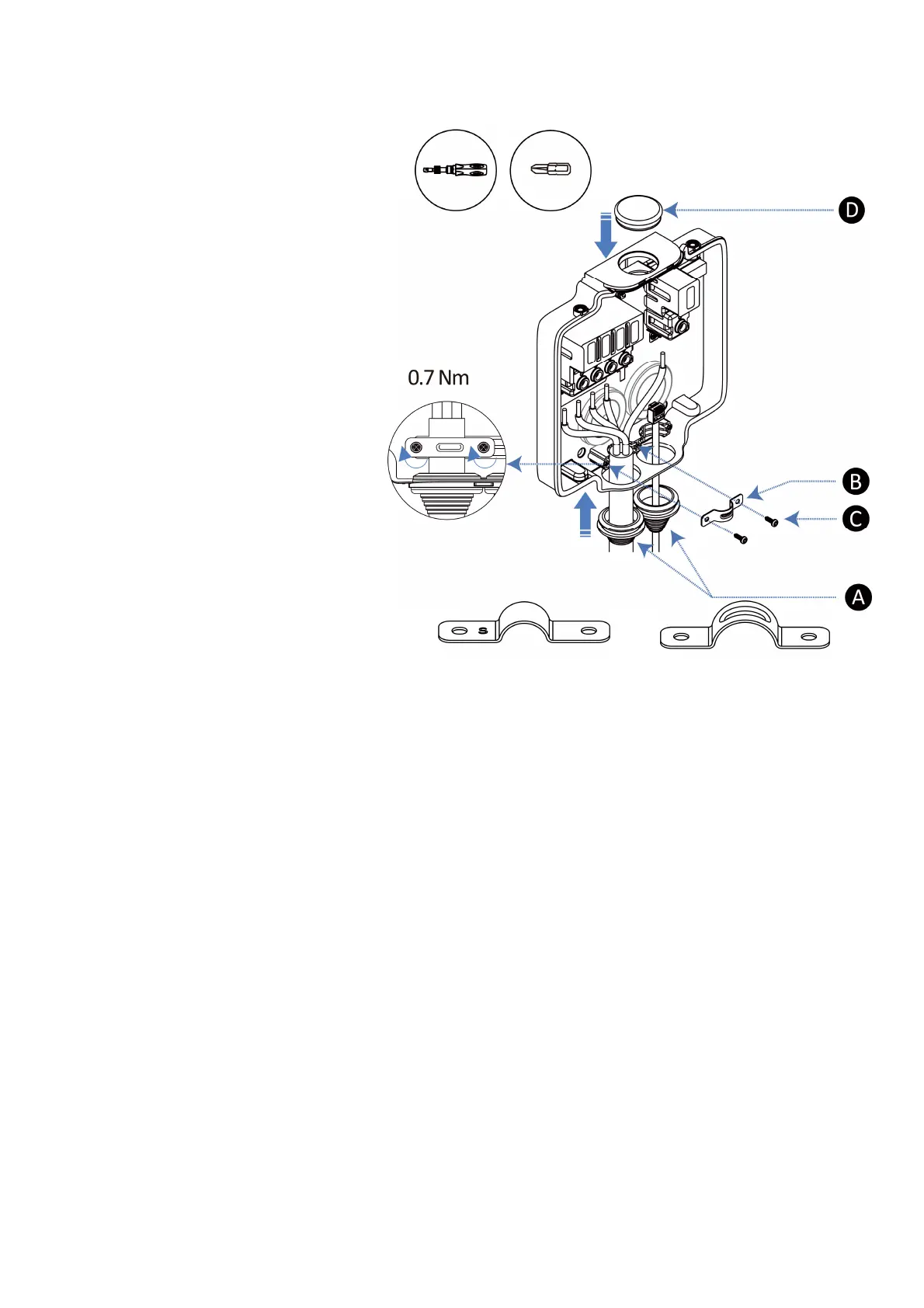
Option 2 (AC Input Cable — Bottom; Ethernet Cable — Bottom)
1. Route the AC input cable and the
Ethernet cable into the wirebox
from the bottom.
2. Push the sealing plugs (A) to cling to
the entries.
3. Install a strain relief (B) by inserting
the two Φ3 x 10 mm self-tapping
screws (C). Use the torque driver
with a Phillips bit (PH2) to tighten
the screws. The torque is 0.7 Nm.
4. Use one blind sealing plug (D) to seal
the spare entry.
Single-phase Three-phase
Suggested wire size: Φ15–19 mm Suggested wire size: Φ19–24 mm
Parallel Connection Application
If you have more than one charger, the AC input cables should be routed into the wirebox from the bottom
entries. Each terminal port can be used as a connection point to the adjacent charger on the same circuit,
thus realizing parallel connection.














 To Next Page