19
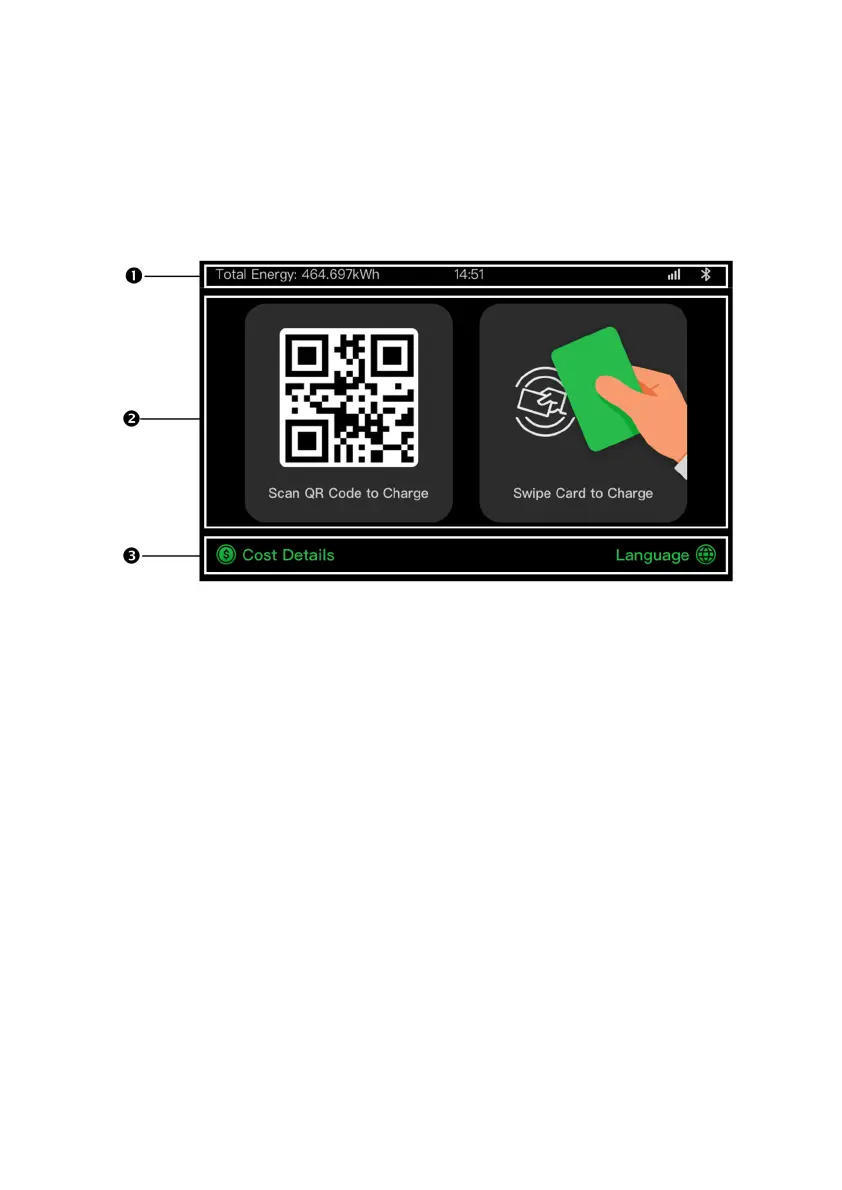
3.3.2 Standby/Authorization Screen
1. Top — displays total delivered energy, time, signal
strength, and Bluetooth connection
2. Middle — provides two authorization methods: QR code
or RFID card
3. Bottom — tap to view the charging costs and adjust the
language
The display shows the Standby/Authorization screen when the
charger is in idle status, indicating that the charging station is
ready for use. When this screen appears, choose an authorization
method (QR code or RFID card) to start a charge session.













 To Next Page