39
4.5 Internet Connection
The charging station can be connected to the Internet by Ethernet
connection, Wi-Fi or a SIM card.
Via the Ethernet Cable
:
STEP 1
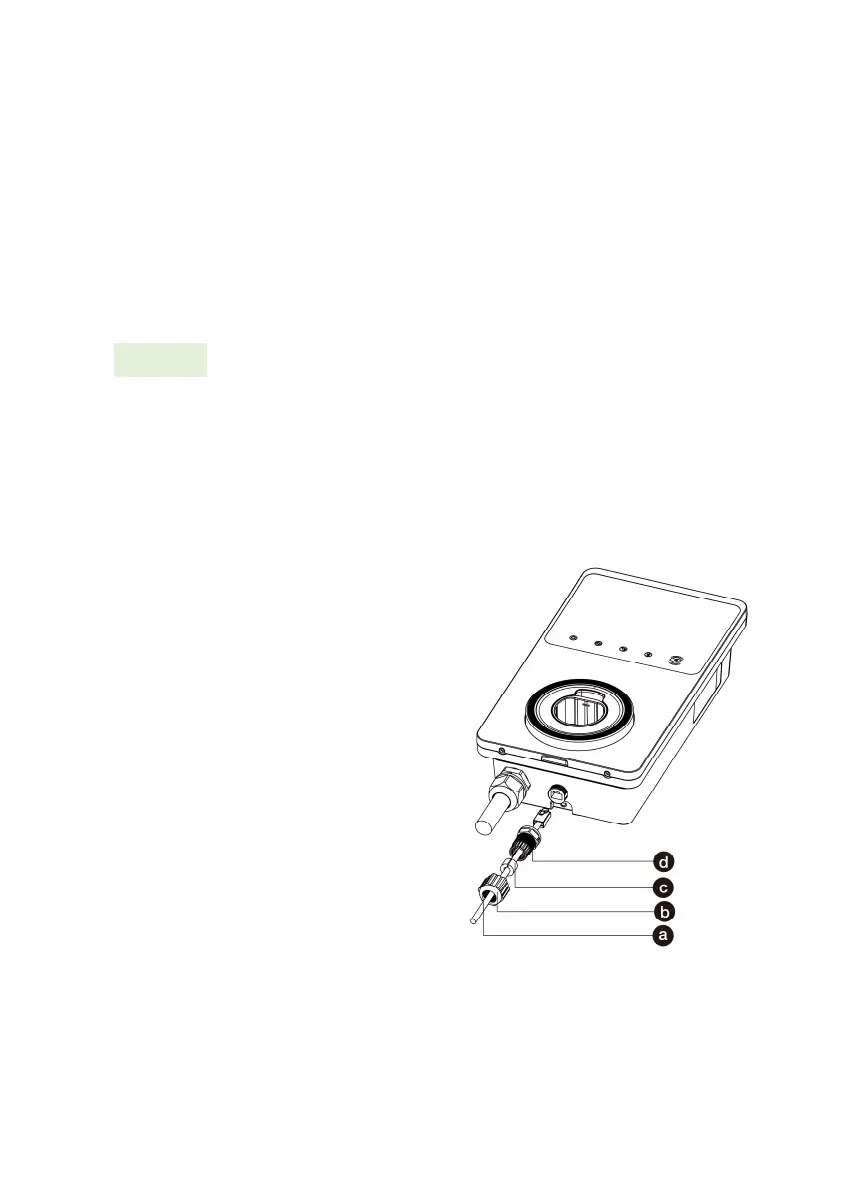
Connect the waterproof Ethernet cable gland to the Ethernet
cable:
1. Put the Ethernet cable
with RJ45 plug (a)
through the nut (b) and
the waterproof cap (d)
(leave some space
between them).
2. Connect the sealing ring
(c) via its opening to the
Ethernet cable and insert
it into the waterproof
cap.
3. Screw the nut into the
waterproof cap and
make sure they are
securely fastened.













 To Next Page