17
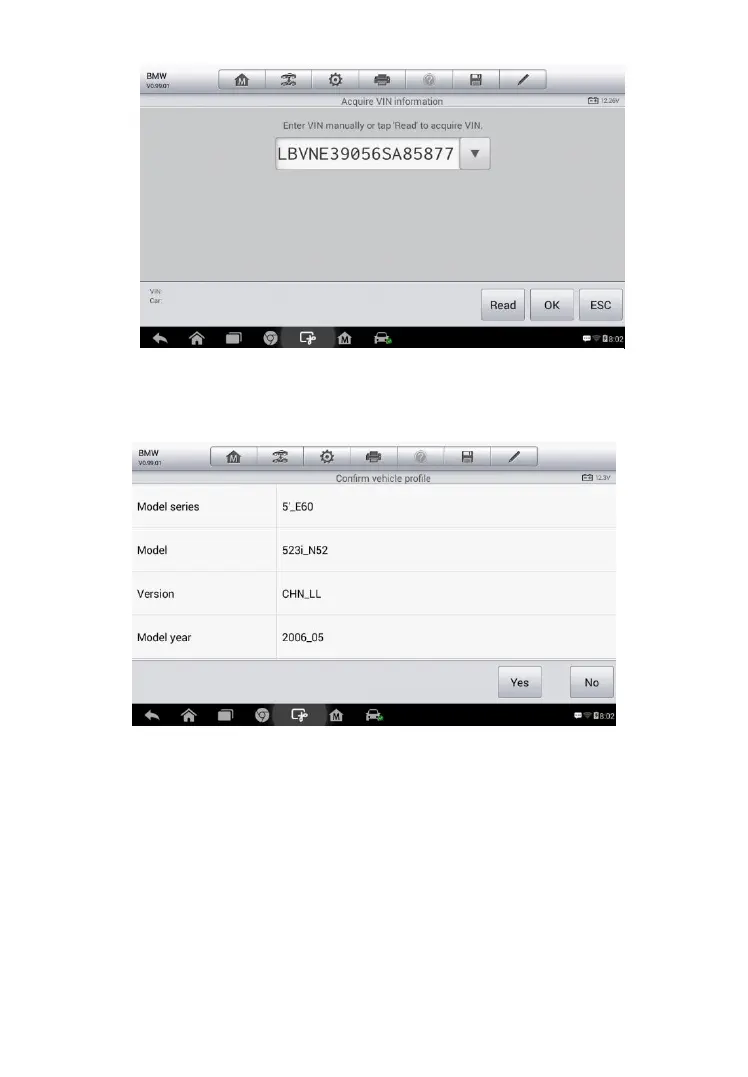
4. Tap OK to confirm the vehicle profile or NO if the information is not
correct.
5. The tool establishes communication with the vehicle and reads the
control unit information. Choose Auto Scan to scan all the test
vehicles’ available systems or tap Control Unit to access a
specific system to diagnose.
Figure 4- 4 Sample Vehicle Profile Screen
Figure 4- 3 Sample Auto Detect Screen














 To Next Page