21
Diagnostics Screen Layout
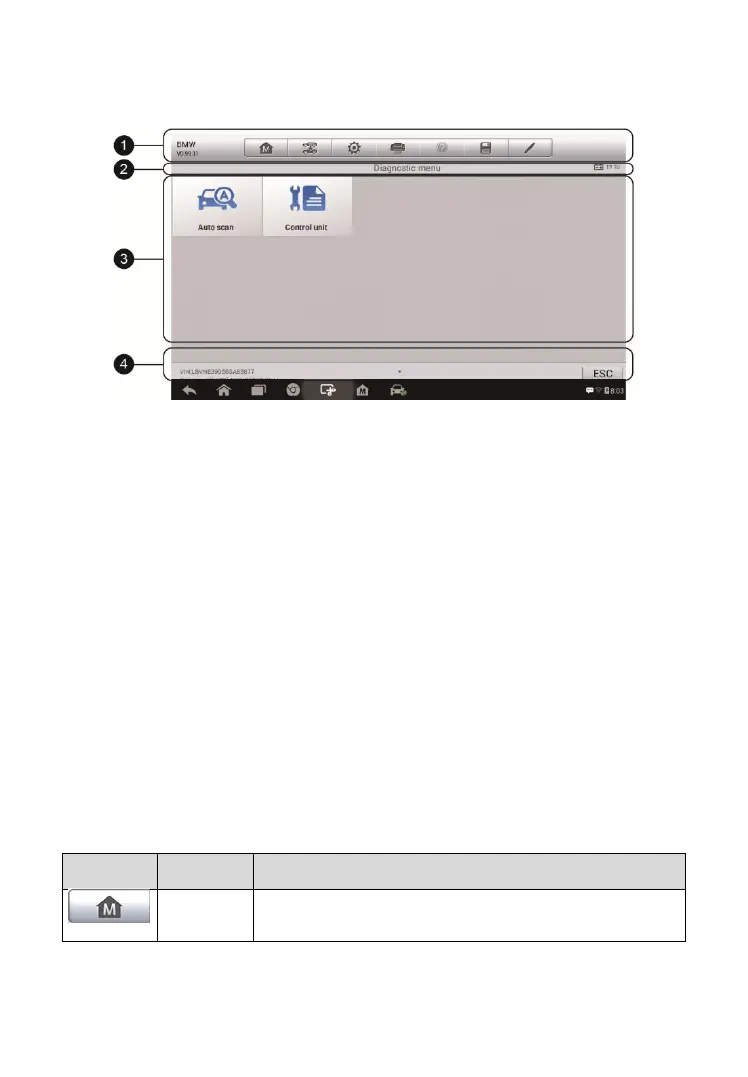
The diagnostic screens typically include four sections.
1. Diagnostics Toolbar
2. Status Information Bar
3. Main Section
4. Functional Buttons
Diagnostics Toolbar
The Diagnostics Toolbar contains a number of buttons such as print and
save. The table below provides a brief description of the operations of the
Diagnostics Toolbar buttons.
Table 4- 2 Diagnostics Toolbar Buttons
Returns to the MaxiPRO Job Menu.
Figure 4- 8 Sample Diagnostics Screen















 To Next Page