29 | P a g e
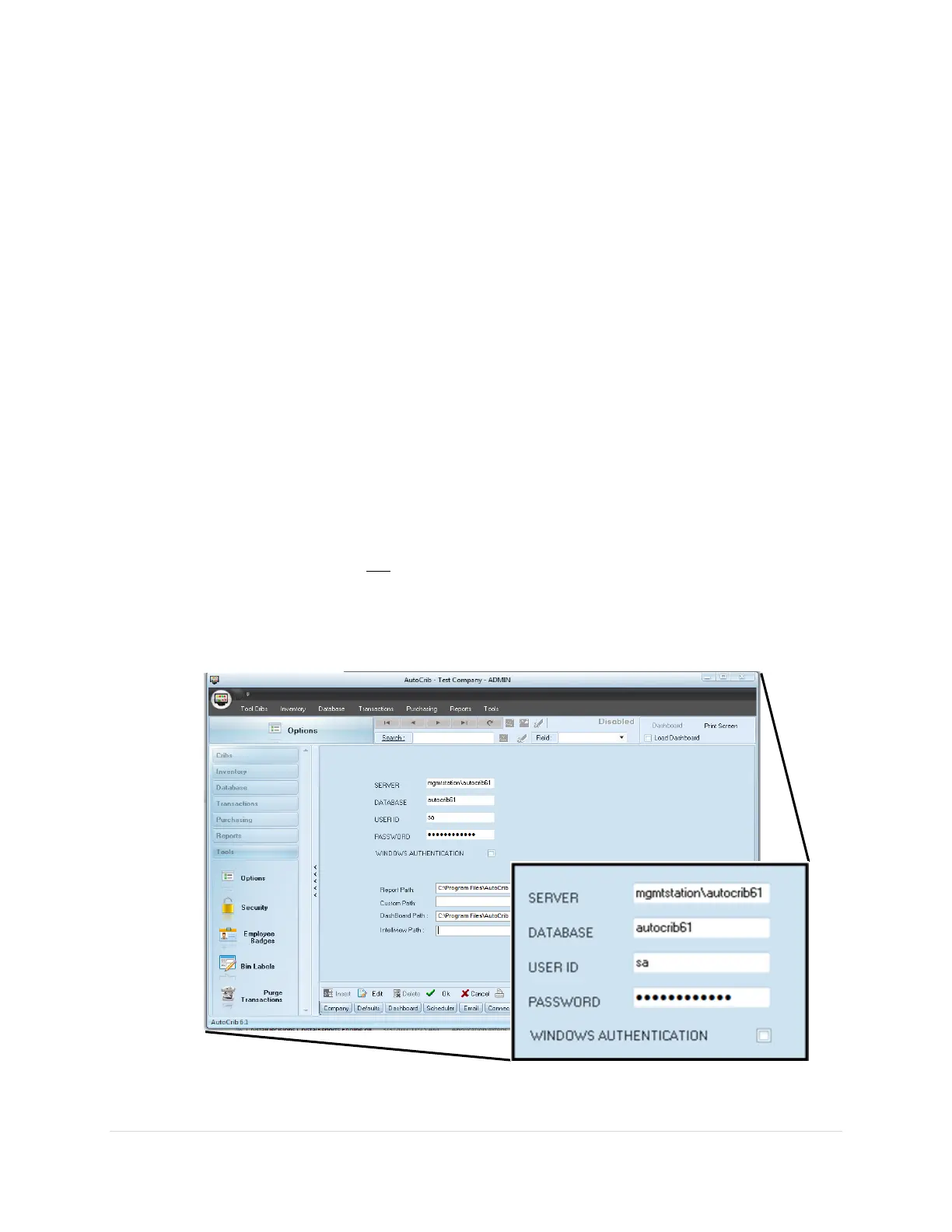
4. Verify the FX Locker computer is viewing correct data. (See Diagram 3.2)
a. Start the AutoCrib software by double clicking the shortcut available on the
desktop.
b. Login to the AutoCrib software using ‘admin’ as the username with no password.
c. Navigate to Tools > Options > Locations.
d. Verify the following:
Server: Management Station PC Name
(i.e. mgmtstation)
OR
Management Station IP Address
(i.e. 192.168.168.24)
Database Name: autocrib61
Username: sa
Password: **See AutoCrib Support Portal article “AutoCrib Default Passwords”
e. If the software is not viewing the correct database, select “Edit” and enter the
correct server name, database name, username, and password. Then, select “OK”.



 To Next Page