30 | P a g e
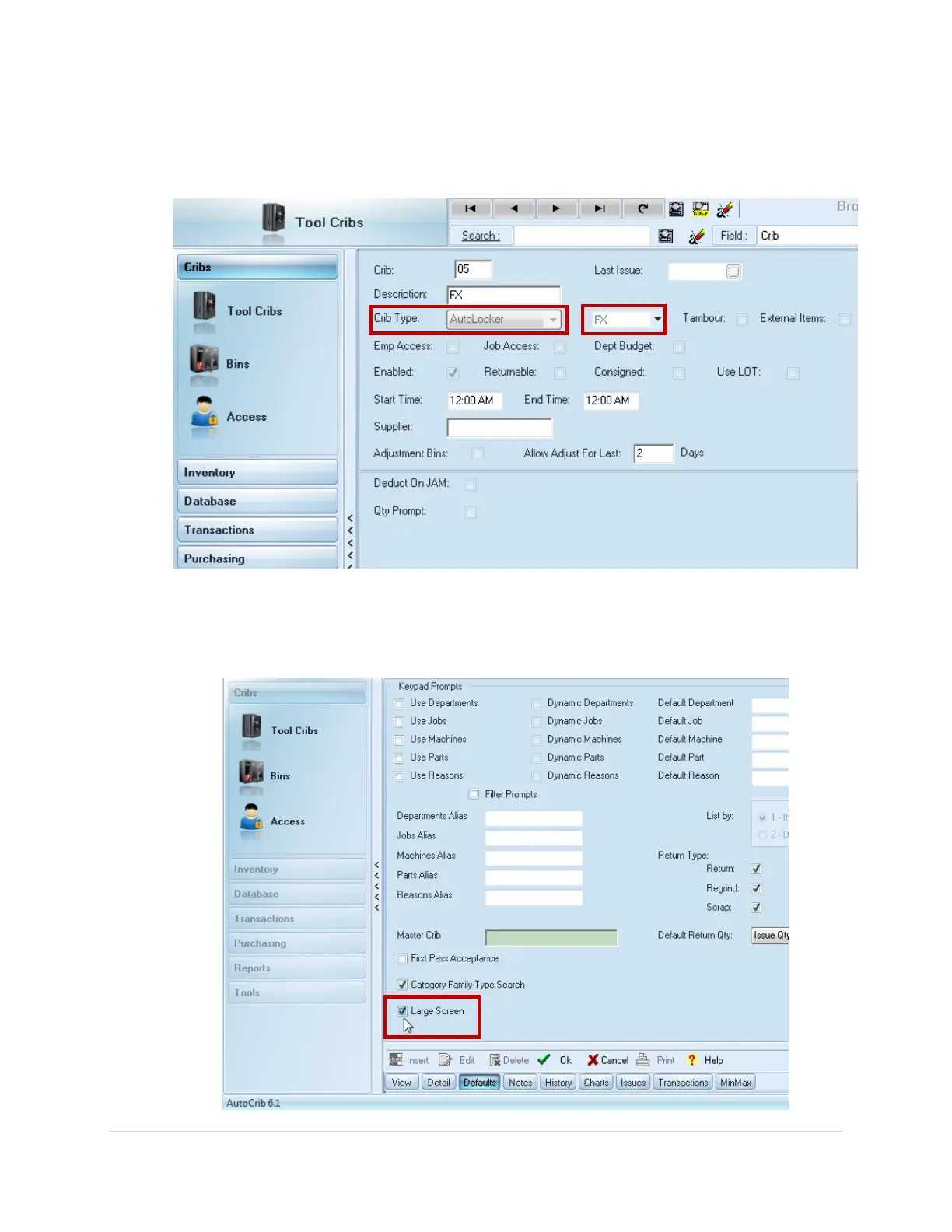
5. In the Cribs > Tool Cribs screen, verify the FX Locker is set as Crib Type: AutoLocker,
and FX is selected from the dropdown (See Diagram 3.3)
6. Navigate to Cribs > Tool Cribs and select the FX crib ID then click the Defaults Tab
7. Check on the Large Screen check box, then click Ok to save (See Diagram 3.4)



 To Next Page