39 | P a g e
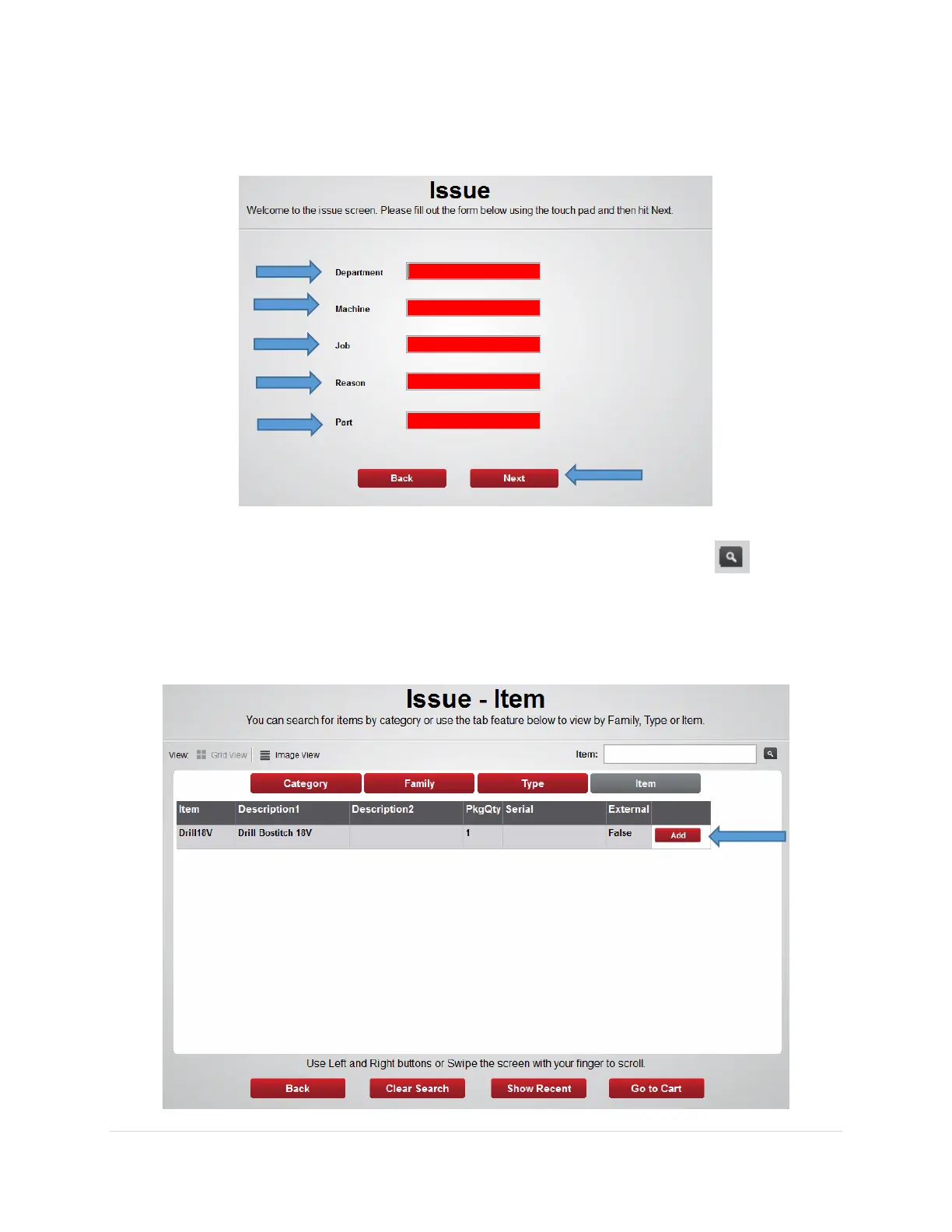
3. From the Issue screen select appropriate cost centers if prompted in red (example:
Department, Machine, Job, Reasons, Part) then click Next
4. From the Issue – Item screen use the Item: field to search for the item using the item
code, description, class, or custom fields then press the search button
Note: the software will find the closest match and will list those on the screen
5. Highlight the item you want and press the Add button



 To Next Page