40 | P a g e
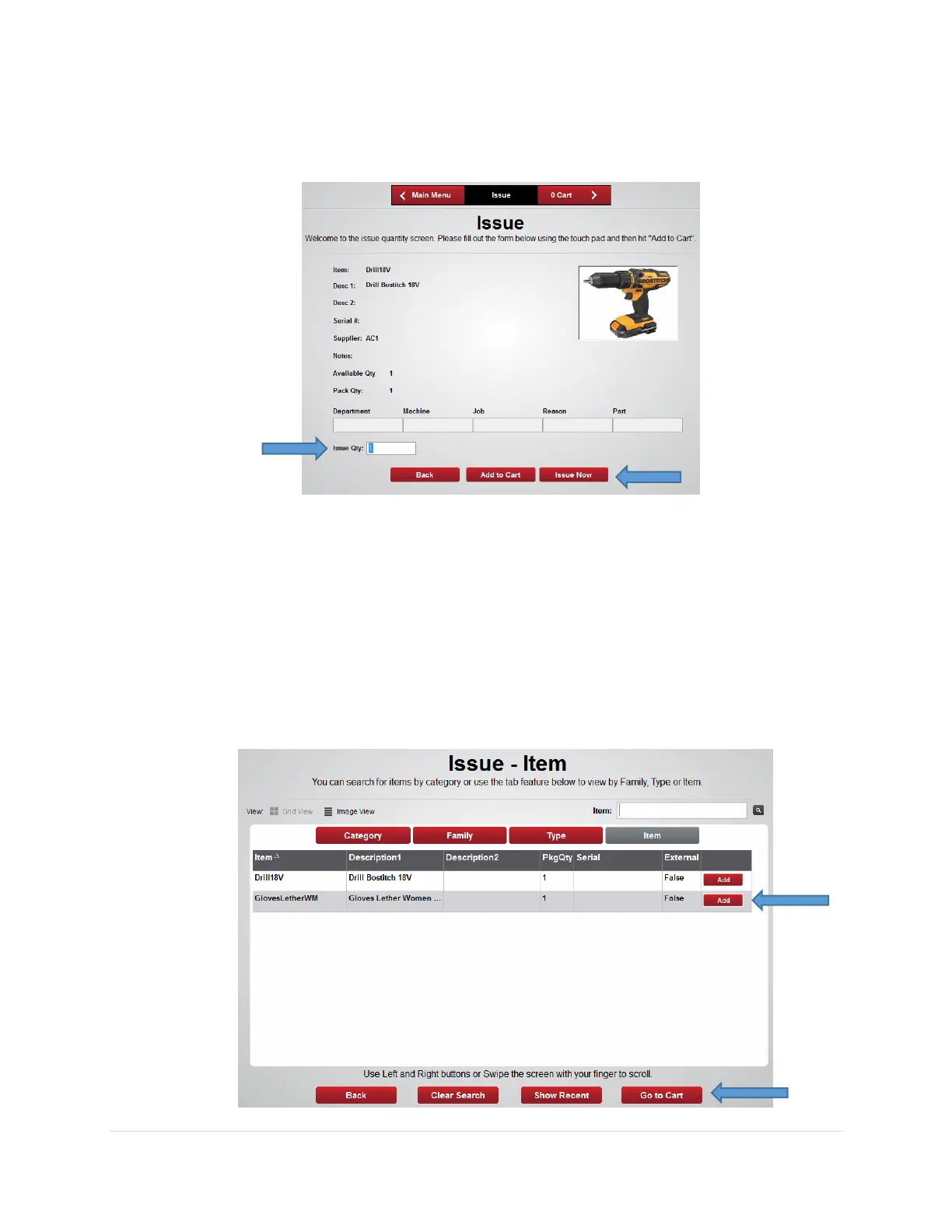
6. From the Issue screen enter the desired Issue Qty then press the Issue Now button to
issue out the item, or press the Add to Cart button to issue out multiple items
• Issue Now - If the Issue Now button was selected the appropriate locker bin door will
open. Remove the item and close the door then logout of the software.
• Add to Cart – If the Add to Cart button was selected the software will return to the
Issue – Item list.
a. Search for the next item and press the Add button to add to the Cart
b. Once all items have been added to the cart press the Go to Cart button.



 To Next Page