EasyManua.ls Logo

Automatic Technology ATS Series - User Manual

Automatic Technology ATS Series
24 pages
Print Icon
To Next Page IconTo Next Page
Loading...
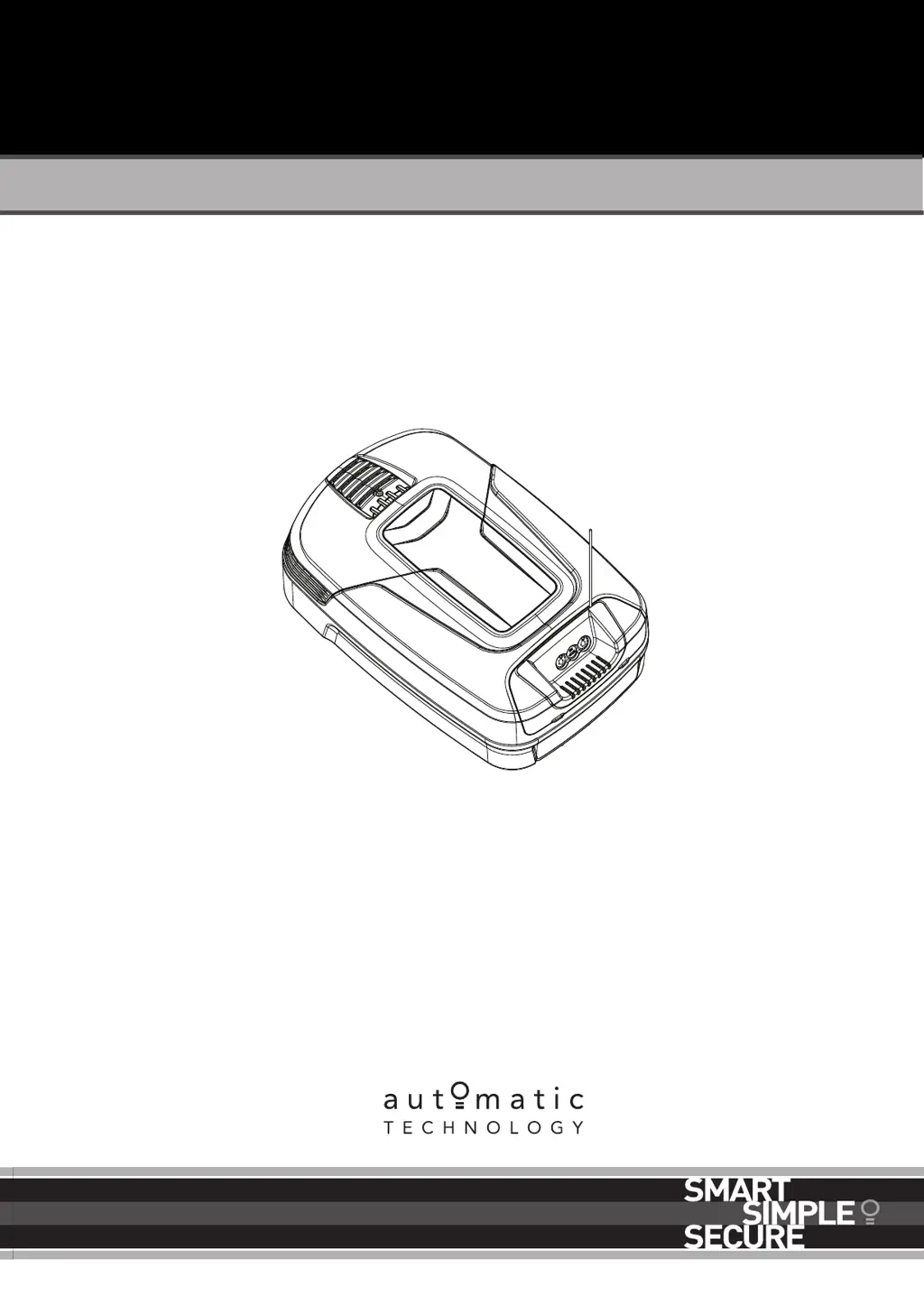
Sectional Door Opener
Instruction Manual
Doc # 160091_02
Part # 86296
Released 03/06/19
ATS Series
TEMPO ATS-2
SECTIONAL DOOR OPENER

Questions and Answers

  • L
    Leslie PhillipsSep 8, 2025
    What to do if my Automatic Technology ATS reverses for no reason?
    • W
      William HernandezSep 8, 2025
      If your Automatic Technology Garage Door Opener reverses unexpectedly, it could be due to environmental factors like wind, dust, or extreme temperature changes. Ensure the door runs smoothly before increasing the force pressure. Also, if safety beams are installed, they might be partially obstructed. Check the beam path to ensure it is not obstructed and verify the alignment.
  • H
    Hannah BrownSep 10, 2025
    Why does one Automatic Technology ATS transmitter work, but others don't?
    • M
      mcolemanSep 10, 2025
      If one transmitter for your Automatic Technology Garage Door Opener works while others don't, it could be due to a faulty transmitter. In this case, replace the transmitter. Alternatively, the battery in the non-working transmitter might be flat, so replace the battery.
  • C
    Corey PatelSep 12, 2025
    Why is the Automatic Technology ATS Garage Door Opener transmitter range so limited?
    • L
      lclineSep 12, 2025
      Variations in the transmitter range of your Automatic Technology Garage Door Opener are normal, depending on conditions such as temperature or external interference. Make sure you can see the door when you use the transmitter. Check the battery status by pressing a button; flashing or no light requires the battery to be changed. Also, consider the position of the transmitter in the motor vehicle; aim the transmitter through the windscreen.
  • A
    Angela OneillSep 13, 2025
    Why does my Automatic Technology ATS stop or move slowly on battery backup?
    • T
      thowellSep 13, 2025
      If your Automatic Technology Garage Door Opener stops or moves very slowly when running on the optional battery backup, the batteries may have little or no charge. Connect mains power and leave the batteries to charge. The batteries may take 24 to 48 hours to reach their maximum charge capacity.
  • A
    Adam MedinaSep 15, 2025
    What causes the chain/belt to move but the Automatic Technology ATS door to stay still?
    • S
      Stephanie MillsSep 15, 2025
      If the chain or belt in your Automatic Technology Garage Door Opener is moving, but the door remains stationary, the opener is likely disengaged. To resolve this, re-engage the opener.
  • M
    Michele BrownSep 18, 2025
    What does it mean when the CLOSE (Blue) LED is flashing on my Automatic Technology ATS?
    • X
      xjonesSep 18, 2025
      If the CLOSE (Blue) LED is flashing on your Automatic Technology Garage Door Opener, it indicates that the limits are not set. You should set up the limits.

Summary

Installation Safety Warnings

Before You Begin

Tools Required

Kit Contents

Opener Position Requirements

Fit the Opener

Bracket Position

Wall Bracket Position

Details on determining the correct wall bracket mounting location relative to the door.

Mounting The Wall Bracket

Instructions for securely fastening the wall bracket to the ceiling structure.

Attach The Rail To The Wall Bracket

Steps for connecting the C-rail assembly to the wall bracket.

Perforated Angle Installation

Mounting Brackets and Arms

Mounting The Door Bracket

Procedure for attaching the bracket to the garage door panel.

Attaching the Arms

Steps for connecting the bent and straight arms to the opener and door bracket.

Optional Safety Beam Kit

Setting Limits

Setting Limit Positions and Drive Speed

Guide to setting the door's open and close limits and adjusting operational speed.

Clearing Door Limit Positions

Instructions on how to reset previously set door travel limits.

Re-profiling the Door

Procedure for re-learning door travel characteristics after adjustments.

Safety Testing

Test the Close Cycle

Procedure to verify the door's auto-reverse function when obstructed.

Testing the Open Cycle

Steps to test the door's stopping mechanism during upward travel.

Test the Manual Door Operation

Guidelines for periodically checking manual door movement.

Auto-Close Functionality

Coding a Transmitter

Storing the Transmitter Code

Process for programming remote control transmitters to operate the opener.

Installation of the Wall Mounted Transmitter

Guidance on mounting the wall-mounted transmitter for convenient access.

Erasing All Transmitter Codes

Steps to remove all programmed transmitter codes from the opener.

Vacation Mode

How to activate and deactivate Vacation Mode to lock out remotes.

Remotely Coding Transmitters

Method for coding new transmitters using an existing programmed transmitter.

Home Owner Safety Warnings

Opener Safety & Security

Door Usage Restrictions

Conditions under which the opener cannot be used and when manual operation is permitted.

Disengaging and Re-engaging the Opener

Instructions for releasing the opener for manual door control and re-engaging it.

Operating Your Opener

User Operating Controls

Control Buttons and LEDs

Explanation of the function of each button and LED on the opener unit.

Specifications

Troubleshooting

Troubleshooting Guide

A table listing common symptoms, possible causes, and recommended remedies.

Main Light Service;Warning Indicator

Interpretation of main light flashing patterns for service or warning status.

Maintenance

Door Maintenance Procedures

Guidelines for regular inspection and cleaning of the garage door mechanism.

Battery Replacement

Battery Disposal

Appendix

Status Indication during Operating Mode

Table detailing the meaning of various LED light status combinations.

Adjustment Mode Instructions

Guide to accessing and using the adjustment mode for opener settings.

Adjusting Force Margins

Procedure for adjusting the safety obstruction force settings based on environmental conditions.

Battery Functions

Explanation of specific functions related to battery operation and testing.

Setting Limits via Transmitter

Instructions for setting door limits and speed using the remote transmitter.

Setting PET Mode Position

Steps to set a partial opening position for pets or parcels.

Warranty Information

Automatic Technology ATS Series Specifications

General IconGeneral
BrandAutomatic Technology
ModelATS Series
CategoryGarage Door Opener
LanguageEnglish

Related product manuals