2
Dominator EasyRoller Instruction Manual
CONTENTS
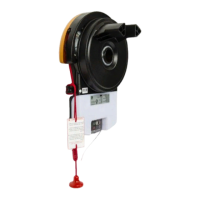
Rolling Garage Door Operator
1. System Specifications 3
2. Safety Information 4
3. Kit Contents 6
4. Setup Requirements 6
4.1 Tools Required 6
4.2 The Opener: 7
4.3 Unsuitable Door Types 7
4.4 Sideroom 7
5. Operator Safety & Security 8
5.1 Your Door CAN NOT be used when: 8
5.2 Your Door CAN be used when: 8
5.3 To Disengage the Opener: 8
5.4 To Re-Engage the Opener: 8
6. Installation Instructions 9
6.1. Door Preparation 10
6.2. Fit the Weight Bar 10
6.3. Pinning the Door 11
6.4 Proping the Door 11
6.5. Mounting the Opener 12
6.5.1 Raising the Door: 12
6.5.2 Install the Prongs or Drum Adaptor: 12
6.5.3 Mounting the Opener: 12
6.6 Safety Beam Installation 13
6.6.1 Safety Infra-Red Beam Kit (P/N 62047) 13
6.6.2 Assembling the Mounting Bracket 13
6.6.3 PE Assist Alignment 13
6.7. Setting the Travel Limits 14
6.7.1 Initial Preparation: 14
6.7.2 Set the Limit Positions: 14
6.7.3 Clearing the Door Limit Positions 15
6.7.4 Controller Memory Reset 15
6.7.5 Re-profiling the Door 15
6.7.6 Setting the PET Mode position 15
6.8 Testing & Setting Safety Obstruction Force 16
6.8.1 Testing the Close Cycle 16
6.8.2 Testing the Open Cycle 16
6.8.3 To Increase Force Pressure 17
6.8.4 To Decrease Force Pressure 17
6.8.5 To Recall Factory Set Force 17
6.8.6 To Re-Profile the Door 17
6.9 Accessories 18
6.9.1 Terminal Block 18
6.9.2 Installation of Wall Mounted Transmitter 18
6.10 Coding Transmitters 19
6.10.1 Setting Transmitters Codes 20
6.10.2 Remotely Coding Transmitters 20
6.10.3 Coding for Vacation Mode 20
6.10.4 Coding for AUX Output 20
6.10.5 Coding for PET (Pedestrian) Mode 21
6.10.6 Coding for Courtesy Light 21
6.10.7 Erasing a Stored Transmitter Code 21
6.10.8 Erasing ALL Transmitter Codes 21
6.11 Auto-Close 22
6.11.1 Safety Beams 22
6.11.2 Auto Close Option 22
6.12 Attach Warning Labels / Placards 22
7. Operation Instructions 23
7.1 How to Use Your Operator 24
7.1.1 To Operate the opener: 24
7.1.2 Replacing the Battery: 3V Lithium Battery CR2032. 24
7.2 User Operating Controls 25
7.3. Door Status Indicators 25
8. Troubleshooting 26
9. User Maintenance Instruction 27
9.1 Door Maintenance 27
9.2 If You Need a Service Call 27


 To Next Page