EasyManua.ls Logo

Automatic Technology GDO-11 Ero - User Manual

Automatic Technology GDO-11 Ero
24 pages
Print Icon
To Next Page IconTo Next Page
Loading...
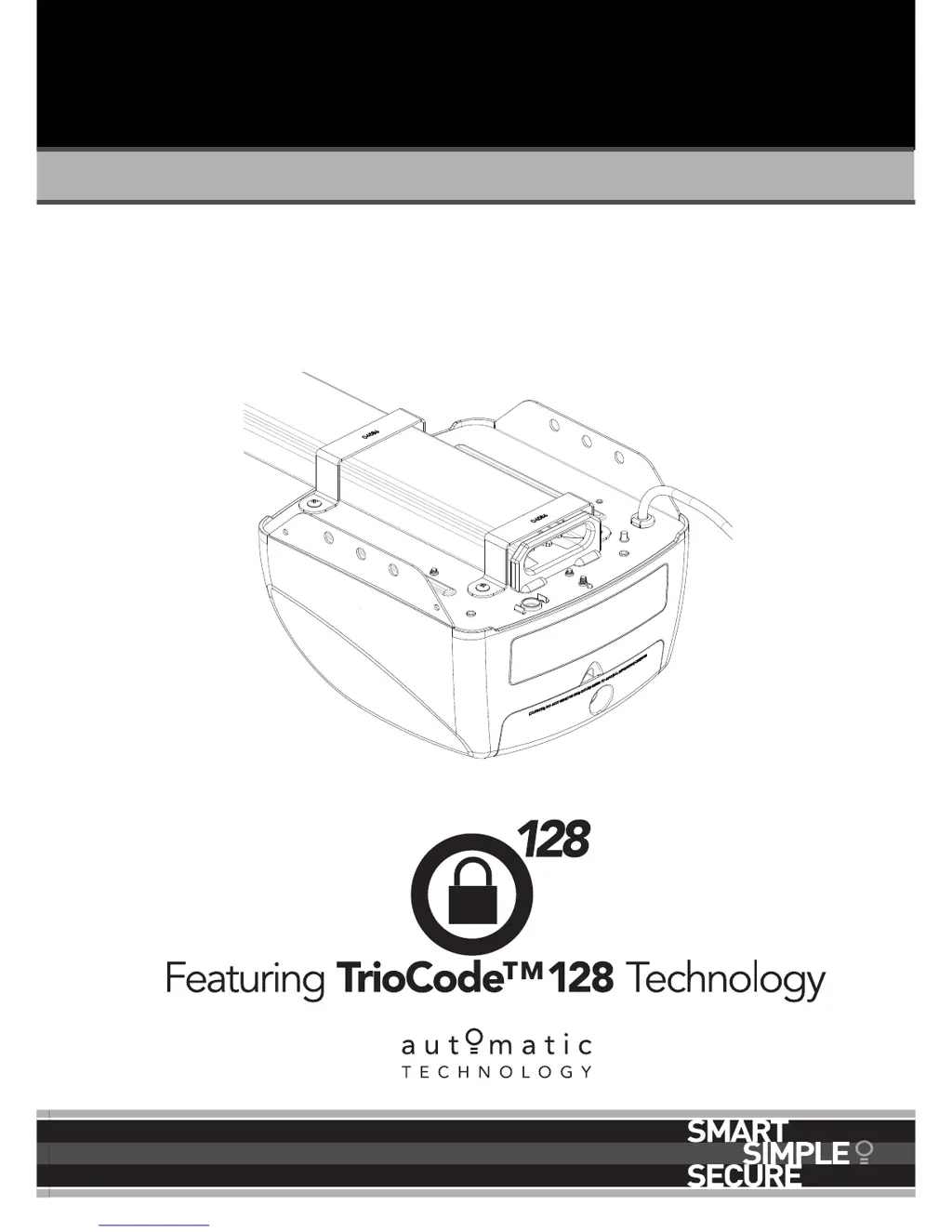
Sectional Door Opener
Instruction Manual
Doc # 160073_00
Part # 13459
Released 29/08/16
GDO-11
Ero

Table of Contents

Questions and Answers

  • G
    Grant GibsonAug 18, 2025
    Why Automatic Technology GDO-11 Ero Garage Door Opener doesn't work from the transmitter?
    • V
      victoria30Aug 18, 2025
      If your Automatic Technology Garage Door Opener isn't responding to the transmitter, several factors could be at play. First, the garage door itself might be in poor condition, such as having broken springs, so check the door's operation. Ensure the opener is receiving power by testing the power point with another device. The transmitter battery might be flat, requiring replacement. Confirm that your transmitter uses TrioCodeTM 128 Technology, indicated by grey buttons and model number V2. Also, verify that the opener hasn't been accidentally set to "Vacation Mode" (turn off “Vacation Mode”). Finally, ensure the transmitter button is correctly programmed to operate the door and that you're pressing the right button.
  • W
    William WilliamsAug 20, 2025
    What to do if my Automatic Technology GDO-11 Ero door reverses for no apparent reason?
    • R
      Rebecca ClarkAug 20, 2025
      If your Automatic Technology Garage Door Opener door reverses unexpectedly, it could be due to environmental factors like wind, dust, or temperature changes. Make sure the door operates smoothly before increasing the force pressure. Also, if you have safety beams installed, check that they are properly aligned and free from obstructions.
  • D
    deannagillespieAug 22, 2025
    What to do if one Automatic Technology GDO-11 Ero Garage Door Opener transmitter works, but others don't?
    • L
      lopezscottAug 23, 2025
      If only one of your Automatic Technology Garage Door Opener transmitters is working, the other may be faulty and need replacement, or it might simply have a flat battery that needs replacing.
  • A
    Alicia FreemanAug 25, 2025
    Why is my Automatic Technology Garage Door Opener auto close not working?
    • A
      Aaron MooreAug 26, 2025
      If the auto-close feature on your Automatic Technology Garage Door Opener isn't working, the safety beam or its wiring may be faulty. You should repair the safety beam or replace the wiring and realign the optics. Consult the safety beam instructions for guidance.
  • Y
    ydavisAug 27, 2025
    What to do if Automatic Technology Garage Door Opener Open (Green) LED continues to flash?
    • C
      Cynthia ClarkAug 27, 2025
      If the Open (Green) LED on your Automatic Technology Garage Door Opener keeps flashing, it means the door is obstructed while opening. Clear any obstructions and test that the door opens correctly. If the door is damaged, contact a door professional.
  • J
    Jose VangAug 30, 2025
    What to do if Automatic Technology Garage Door Opener Close (Red) LED continues to flash?
    • J
      jodiwilliamsAug 30, 2025
      If the Close (Red) LED on your Automatic Technology Garage Door Opener continues to flash, it indicates that the door is obstructed while closing. Remove any obstructions and test the door's closing function. Alternatively, the limits may have been cleared. To resolve this, remove all power sources (including the battery backup), wait 10-15 seconds until all lights are off, and then reconnect the power. If the Red LED is still flashing, the limits are not set; reset them.
  • R
    Robert ThomasSep 2, 2025
    What does it mean if the SERVICE LED has started to flash and is beeping numerous times on my Automatic Technology Garage Door Opener?
    • L
      Lisa BooneSep 2, 2025
      If the SERVICE LED on your Automatic Technology Garage Door Opener is flashing and beeping, it indicates a detected fault. This fault will occur each time you try to operate the door. Record the opener function (how many beeps?), then press the SET button once to reset the opener. If the problem persists, contact 1300 133 944 for support.
  • K
    Kelly AtkinsSep 4, 2025
    Why Automatic Technology GDO-11 Ero transmitter range varies?
    • D
      David Valdez Jr.Sep 4, 2025
      The transmitter range of your Automatic Technology Garage Door Opener can vary due to conditions like temperature or external interference; this is normal. Ensure you have a clear line of sight to the door when using the transmitter. Check the battery status by pressing a button; if it flashes or doesn't light up, replace the battery. Also, consider the transmitter's position in your vehicle, and try aiming it through the windscreen.
  • P
    peckcarolSep 7, 2025
    Why Automatic Technology GDO-11 Ero Garage Door Opener door stops or moves slowly under battery?
    • E
      Erica GuerreroSep 7, 2025
      If your Automatic Technology Garage Door Opener door stops or moves very slowly when running on battery backup, the batteries may have little or no charge. Connect the opener to mains power and allow the batteries to charge for 24 to 48 hours to reach their maximum capacity.
  • J
    jtaylorSep 9, 2025
    What does it mean if the Open (Green) LED and Close (Red) LED are flashing alternatively on my Automatic Technology GDO-11 Ero Garage Door Opener?
    • M
      Mason ThompsonSep 9, 2025
      If the Open (Green) and Close (Red) LEDs on your Automatic Technology Garage Door Opener are flashing alternately, the opener is overloaded. Check the door's operation by disengaging the motor and ensuring the door runs smoothly. If necessary, adjust the door or contact a door professional.

Summary

Installation Safety Warnings

Before You Begin

Tools Required

Opener Position

Fit the Opener

Bracket Position

Wall Bracket Positioning and Mounting

Steps for determining and securely mounting the wall bracket.

Mounting Brackets and Arms

Door Bracket and Arm Assembly

Instructions for mounting the door bracket and attaching the opener arms.

Connect to Power

Setting Opener Limits

Setting the Datum and Limit Positions

Procedures for setting the opener's datum and door travel limits.

Safety Testing and Force Adjustment

Performing Safety Cycle Tests

How to test the door's safety features during open and close cycles.

Adjusting Safety Obstruction Force

How to increase, decrease, recall, or recalculate force margins for safety.

Control Board and Accessories

Coding Transmitters

Programming Transmitter Codes

Steps to store new transmitter codes for door operation.

Coding Transmitters (Continued)

Home Owner Safety Warnings

Opener Safety and Security

Operating Your Opener

User Operating Controls

Door Status Indicators

Troubleshooting Common Issues

Troubleshooting Error Indicators

Automatic Technology GDO-11 Ero Specifications

General IconGeneral
Motor Voltage24V DC
Maximum Door Weight100kg
Maximum Door Area16.5m²
Radio Frequency433.92 MHz
Maximum Pulling Force1000N
Lifting Capacity100kg
Protection ClassIP20
Battery BackupOptional
Operating Temperature-20°C to +50°C
Speed0.2 m/s
Safetyauto-reverse
Remote ControlIncluded
Input Voltage220-240V AC
Voltage230V AC

Related product manuals