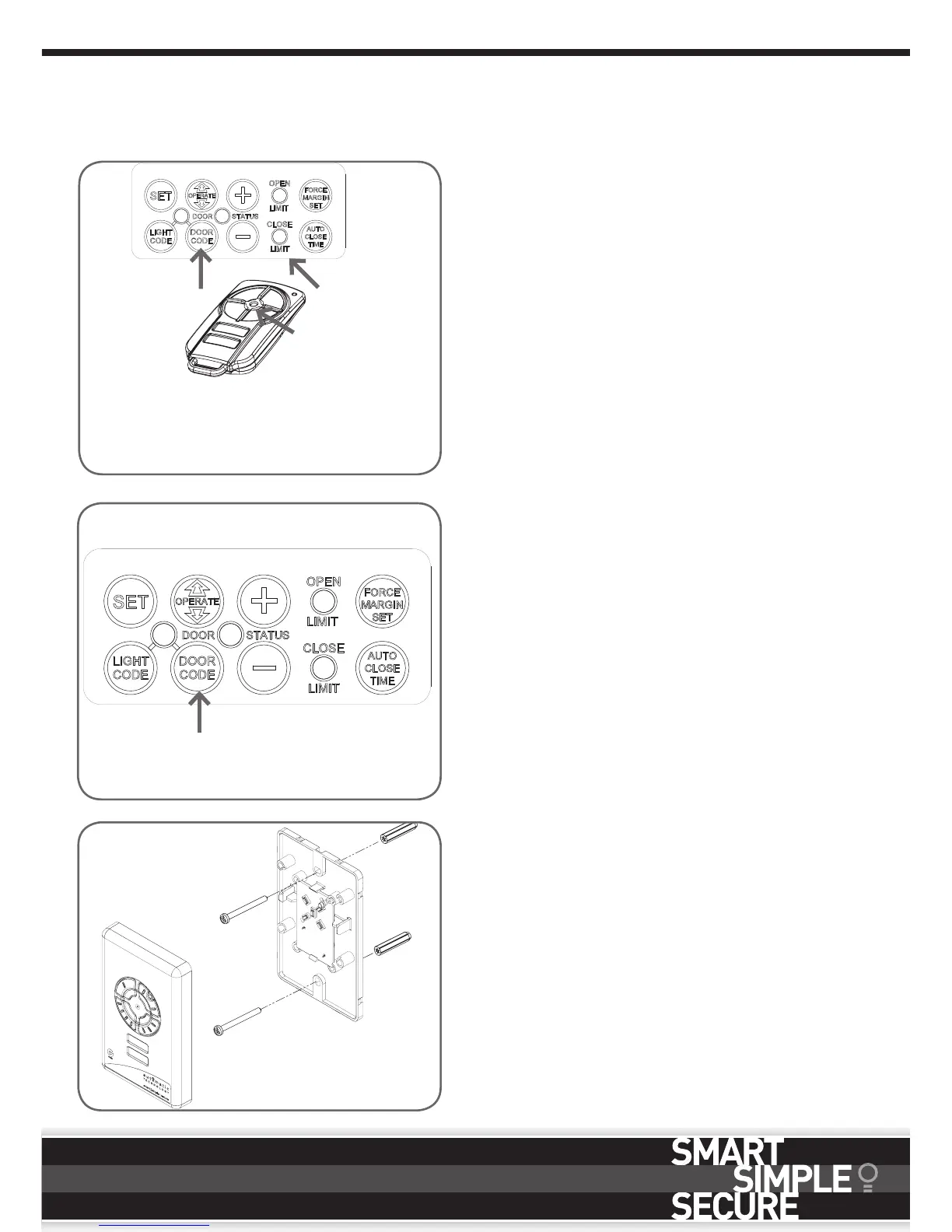
Press DOOR
CODE button
twice.
Select one of the
four buttons (not
programmed yet )
you wish to use to
control the Vacation
Mode
8.3 Setting the Transmitter to Operate
Vacation Mode
The opener can be programmed into a “Vacation
Mode” where the opener will not respond to any
transmitter except one preprogrammed unit.
a. Briefly press the DOOR CODE button once, then
second press (Fig. 8.3).
b. Press one of the four (4) buttons on the transmitter
for two (2) seconds, pause for two (2) seconds,
then press the same button again for two (2)
seconds.
c. Release DOOR CODE button.
d. Press and hold the transmitter button for six (6)
seconds to set Vacation Mode. The door code
LED will stay lit while Vacation Mode is active.
e. To reset Vacation Mode, press the same transmitter
button for two seconds.
8.4 To Erase Programmed Codes
a. Select the transmitter you want to delete.
b. Press and hold the DOOR CODE BUTTON
(Fig. 8.4).
c. Press the transmitter button you would like to
delete for two seconds, pause for two seconds,
press again for two seconds and then release.
Release the DOOR CODE BUTTON. The code
should now be deleted. Confirm this by pressing the
transmitter button - the function (e.g. door opening)
should not respond.
8. Coding Transmitters
Fig. 8.3
Fig. 8.4
Button
Fig. 8.5
8.5 Installation of the Wall Mounted
Transmitter
a. Mount the transmitter in a convenient location,
yet out of reach of children and at least 1.5m off
the ground (Fig. 8.5).
b. Make sure the door is visible from this location.
c. To set the transmitter codes refer to 8.1.








 To Next Page