SMARTTOOL – BEST PROGRAMMER SMART KEY HONDA, YAMAHA, SUZUKI AND PIAGGIO
10
http://autoshopvn.com
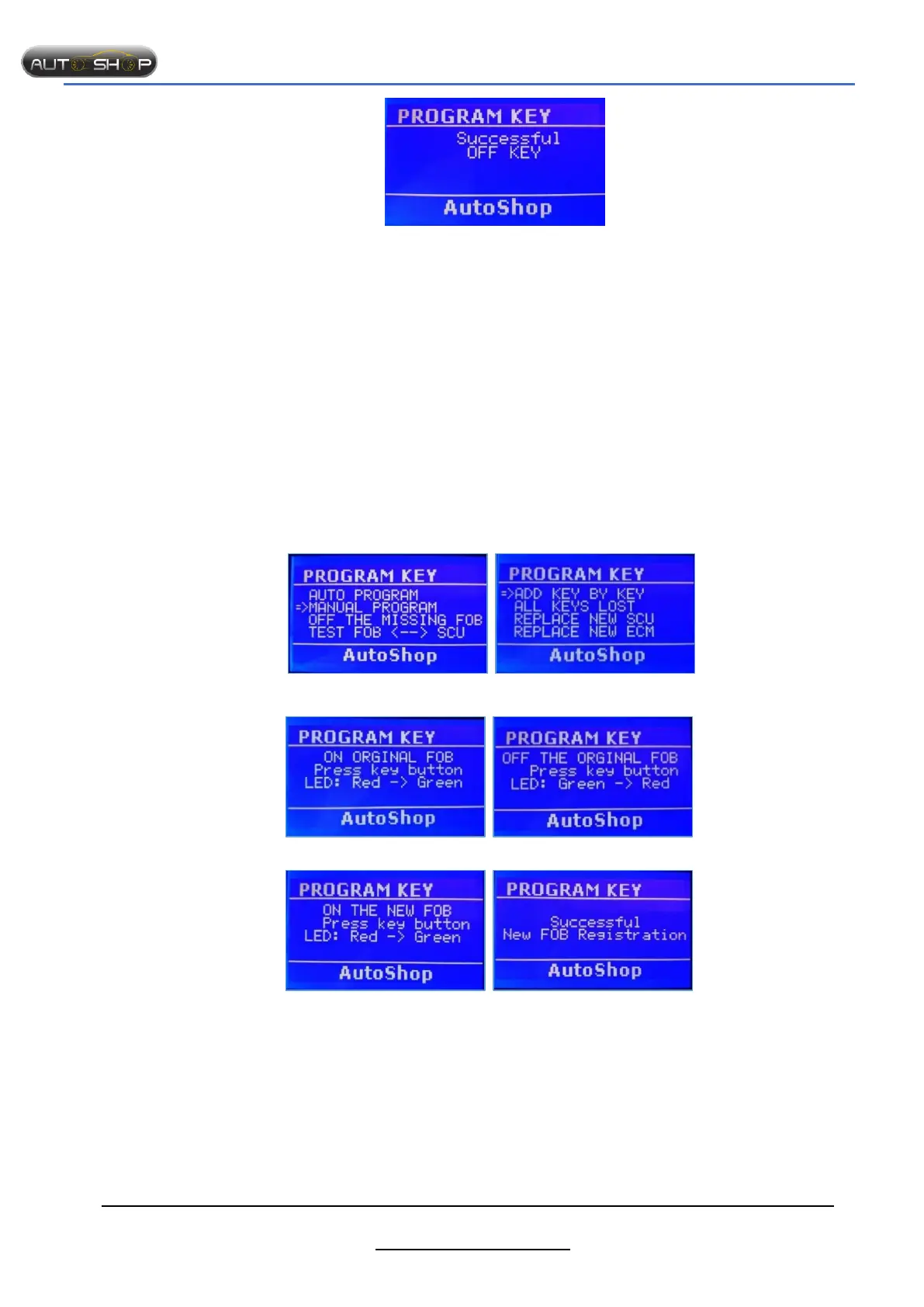
Successfully!!!
Step 1: Select “MANUAL PROGRAM” Step 2 : Select “ ADD KEY BY KEY”
Step 3: Turn on the original FOB Step 4: Turn OFF the original FOB
Step 5: Turn on the new FOB Successfully!!!
Notes:
- Turn OFF all unused FOBs.
- The original FOB is the key which synced with SCU.
- The part no. of FOB must be same type with SCU, such as K01, K77, K96…
1.1.3 Add new key when all keys lost
Purpose.
- Register new key when all keys lost.
Preparation:
- SMTF00- SMART TOOL.
Notes:
- Turn OFF all unused FOBs.
- To turn on FOB again,
we use add key by key function.
- After success, the other keys are turned OFF.
- Using the synced FOB with SCU to OFF.
1.1.2 Add key by key
Purpose:
- Add new key(FOB).
- ON FOB again.
Preparation:
- SMTF00- SMART TOOL.
- SMTF01- Cable of Honda PCX/SH125/150/MODE.
- SMTF08- KEY ADAPTER.
- SCU (smart key control unit), the original and new FOB.
The steps taken on the Smart Tool.


 To Next Page