SMARTTOOL – BEST PROGRAMMER SMART KEY HONDA, YAMAHA, SUZUKI AND PIAGGIO
18
http://autoshopvn.com
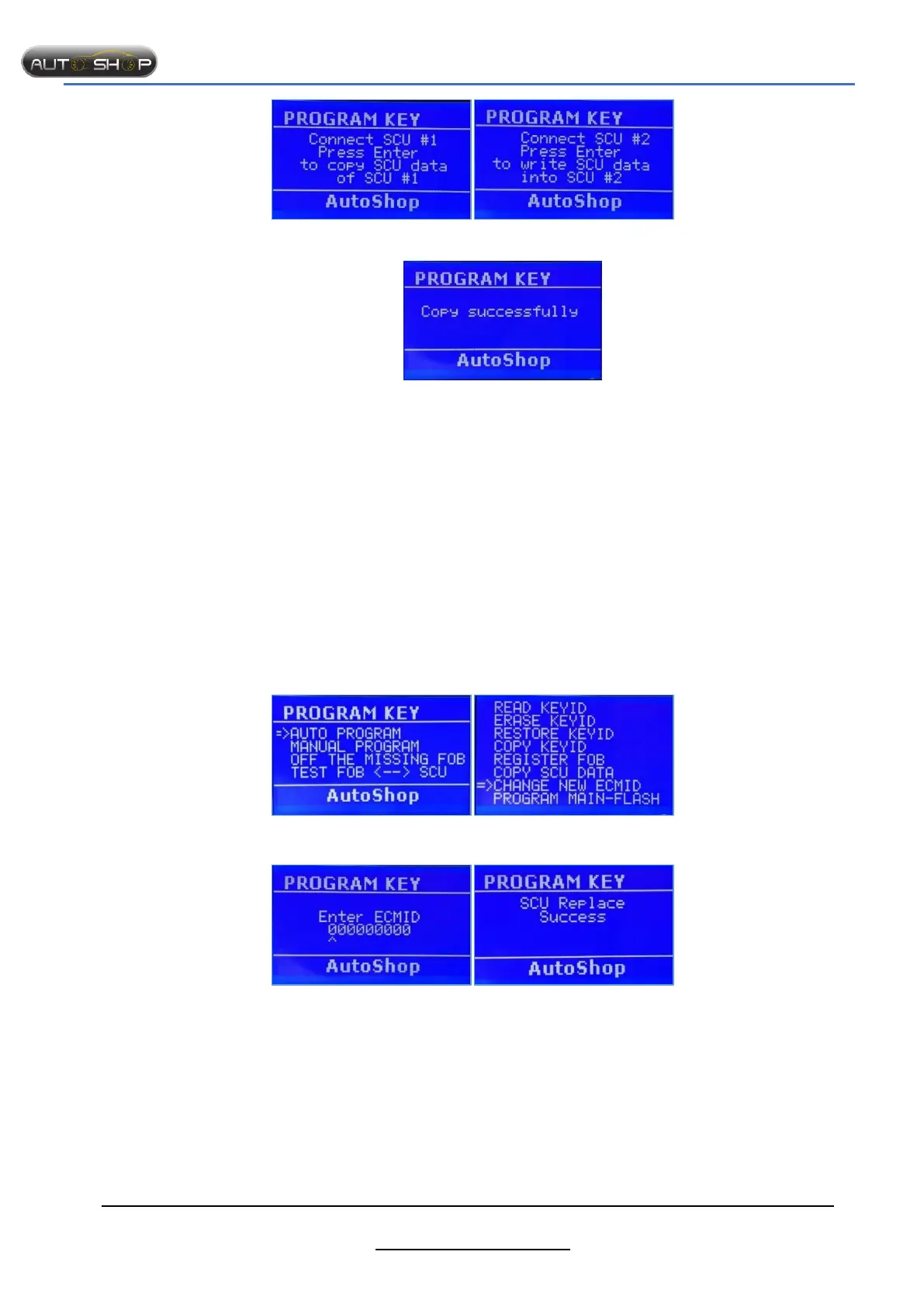
Step 5: Connect the 1
st
SCU to copy data Step 6: Connect the 2
nd
SCU to write data
Successfully!!!
Notes:
Check cable, connection points carefully.
This feature changes all data of new SCU, consider carefully before selecting this function.
1.2.7 Edit ECMID.
Purpose:
Edit ECMID
Sync ECM & SCU without bikes
Advantages: easy to manipulate, high accuracy, save time.
Preparation
SMTF00- SMART TOOL.
SMTF01- Cable for HONDA PCX/SH125/150/MODE
SMTF08- KEY ADAPTER.
SCU (smart key control unit).
The steps taken on the Smart Tool.
Step 1: Select “AUTO PROGRAM” Step 2 : Select “ CHANGE NEW ECMID”
Step 3: Enter ECMID Successfully!!!
Notes:
Check cable, connection points carefully.
This function changes data of SCU.
To know ECMID, select “READ KEYID”.
1.2.8 Test SCU FOB
Purpose:
- Check the FOB & SCU match together or not
- After adding new key, you can check the synchronization between SCU and FOB.


 To Next Page