SMARTTOOL – BEST PROGRAMMER SMART KEY HONDA, YAMAHA, SUZUKI AND PIAGGIO
29
http://autoshopvn.com
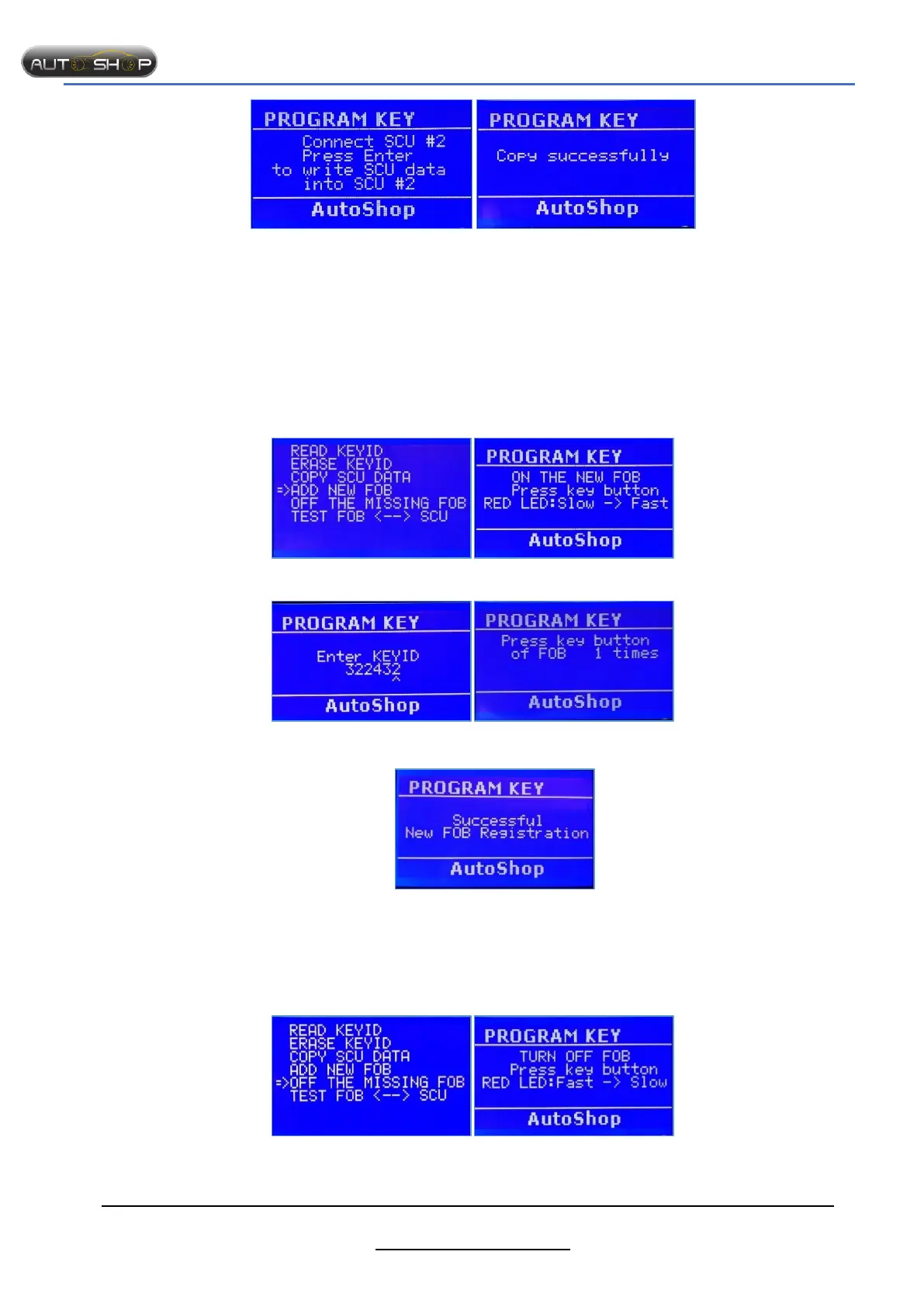
Step 5: Connect the 2
nd
SCU Successfully!!!
Notes:
- After copying, data of the 2
nd
SCU will be changed.
- Check connection points, cable carefully.
4. Add new FOB.
Purpose
- Register new key when all keys lost.
- Add new FOB on the table, without bike.
The steps taken on the Smart Tool:
Step 1: Select “ADD NEW FOB” Step 2 : Turn on the FOB
Step 3: Enter KeyID Step 4: Press key button of FOB
Successfully!!!
Notes: Turn OFF all unused FOBs.
5. OFF the missing FOB.
Purpose: Turn OFF the FOB which lost or not used.
The steps taken on the Smart Tool:
Step 1: Select “OFF THE MISSING FOB” Step 2 : Turn OFF the FOB



 To Next Page