SMARTTOOL – BEST PROGRAMMER SMART KEY HONDA, YAMAHA, SUZUKI AND PIAGGIO
30
http://autoshopvn.com
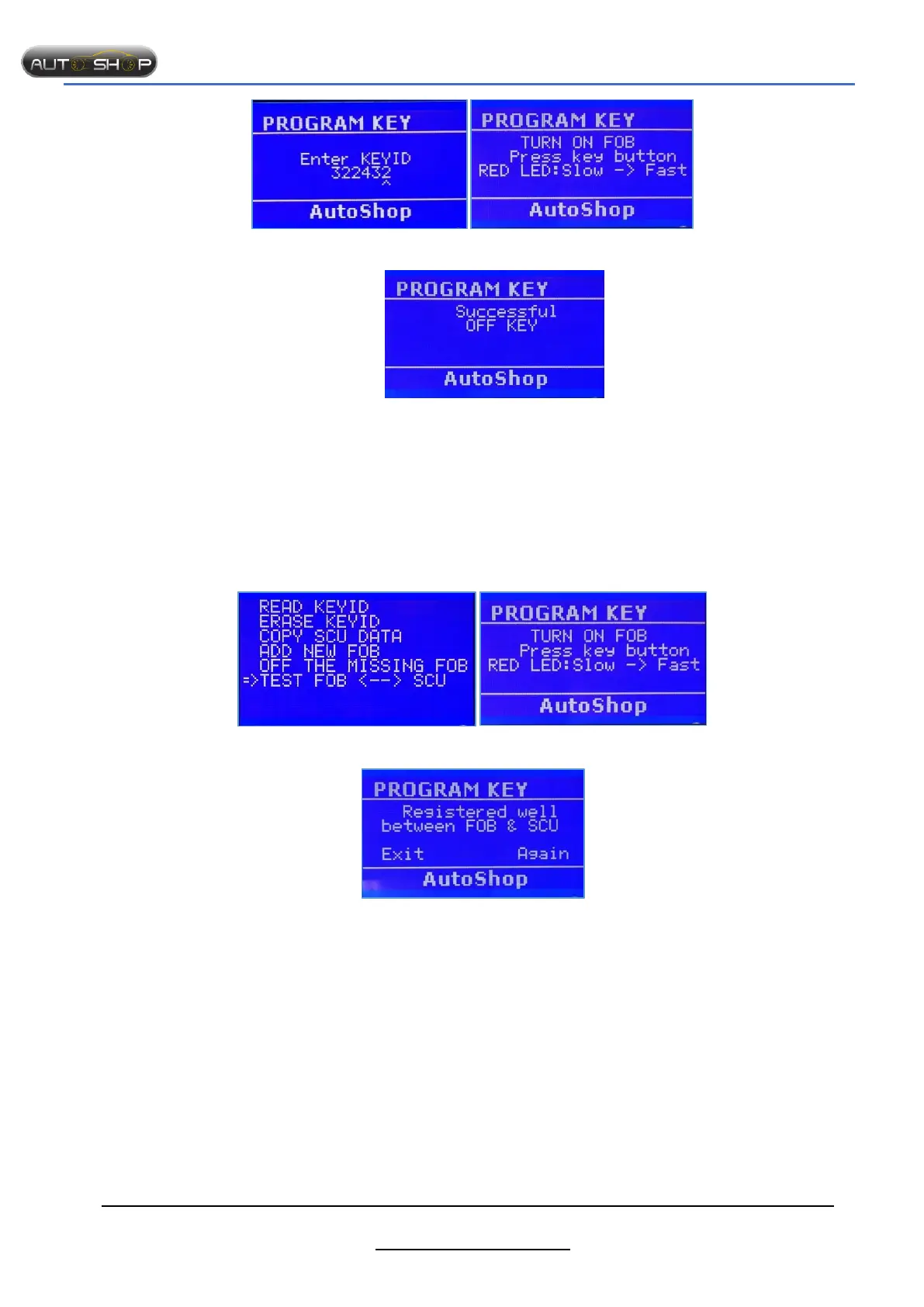
Step 3: Enter KeyID Step 4: Turn on FOB
Successfully!!!
Notes:
- After the FOBs turn OFF, we can’t use them.
- After entering KeyID, you use SMTF04 - Yamaha cable to connect to SCU.
6. Test FOB SCU.
Purpose: After registering FOB, we should test sync between SCU and FOB.
The steps taken on the Smart Tool:
Step 1: Select “FOB< -- >SCU” Step 2 : Turn on the FOB
Successfully!!!
Notes: Turn OFF all keys aren’t used.


 To Next Page