13
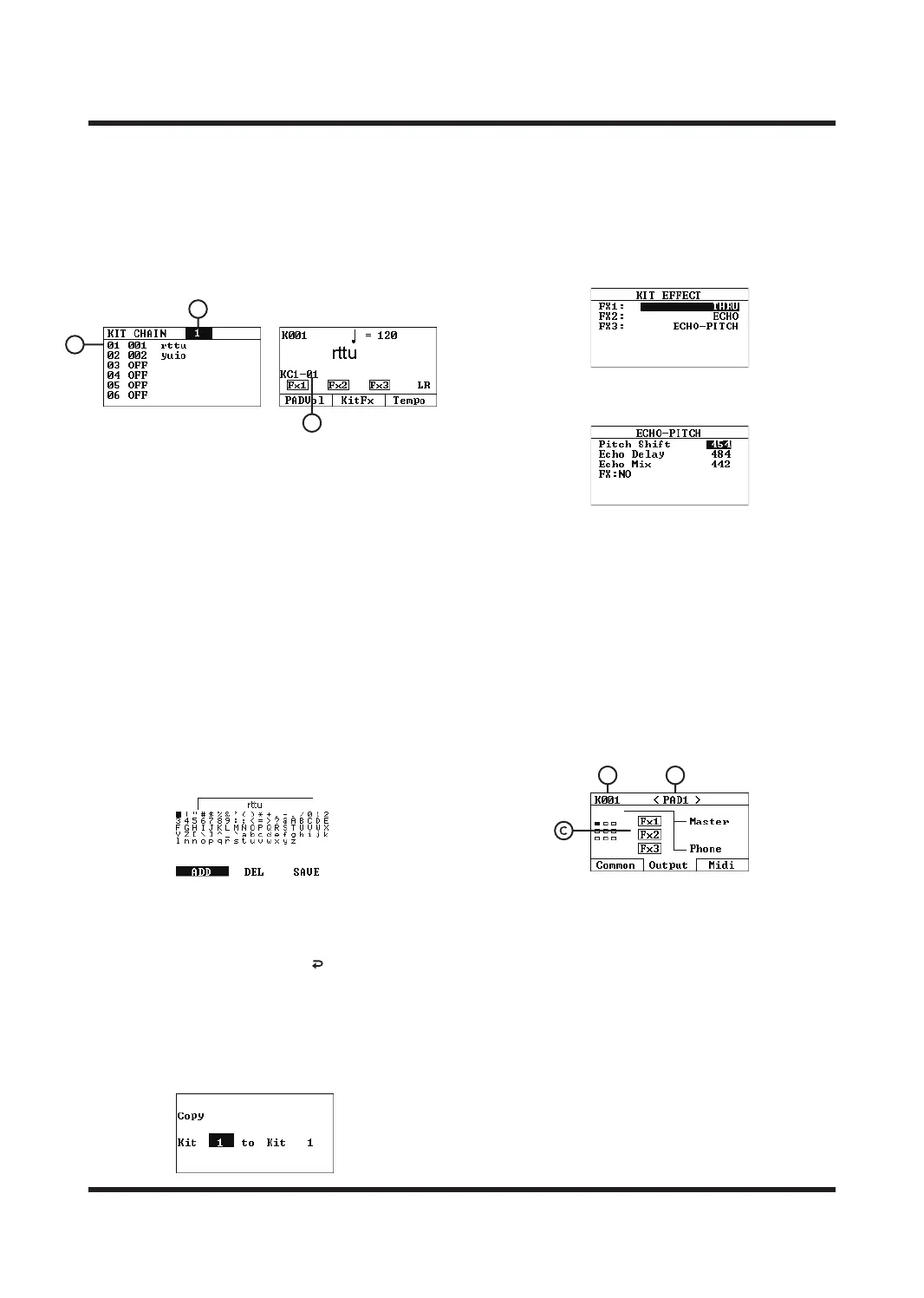
Kit Chain
Turns the KIT CHAIN function on/o, and supports
up to eight Kit Chains, each of which can add up to
20 sound kits. After selecting a Kit Chain group,
you can customize the order of up to 20 sound
kits; when you return to the HOME interface, the
Kit Chain group will be displayed, and each time you
switch the sound kit, it will switch in the set order.
Use the [
<
]/[
<
] buttons to move the cursor, and
use the [-]/[+] buttons or the SCROLL WHEEL to
select a tone group.
A. KIT CHAIN
Drum kit chain number, supports up to eight drum
kit chains. After selecting, return to the HOME
page to automatically turn on the KIT CHAIN
function, and select OFF to turn o the function.
B. SOUND KITS LIST
Customize the tone group switching order. Each
drum kit chain supports up to 20 custom tone
groups.
C. KC1-01
Indicates the currently enabled drum kit chain
and sound kit number.
Kit Name
Rename the current kit name.
Use the CURSOR buttons to select characters.
Use the [F1] key to type characters according to the
instructions at the bottom of the screen. Use the [F2]
key to delete characters. When finished, press [F3]
to save the characters. Press the [ ] key to exit the
current operation.
Kit Copy
Use the [OK] button to enter the kit copy page.
You can select a kit to copy to another kit. If the kit
to be overwritten has already been assigned a kit
sound, you will be prompted whether to overwrite it.
Kit Init
Press the [OK] button to initialize the sound kits
immediately and clear all settings of the current
sound kits. Please operate with caution.
Kit Eect
Users can configure up to 3 eects for the current
kit.
After selecting an eect, press the [OK] button to
adjust the parameters of the selected sound kits
eect.
Master Eect
Users can select the master eects of dierent
eects by pressing [FX On/O] button turns on/o;
Wave List
Preview the sound list.
KIT SET MENU
DESCRIPTION-OUTPUT
On the KIT SET page, press the [F2] button to enter
the eects playback path selection page.
A. The sound kits
The number indicates the number of the tone kits
currently being edited. Please select the sound
kits you want to edit on the HOME page.
B. Trigger
Indicates the currently selected trigger.
C. Eector Playback Path
Turn the parameter knob or use the [+]/[-] buttons
to switch the eective path of the current trigger.
B
A
C
BA



 To Next Page