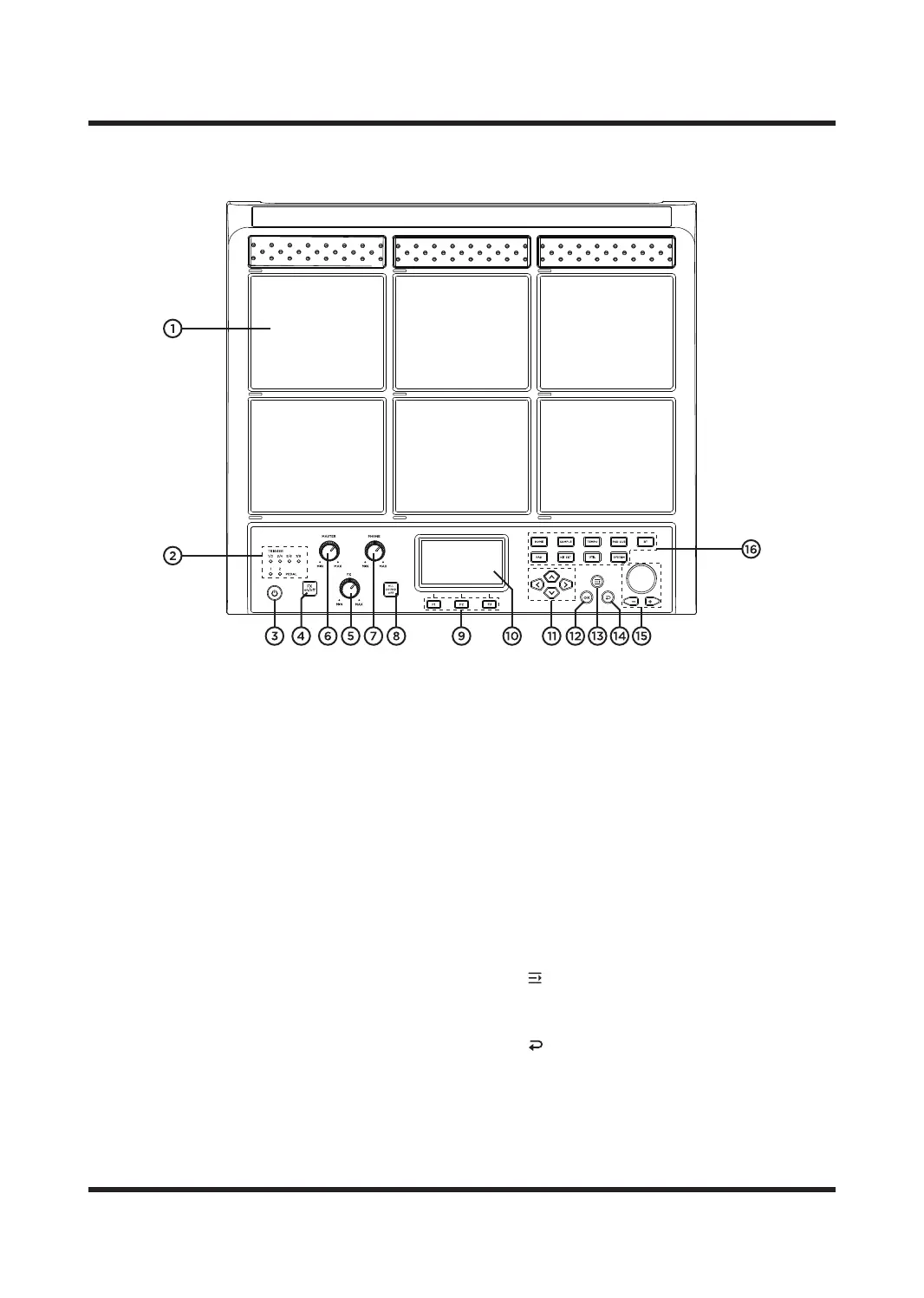
TOP PANEL
1. PAD TRIGGERS
Sampler pads which trigger sounds or function
when hit with a drumstick. When struck, the
pads corresponding LED will illuminate. Each
pad has an individual number which will be
shown within the menu when editing certain
settings.
2. TRIGGER/PEDAL LED INDICATORS
lluminates when external triggers and pedals
are used, they are connected via the inputs on
the rear panel of the UNIT.
3. POWER BUTTON
Turns the UNIT on and o. Press to turn on,
hold for five seconds and release to power o.
4. FX on/o
Turns the Master FX on and o.
5. FX KNOB
The rotary knob for Master eect.
6. MASTER VOLUME
To adjust the volume of sounds from MASTER
OUT(audio output jack).
7. PHONE VOLUME
To adjust the volume of sounds from PHONE
(headphone output jack).
8. ALL SOUND OFF
Stop playing all current sounds.
9. [F1/F2/F3] FUNCTION BUTTONS
To perform the options or menus at the bottom
of the display.
10. LCD DISPLAY
To displays the menu, parameters and values of
the UNIT.
11. CURSOR BUTTONS
Use these buttons to move the cursor on the
display.
12. [OK] BUTTON
The operation / save button.
13. [ ] BUTTON
To open the shortcut menu in PAD page or KIT
SET page.
14. [ ] BUTTON
Return to the upper-level menu.
15. SCROLL WHEEL & [-]/[+] BUTTON
Use to quickly decrease and increase values as
well as to scroll through multiple selections.
6



 To Next Page