16. FUNCTION MENU BUTTONS
The function of each button is detailed this
manual.
7
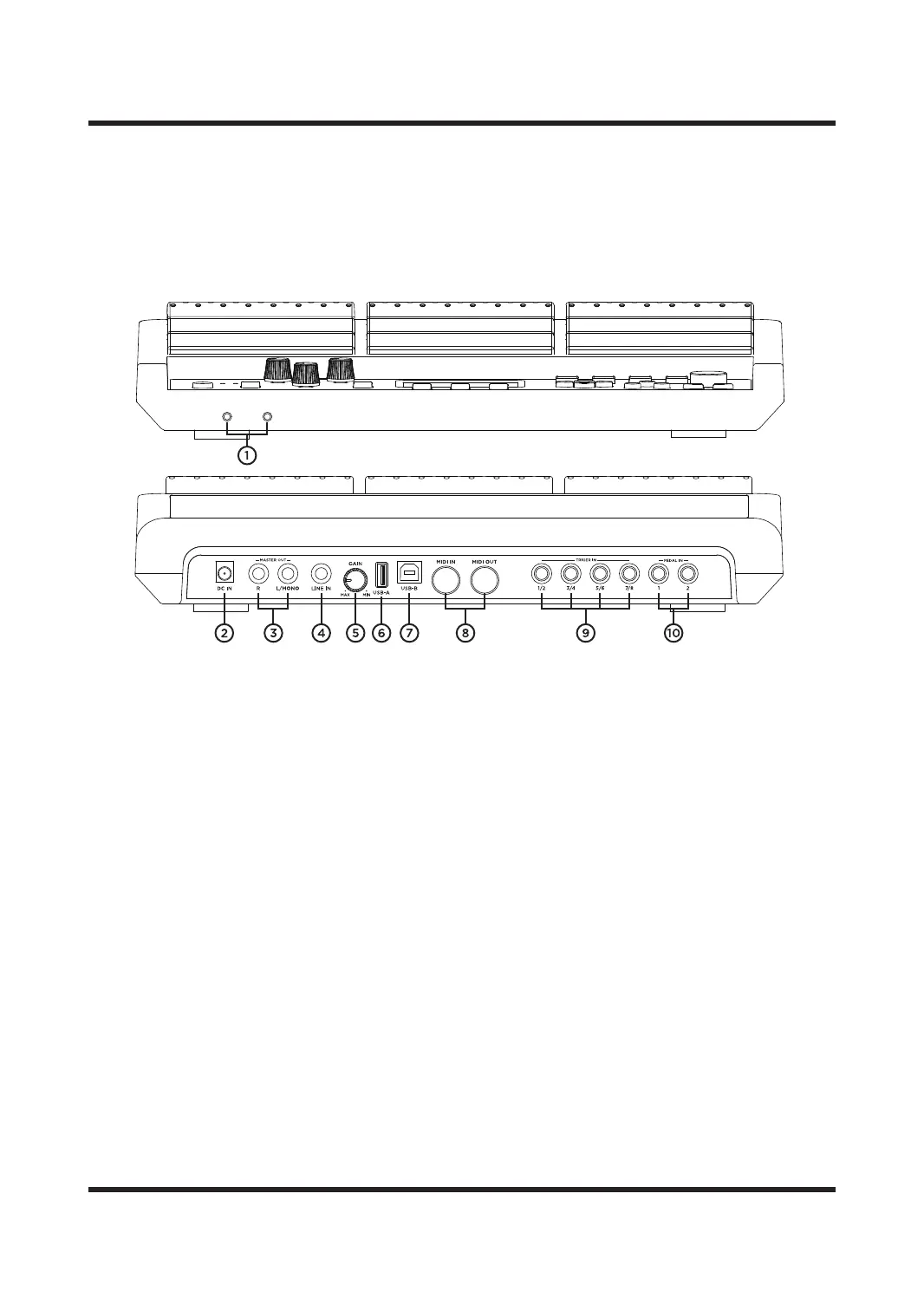
REAR PANEL
1. HEADPHONES
1/4” output jack for connecting headphones.
2. DC INPUT
Used to connect to mains power.
Only use the included PSU.
3. MAIN OUT R/L MONO
Main output jacks of the UNIT. Connect via 1/4"
mono jack cables to your mixer, interface or
amplifier. When using one jack cable (for mono
output), insert your jack cable into L/MONO
output. Connecting two jack cables sends
separate left and right audio signals down each
cable, giving you stereo output.
4. LINE IN OUTPUT
It is the jack for external audio input /MIC input,
such as mobile phones, microphone(only the
dual-channel dynamic microphone), MP3 or CD
players, etc.
5.GAIN KNOB
Control the gain eect of external audio input
6. USB-A
It is a U disk/PC jack. You can update the system
through the USB flash drive, you can also import
and export samples, sound kits and parameter
settings.
7. USB-B
It is a jack for USB-MIDI, to connect a PC for
MlDl signal transmisslon.
8. MIDI IN/OUT
It is used to connect MIDI device.
9. TRIGER IN
They are the external triggers jacks, and all of
them are with dual channel.
1/2 and 3/4 are used for connecting a dual zone
trigger pad.
5/6 and 7/8 are used for connecting a dual zone
cymbal.
10. PEDAL IN
Pedal input jacks.
They are mono pedal input interface.



 To Next Page