EasyManua.ls Logo

Avaya 1230 - User Manual

Avaya 1230
315 pages
Print Icon
To Next Page IconTo Next Page
Loading...
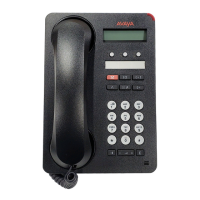
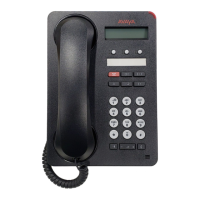
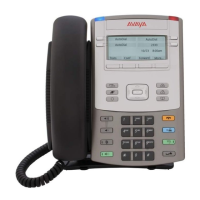
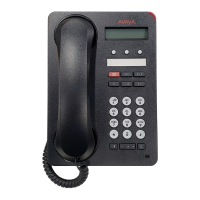
Avaya 1230 IP Deskphone
with SIP Software
User Guide
SIP Software Release 4.0
Document Status: Standard
Document Version: 02.03
Document Number: NN43170-102
Date: May 2011

Table of Contents

Other manuals for Avaya 1230

Questions and Answers

  • M
    Michael AyalaAug 18, 2025
    What does 'Permission Denied (6)' mean on my Avaya 1230 IP Phone and how to fix it?
    • D
      Doris FranklinAug 18, 2025
      The 'Permission Denied (6)' error on your Avaya IP Phone indicates either an incorrect User ID or an incorrect Station Control Password was entered. To resolve this, select Retry and try again, ensuring you enter the correct Station Control Password and User ID.
  • N
    Nina BrownAug 21, 2025
    What does 'Permission Denied (4)' mean on my Avaya 1230 IP Phone and how to resolve it?
    • M
      Michael Smith VAug 21, 2025
      The 'Permission Denied (4)' error on your Avaya IP Phone can occur due to an incorrect User ID or if you're trying to log on to a remote Avaya 1120E IP Deskphone or an Avaya 2050 IP Softphone from an Avaya 1230 IP Deskphone. Ensure you enter the correct User ID. If the problem persists, use an Avaya 1120E IP Deskphone or an Avaya 2050 IP Softphone or contact your system administrator.
  • M
    molly77Aug 23, 2025
    How to fix 'Permission Denied (3)' on Avaya IP Phone?
    • V
      Victoria JacksonAug 23, 2025
      The 'Permission Denied (3)' error on your Avaya IP Phone can be caused by entering an incorrect User ID or if the remote IP deskphone has no Station Control Password. First, ensure you are entering the correct User ID. If the problem persists, notify your system administrator, as the remote IP deskphone may need a Station Control Password configured.
  • M
    Mark ThomasAug 26, 2025
    How to resolve 'Invalid ID (1)' error on Avaya IP Phone?
    • W
      William RobinsonAug 26, 2025
      The 'Invalid ID (1)' error on your Avaya IP Phone indicates that an incorrect User ID was entered. Ensure you enter the correct User ID. If the problem continues, it may be because your User ID is not in the Gatekeeper database, in which case you should notify your system administrator.
  • L
    Larry TateAug 28, 2025
    What does 'Server Unreachable (1)' mean on my Avaya IP Phone?
    • E
      Erica PatelAug 28, 2025
      The 'Server Unreachable (1)' message on your Avaya IP Phone indicates a network problem. If the problem persists, notify your system administrator.
  • D
    Daniel WestAug 30, 2025
    What does 'Server Unreachable (2)' mean on my Avaya 1230?
    • S
      Shawn ArellanoAug 30, 2025
      The 'Server Unreachable (2)' message on your Avaya IP Phone indicates a network problem. If the problem persists, notify your system administrator.
  • C
    Cassandra CookSep 2, 2025
    How to resolve 'Invalid ID (3)' error on Avaya 1230 IP Phone?
    • L
      Lisa CampbellSep 2, 2025
      The 'Invalid ID (3)' error on your Avaya IP Phone means that you have entered an incorrect User ID, or the User ID in the Gatekeeper database points to the originating Call Server. Ensure that you enter the correct User ID. If the issue persists, notify your system administrator.
  • S
    Sherry SmithSep 5, 2025
    What does 'Permission Denied (1)' mean on my Avaya IP Phone?
    • M
      Marilyn HarrisSep 5, 2025
      The 'Permission Denied (1)' error on your Avaya IP Phone indicates that the remote IP Deskphone has no Station Control Password. Notify your system administrator to resolve this issue.
  • S
    Sandra CharlesSep 7, 2025
    How to resolve 'Invalid ID (2)' error on Avaya 1230?
    • B
      Brian RobertsonSep 7, 2025
      The 'Invalid ID (2)' error on your Avaya IP Phone indicates that an incorrect User ID was entered. Ensure you enter the correct User ID.
  • J
    Joann CrawfordSep 9, 2025
    Why does my Avaya IP Phone say 'Busy, try again'?
    • A
      amandaalvaradoSep 10, 2025
      The 'Busy, try again' message on your Avaya IP Phone can appear for several reasons. It may be because the remote IP deskphone you are trying to reach is currently active. It could also be because the ACD is logged on. In this case, log off the ACD IP Deskphone before initiating Virtual Office from another IP Deskphone. Finally, check if Make Set Busy is inactive on the ACD IP Deskphone, and if so, configure it to be active.

Summary

Welcome and Basic Features

IP Deskphone Controls

Details the physical buttons and their functions on the device.

Accessing and Managing Your Deskphone

Logging On to Your Deskphone

Outlines the process and requirements for logging into the deskphone.

Core Call Operations

Making a Call

Outlines methods for initiating outbound calls.

Receiving a Call

Covers how to handle incoming calls.

Active Call Management

Placing a Call On Hold

How to put an active call on hold.

Additional Features and Customization

Multiuser Features

Regulatory and Safety Information

Safety Warnings

Provides critical safety precautions for using the device.

Avaya 1230 Specifications

General IconGeneral
BluetoothNo
SpeakerphoneYes
Ethernet Ports2 x 10/100Base-T
Power over Ethernet802.3af Power over Ethernet (PoE) compliant
Headset JackYes
ProtocolsSIP
CodecG.711, G.722

Related product manuals