Getting started
41
For more information about Call mode, see “Call mode” (page 31).
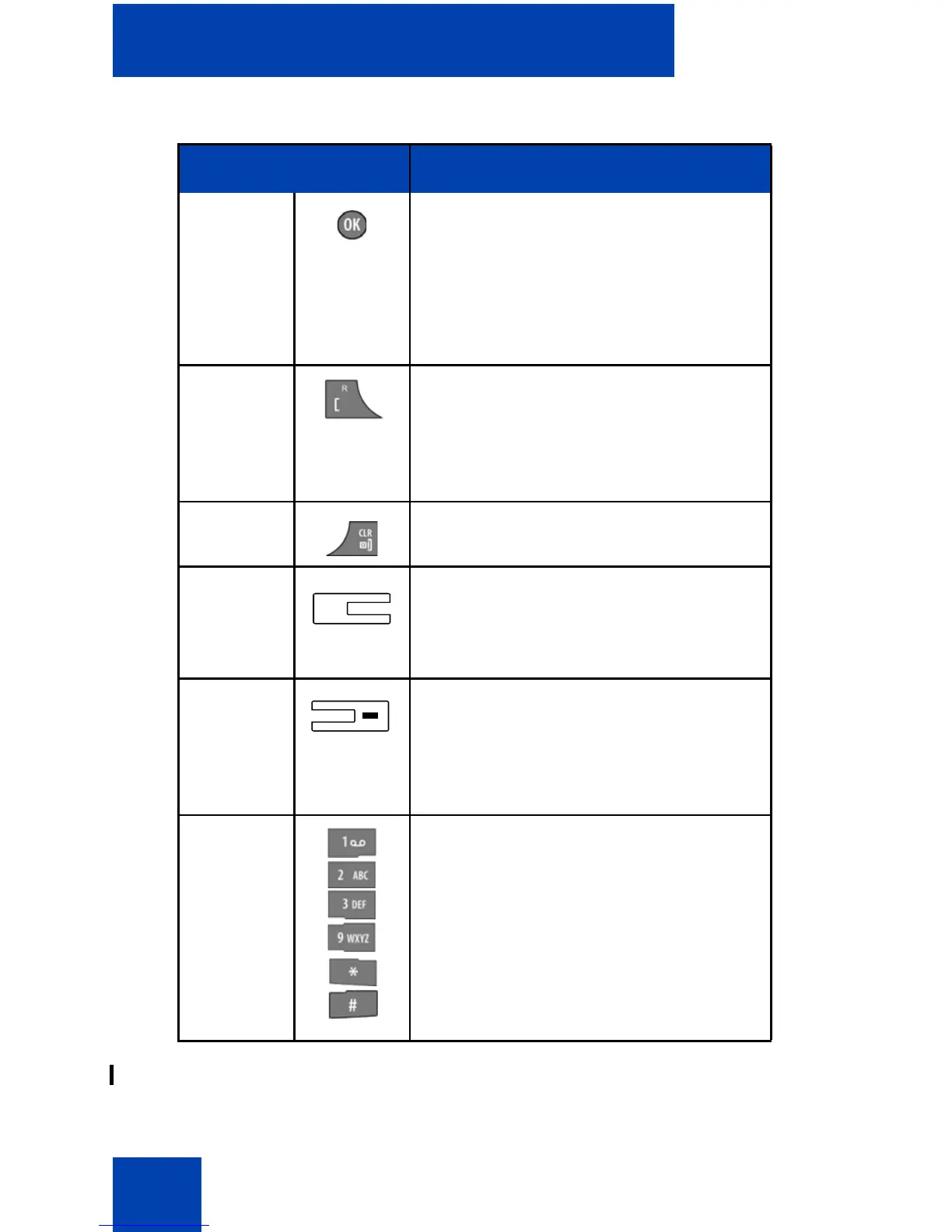
OK key • Press the OK soft key to turn the
loudspeaker on or off during a
call.
• Press the OK key to answer an
incoming call in handsfree mode
(using the loudspeaker).
Call key Press the Call key to place the
established call on hold (and access a
dial tone if only one call is active) or to
switch between calls if more than one
call is active.
Clear key Press the Clr key to end a call.
Volume
up key
Press the Volume up key to increase
the handset volume during a call.
A beep sounds when you reach the
Max volume level.
Volume
down key
Press the Volume down key to
decrease the handset volume during
a call.
A beep sounds when you reach the
Min volume level.
0–9,*,# Press the 0–9,*, or # key to enter
digits,*, or #.
Table 6: Key functions in Call mode (Continued)
Key Description
+


 To Next Page