Calls list
83
Deleting an entry
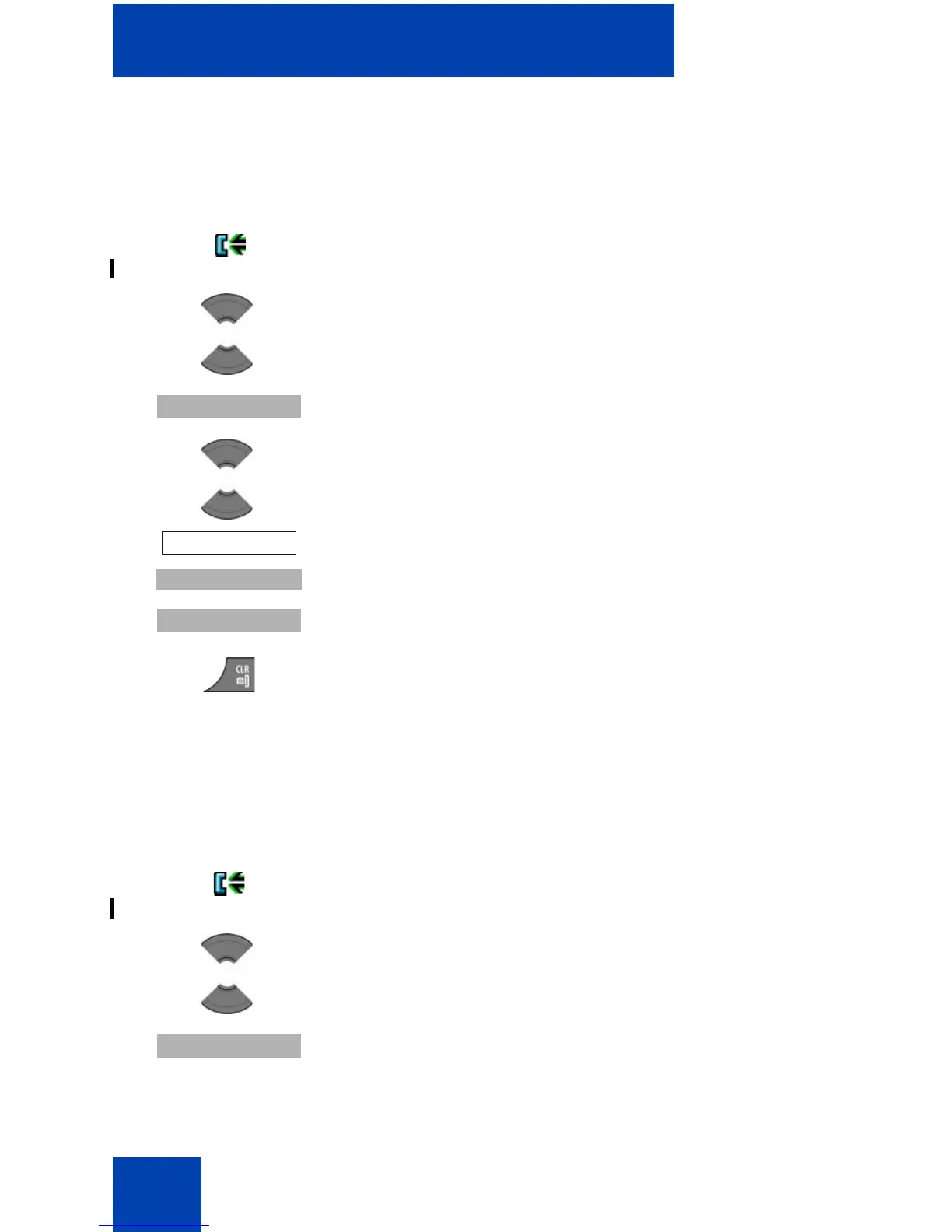
To delete an entry from the Answered calls list, perform the following
steps:
Deleting all entries
To delete all entries from the Answered calls list, perform the following
steps:
1. Open the Answered calls list using the steps in
“Accessing the Answered calls list” (page 79).
2. Press the Up or Down key to highlight the required
entry.
3. Press the More soft key.
4. Press the Up or Down key to highlight the Delete
entry option.
5. Press the Select soft key.
6. Press the Yes soft key to confirm the changes.
7. Press the Clr key one or more times to return to the
idle display.
1. Open the Answered calls list using the steps in
“Accessing the Answered calls list” (page 79).
2. Press the Up or Down key to highlight the required
entry.
3. Press the More soft key.


 To Next Page