EasyManua.ls Logo

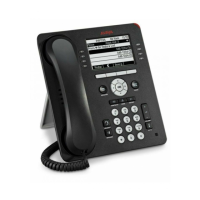
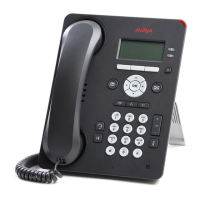
Avaya 9601 - User Manual

Avaya 9601
92 pages
Print Icon
To Next Page IconTo Next Page
Loading...
Using Avaya one-X
Deskphone SIP for
9601 IP telephone
Release 6.2.2
16-603618
Issue 1
April 2013

Table of Contents

Other manuals for Avaya 9601

Questions and Answers

  • C
    Courtney VasquezSep 15, 2025
    What to do if Avaya Telephone freezes at 'Press * to program'?
    • A
      alexisbutlerSep 15, 2025
      If the display freezes at the prompt 'Press * to program' during Craft procedure access on your Avaya Telephone, unplug the deskphone, then plug it in again to reset. Craft access has failed; deskphone cannot operate.
  • R
    Richard QuinnAug 25, 2025
    Why does my Avaya Telephone stop working in the middle of a call?
    • Q
      qharrisAug 25, 2025
      If your Avaya Telephone stops working during a call, check the connections between the deskphone, the power supply, and the power jack. Also, loss of path to the call server or the other party’s deskphone, DHCP Lease expired, or DHCP server not available when deskphone attempts to renegotiate DHCP lease.
  • B
    brian93Aug 25, 2025
    Why my Avaya Telephone was working but now it does not?
    • V
      Vincent HardingAug 26, 2025
      If your Avaya Telephone was working but now it doesn't, check the connections between the deskphone, the power supply, and the power jack to ensure there is no loss of power. If power is fine but there's no dial tone or the call appearances/feature buttons don't work, check LAN continuity from the call server to the deskphone and back. Verify that administration settings for LAN equipment between the call server and the deskphone haven't changed, and that no one has altered the deskphone settings locally.
  • N
    ncallahanAug 26, 2025
    How to resolve address conflict on Avaya Telephone?
    • J
      Jason BaxterAug 27, 2025
      If your Avaya Telephone has detected an IP Address conflict, verify the administration settings to identify any duplicate IP addresses.
  • L
    Louis RaymondSep 16, 2025
    Why is TIMEFORMAT setting ignored on Avaya Telephone?
    • C
      Cody ReevesSep 16, 2025
      If the setting being ignored is the TIMEFORMAT setting on your Avaya Telephone, reboot the phone if the time disappears. The time format was changed using the Avaya Menu Options & Settings.
  • W
    William StewartSep 23, 2025
    What to do if message light blinks but Avaya Telephone never registers?
    • L
      Lindsey BassSep 23, 2025
      The deskphone must be returned to Avaya for repair, because this is a hardware fault.
  • A
    Amanda DaughertySep 7, 2025
    Why does Avaya Telephone volume fluctuate?
    • M
      michaelgutierrezSep 8, 2025
      If you hear fluctuations in the volume level on your Avaya Telephone, especially with the speaker on, at the beginning of a call, or when the audio changes abruptly, try different on/off settings for the AGCHAND, AGCHEAD, and AGCSPKR parameters. The user has changed the Automatic Gain Control (AGC) or environmental acoustics are not consistent with the current audio settings.
  • A
    Aaron CrawfordSep 8, 2025
    Why are some settings ignored on Avaya Telephone?
    • L
      Lori JosephSep 9, 2025
      If some settings in the settings file are being ignored on your Avaya Telephone, verify that customized settings are correctly spelled and formatted. Improper settings file administration.
  • K
    Kristen FisherSep 2, 2025
    Why is an application not available on my Avaya Telephone?
    • M
      matthewjordanSep 2, 2025
      If an application or option is not available on your Avaya Telephone, and assuming the user is meant to have that application, verify the 46xxsettings script file is properly specified for your system, including case if your file server is UNIX or LINUX, and extension. Then, verify all the relevant parameters.
  • S
    sandovalkellyAug 31, 2025
    How to resolve subnet conflict on Avaya Telephone?
    • R
      Rebecca CherryAug 31, 2025
      If your Avaya Telephone has a subnet conflict, administer an IP Address on the deskphone using static address or or administer network equipment to administer the deskphone appropriately, because the deskphone is not on the same VLAN subnet as the router.

Summary

Introduction to the 9601 SIP Deskphone

Overview of Deskphone Features

Details the display, keys, buttons, and features of the Avaya 9601 deskphone.

Understanding Deskphone Icons

Explains the meaning of icons indicating call status, navigation choices, and contact presence.

Customizing Your Deskphone with Avaya Menu

Using Options and Settings

Guides on customizing call settings, personalizing buttons, and managing phone preferences.

Setting Up Speed Dialing

How to assign speed dial numbers to contacts for quick access, up to ten contacts.

Browser and WML Usage

Information on accessing Web applications and using the WML browser on the deskphone.

Core Call Operations

Answering and Handling Calls

Procedures for answering incoming calls, including managing multiple calls and putting calls on hold.

Making Emergency and Standard Calls

Steps for making emergency calls and standard calls via contacts, history, or direct dialing.

Call Forwarding Features

Details on enabling and disabling call forwarding and Send All Calls features for call routing.

Advanced Deskphone Functionality

Conference Call Management

Instructions on setting up and managing conference calls, including adding participants.

Using Contacts and Call History

Guides on searching, adding, and managing contacts, and reviewing call history logs.

Tracking Presence Information

How to view the availability status of contacts using the Track Presence feature.

System Management and Security

Accessing Features and System Information

How to access the Features menu, system numbers, and view feature tables.

Limited Access During Failover

Information on reduced functionality and available features during telephone system failover.

Deskphone Login and Locking Procedures

Steps for logging into the deskphone extension and securing it by locking the telephone.

Avaya 9601 Specifications

General IconGeneral
CategoryIP Phone
Ethernet Ports1
Power over EthernetYes
Headset PortYes
SpeakerphoneYes
Lines2
DisplayMonochrome
Power SourcePower over Ethernet
Supported ProtocolsSIP

Related product manuals