EasyManua.ls Logo

Avaya 9601 - User Manual

Avaya 9601
92 pages
Print Icon
To Next Page IconTo Next Page
Loading...
Using Avaya one-X
Deskphone SIP for
9601 IP telephone
Release 6.2.2
16-603618
Issue 1
April 2013

Table of Contents

Other manuals for Avaya 9601

Questions and Answers

  • L
    Louis RaymondSep 16, 2025
    Why is TIMEFORMAT setting ignored on Avaya Telephone?
    • C
      Cody ReevesSep 16, 2025
      If the setting being ignored is the TIMEFORMAT setting on your Avaya Telephone, reboot the phone if the time disappears. The time format was changed using the Avaya Menu Options & Settings.
  • T
    Teresa ColeSep 17, 2025
    How to fix multiple call appearances on Avaya Telephone?
    • T
      Thomas ThomasSep 17, 2025
      If you're experiencing multiple call appearances on an incoming call on your Avaya Telephone, set the Bridged Calls field to "none" on the off-pbx-telephone station-mapping form. Provisioning problem.
  • J
    Joel DoyleSep 18, 2025
    What does 'SCEP: Failed' mean on Avaya Telephone?
    • D
      David ReynoldsSep 18, 2025
      If your Avaya Telephone displays 'SCEP: Failed', no action is required. Although the SCEP server connection is terminated, startup continues.
  • T
    Theresa SchultzSep 18, 2025
    What to do if power is interrupted during application save on Avaya Telephone?
    • T
      Troy HoffmanSep 19, 2025
      If deskphone power is interrupted while the deskphone is saving the application file and the HTTP/ HTTPS application stops responding, restart the phone.
  • B
    bonnie06Sep 23, 2025
    Why does login fail on Avaya Telephone?
    • W
      weeksdouglasSep 23, 2025
      If login fails on your Avaya Telephone, Session Manager needs to point to Communication Manager's PROCR interface for the "Media Server Admin Address." Session Manager must point to a specially-provisioned PPM Administration account on Communication Manager. Invalid provisioning on Communication Manager or Session Manager.
  • W
    Wayne MartinSep 23, 2025
    Why did user data disappear on Avaya Telephone?
    • R
      rgalvanSep 23, 2025
      If user data disappeared when the user logged off one deskphone and logged into another deskphone on your Avaya Telephone, contact the Session Manager administrator. Possible PPM problem.
  • W
    William StewartSep 23, 2025
    What to do if message light blinks but Avaya Telephone never registers?
    • L
      Lindsey BassSep 23, 2025
      The deskphone must be returned to Avaya for repair, because this is a hardware fault.
  • A
    andradedonnaAug 23, 2025
    What to do if my Avaya Telephone has no Ethernet connection?
    • P
      Patrick MitchellAug 23, 2025
      If your Avaya Telephone can't communicate with the Ethernet, ensure it's correctly connected to the Ethernet jack, the jack is Category 5, and power is supplied to the jack via the LAN.
  • J
    Jeremy KerrSep 6, 2025
    Why are DTMF tones not received on Avaya Telephone?
    • A
      Anthony PorterSep 6, 2025
      If your Avaya Telephone works properly except for receiving incoming DTMF tones, there is no solution. The TN2302AP board does not pass in-band DTMF tones, and it is operating as designed.
  • M
    Michael YoungSep 5, 2025
    Why does Avaya Telephone have reorder tone after dial tone?
    • J
      Jennifer ReyesSep 5, 2025
      When a line is selected on your Avaya Telephone and you hear a short dial tone burst followed by a reorder/fast busy tone, map the extension on the off-pbx-telephone station-mapping form. Also, check SIG group configuration, because possible error in SIG group configuration on Communication Manager, which indicates the default region for the SIP trunk to Communication Manager.

Summary

Introduction to the 9601 SIP Deskphone

Overview of Deskphone Features

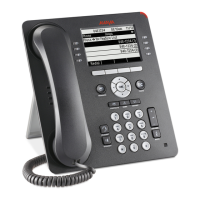
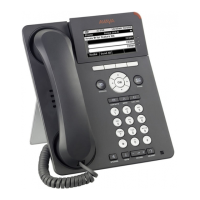
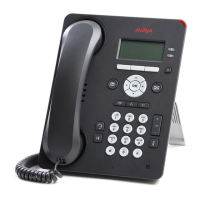
Details the display, keys, buttons, and features of the Avaya 9601 deskphone.

Understanding Deskphone Icons

Explains the meaning of icons indicating call status, navigation choices, and contact presence.

Customizing Your Deskphone with Avaya Menu

Using Options and Settings

Guides on customizing call settings, personalizing buttons, and managing phone preferences.

Setting Up Speed Dialing

How to assign speed dial numbers to contacts for quick access, up to ten contacts.

Browser and WML Usage

Information on accessing Web applications and using the WML browser on the deskphone.

Core Call Operations

Answering and Handling Calls

Procedures for answering incoming calls, including managing multiple calls and putting calls on hold.

Making Emergency and Standard Calls

Steps for making emergency calls and standard calls via contacts, history, or direct dialing.

Call Forwarding Features

Details on enabling and disabling call forwarding and Send All Calls features for call routing.

Advanced Deskphone Functionality

Conference Call Management

Instructions on setting up and managing conference calls, including adding participants.

Using Contacts and Call History

Guides on searching, adding, and managing contacts, and reviewing call history logs.

Tracking Presence Information

How to view the availability status of contacts using the Track Presence feature.

System Management and Security

Accessing Features and System Information

How to access the Features menu, system numbers, and view feature tables.

Limited Access During Failover

Information on reduced functionality and available features during telephone system failover.

Deskphone Login and Locking Procedures

Steps for logging into the deskphone extension and securing it by locking the telephone.

Avaya 9601 Specifications

General IconGeneral
CategoryIP Phone
Ethernet Ports1
Power over EthernetYes
Headset PortYes
SpeakerphoneYes
Lines2
DisplayMonochrome
Power SourcePower over Ethernet
Supported ProtocolsSIP

Related product manuals