CCFP Options Menus - Page 39
DECT - Installation Manual Page 39
38HBKD0001SAH – Issue 14 (27th October 2003) Preferences
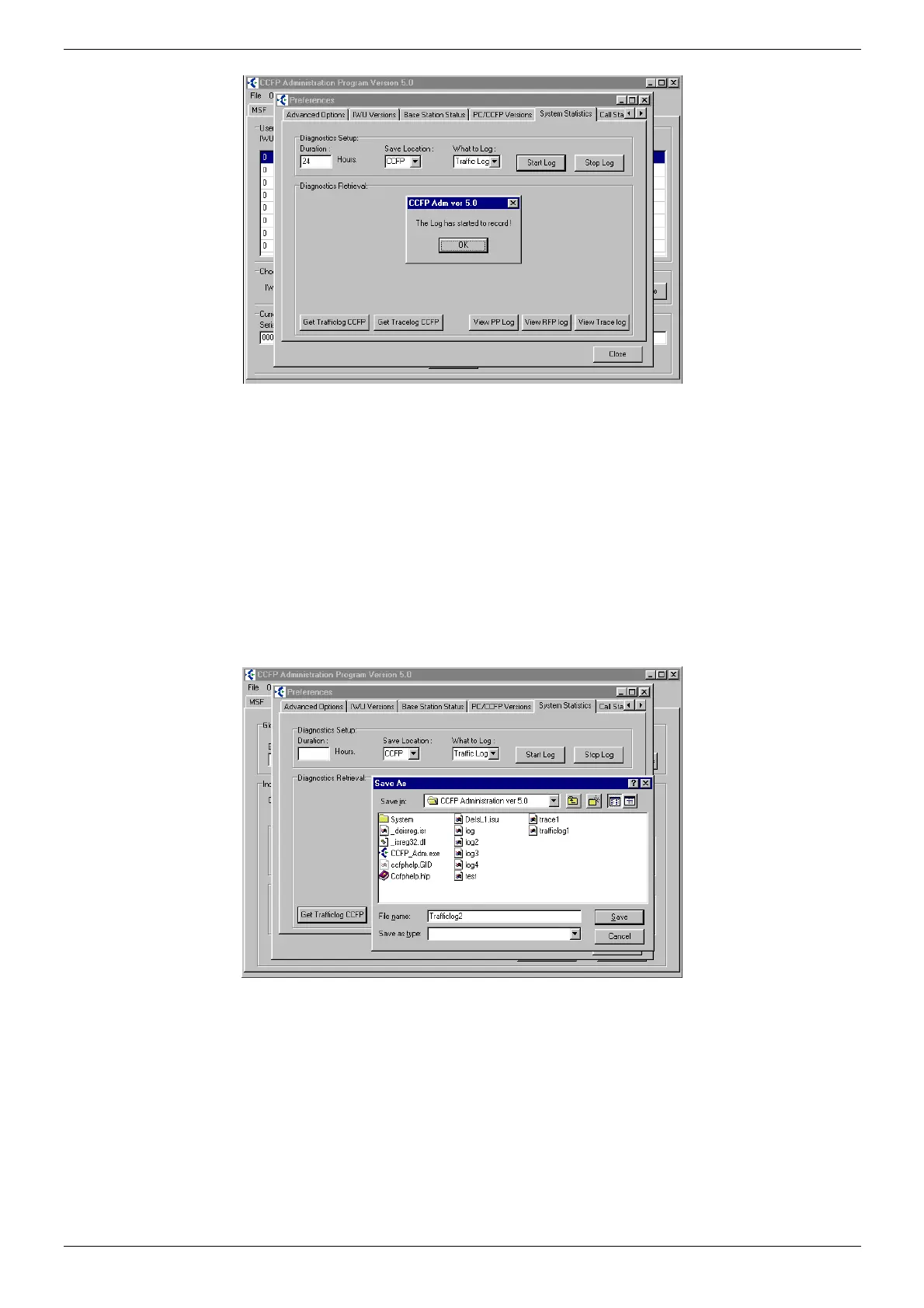
System Statistics.
The CCFP Administration Program V5 offers a comprehensive statistics
package that allows diagnosis operation of the DCU
• Traffic Log/Activity of the DH Handsets fitted and measurements in
Erlangs.
• Trace Log/Activity of the Base Stations fitted including handovers.
A log will run for the duration period entered in the Diagnostic
Setup/Duration box. The log file is held within the DCU. Before viewing is
allowed, the duration period must elapse or the log is stopped. Use the
What to Log box to select required log.
Selecting either Get Trafficlog CCFP or Get Tracelog CCFP will
download the log to your PC. A file name for the log must be given as
shown below.
The file type can be left blank. Choose Save to save in the CCFP
Administration Program V5 folder.
When finished CCFP Administration Program V5 will prompt Download
Completed/OK. Click on OK to continue.



 To Next Page