Page 40 - CCFP Options Menus
Page 40 DECT - Installation Manual
Preferences 38HBKD0001SAH – Issue 14 (27th October 2003)
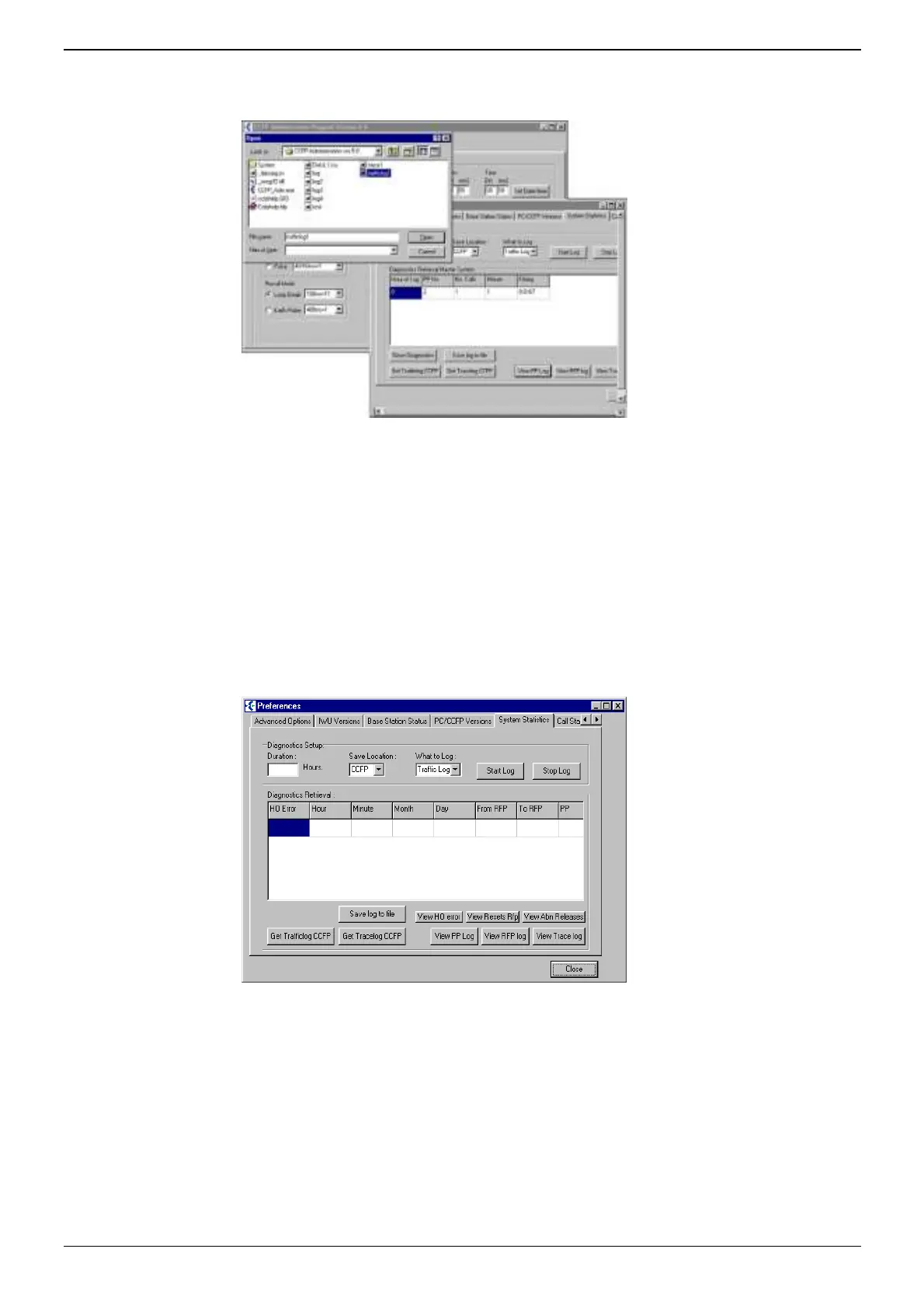
To display logs:
When download has been completed, select either View PP Log, RFP Log
or Trace Log.
View PP Log-
• Hours of Log duration.
• DH (PP – Portable Part) DAB location number on the DCU.
• Total number of Calls.
• Duration of calls to the nearest minute.
• Erlang Calculation.
View RFP Log-
• Hours of Log.
• RPN/Base Station Activity.
• Channel Connection.
• Total Calls.
• Call Duration to the nearest minute.
View Trace log.
• Hand Over Errors.
• Duration (Hours, Minutes, Month, Day).
• Hand Over from Base Station to Base Station.
• DH Handset applicable.
The CCFP Administration Program V5 has the ability to view Base Station
(RFP) resets and DH Handset Abnormal Releases. Abnormal Release is
when the DCU. sees a non- recognized DH Clear down; EG. A call in
progress and the battery goes flat on the DH Handset, or when a DH may
move out of signal coverage and clears whilst a call is in progress.



 To Next Page